-
Hi and welcome to the forums badger99.
Thanks for telling us which version of Knoppix you are using. You would be surprised how many people don't. I use the DVD myself.
You say you are new to Knoppix so I guess this isn't something that used to work with some older version of Knoppix. Have you any previous experience of Linux ?
Can you tell me if you are using a laptop with an external monitor or this a desktop PC ? If you use just one screen is it still covered with garbage ? A laptop will have some function key that cycles through internal / external / both screens. Try each and reboot each time to see if that makes a difference.
You say the resolution is wrong. Is it lower than you expected or higher than you expected ?
In what way does the screen appear to be covered with garbage ? I know it sounds a silly question but are lots of different ways the screen could appear as garbage.
When does the screen become garbage ? When you boot the first screen shows the Knoppix logo and has a boot: prompt at the bottom. This is OK ? After a second or two the screen clears and then you start to get text message showing the progress of the boot, including a wide green bar. Is this OK ? Part way through, the text appears to get smaller. Is it still OK ? Then you get the Knoppix logo again and a woman's voice (if your audio is turned up), then finally you get the desktop without needing to log in. Is it just this last that is garbage ?
If you press ctrl-alt-F1 (all three keys at the same time) you should get back to the console showing the text that you could see during boot. If that is OK, please type in the following:
look at the output for any lines that say something like VGA compatible controller. Could you notes these lines down and write them up in your next post. At the beginning of the each line is a 'number'. For me it is 00:02.0. Can you type in:
Code:
lspci -v -s <number>
Can you note down the last line output and put that in your next post too. For me that is:
Code:
Kernel driver in use: i915
If you know enough Linux to know what syslog is, try ctrl-alt-F12 to get the tty console with syslog output and see if anything there looks suspicious. For me it is almost all Network Manager stuff that is irrelevant.
Back to ctrl-atl-F1, could you type in:
Code:
fgrep '(EE)' /var/log/Xorg.0.log
This shows you any errors the Xserver has encountered and they may be significant. The Xserver is the software that drives your screens. I get some error messages about the Synpatics TouchPad that are not important. Please copy down any others and include them in your post (at least the first and last two or three if there are lots). If you type in:
Code:
less /var/log/Xorg.0.log
you can page through the log. It's long and won't make a lot of sense. Part way down you will come across something like:
Code:
EDID (in hex):
  serveral lines with lots of hex numbers
EDID vendor "CMO", prod id 5522
Should you find this in there twice since you have two screens. Note down the last line each time. This tell us what your monitors are. Following this is a load of stuff about modelines. This is the Xserver trying to make up screen resolutions that your graphics chip and your monitor both support. Lines that start "Not using default mode" are bad for some reason, while lines that start with Modeline are good. Are the screen resolutions you expected good ?
A little below that there are several lines that all start with Output. I have:
Code:
Output LVDS1 using initial mode 1366x768
which tells me I'm using the laptop's internal screen (only) at resolution 1366x768. Could you also copy down these lines and include them in your reply.
If the garbage is so bad you can't even see the text on the console I've been taking about, do not despair. Your PC / Laptop document will tell us something about the graphics chip. If it a reasonably new machine, the keywords to look out for at Nvidia and ATI Radeon.
Lastly, do you know what a 'cheatcode' is ? You can use these at the initial boot: prompt, If you type in:
Code:
less /mnt-system/KNOPPIX/knoppix-cheatcode.txt
you can page through the cheatcodes. There is a bunch under ### Graphics ### that allow most people to workaround screen problems. The questions I've asked may help decide which, if any, you might use but you could also might try a 'trial and error' approach.
Last edited by Forester; 03-06-2011 at 10:52 AM.
 Posting Permissions
- You may not post new threads
- You may not post replies
- You may not post attachments
- You may not edit your posts
-
Forum Rules


Lot of 500 Cisco 10-3145-02 QSFP-100G-CWDM4-S 100G CWDM4 QSFP28 Transceiver
$1500.00

Cisco WS-C3650-12X48UR-L 48-Port Stackable Layer 3 8x10G SFP+ Port Switch
$129.99
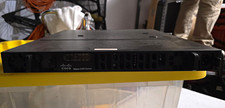
Cisco ISR4431/K9 V02 4400 Series Rack Mount L3 1Gbps Router 3 LAN RJ-45
$200.00

Cisco C3850-NM-2-10G
$75.00

Cisco Catalyst C9120AXI-B Wi-Fi 6 Access Points
$36.00

Genuine Cisco SFP-10G-SR 0-2415-03 10 Gigabit Transceiver
$5.40

Cisco C9300-48UXM-A Switch 9300 Series 48-port UPoE Network
$874.99

Cisco C3850-NM-2-10G Catalyst 3850 2 x 10GE Network Module
$30.00
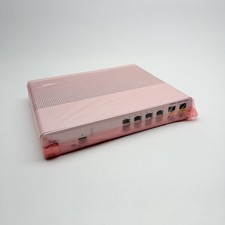
Cisco 8-Port Ethernet Catalyst Switch - WS-C2960C-8TC-L - Brand New
$50.00
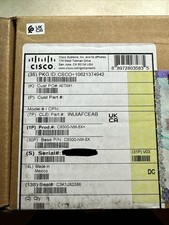
Cisco C9300NM8X Network Switch Module
$599.99



 Reply With Quote