-
Senior Member
registered user
ok, here goes, if you type wrong drive number you will wipe wrong drive beyond easy repair, so take care.
first you become "superuser" or more correctly root.
everything you do from now is dangerous.
first you find name of drive by typing on a commandline.
the outout wil be something like
Disk /dev/sdb: 7948 MB, 7948206080 byte
Enhet start end Block Id System
/dev/sda1 * 11 19166 7757824 83 Linux
(yeah I am using a pen-drive just now)
this tell me that I have only one drive called sda and only one partition called 1
a ATA drive would show up as hda for first drive, hdb for second, hdc for third...
a SCSI or SATA drive would show up as sda for first drive, sdb for second, sdc for third...
partitions are merely numbers 1, 2, 3...
wiping the disk I write
Code:
dd if=/dev/urandom of=/dev/sda&&dd if=/dev/zero of=/dev/sda
this wil first write "random" data to the entire drive bit by bit, in the process wrecking any partitiontable, filesystem... then it will write zero's to entire drive bit by bit (yeah, will take a while).
if you just wanted data to be fairly well destroyed so you could start anew, here you go.
if not enough, now for second step.
make disk one large partition and encrypt entire drive, that is a bit more than I can write here, but here you have one link (search web for more, there is a lot out there).
http://www.tldp.org/HOWTO/html_singl...ryption-HOWTO/
Actually you could likely do it using RSA/SHA like if it was a textfile or E-mail.
use sha or rsa on /dev/XYZ as if it was a file
if you want a "deeper wipe" repeat ALL steps above 25 times/disk
if you want data 100% gone you are out of luck as to simpel computer code, according to authorities only way to be 100% certain is if you melt them down and almost have to stir the thing according to some (not likely needed imho as the magnetic properties will be gone past curie point)
Last edited by OErjan; 03-12-2011 at 07:58 AM.
Tags for this Thread
 Posting Permissions
- You may not post new threads
- You may not post replies
- You may not post attachments
- You may not edit your posts
-
Forum Rules


IBM System X3850-X5 Server w/4x Intel Xeon E7-4870 CPU , 512 GB DDR3 RAM,NO HDD
$1299.99

IBM QRadar xx29 2x Xeon E5-2650v4 2x 900W PSU M5120 12x 3.5" Bay Server No RAM
$179.99

IBM ADP Server Type 7870 AC1 NO HDD | 128GB RAM PC3L | 2 x Xeon E5620
$199.99

Unused IBM 09P0037 MAINBOARD For RS/6000 7044-170 P-Series
$375.00

IBM SYSTEM X3500 M3 SERVER 7380AC1 TOWER Server XEON E5620 8GB RAID SEE NOTES
$110.30

Compaq ProLiant 1500R 5/100 rack server, Series 3155, with IBM 2.1GB HD, VINTAGE
$295.00

IBM 4262 SYSTEM x3200 Tower - HDD Wiped, NO OS
$80.00
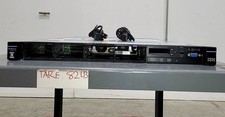
IBM SYSTEM X3550 M5 5463AC1 2.5x8 Server 2*XEON E5-2640 V3 8GB SEE NOTES
$85.99

Rare Vintage IBM 93ZZ PowerPC Server Board - MCM Ceramic CPU - 40N1844 - 1.1 lbs
$49.99

IBM 7014-T00 Enterprise 19" Rack Enclosure No Keys
$549.95



 Reply With Quote