-
X Session not visible on Latitude e6510
Hello. This is my first post. I am not too familiar with the ins and outs of Knoppix but it has worked great for me recovering files off older Dell laptops, D630 or so. I now am trying it on a new Latitude E6510. I choose to use the Graphical Interface in the first menu and then the full X session in the second menu. The gui display never came up. Any help would be greatly appreciated.
thanks
-
what version of knoppix? cd/dvd?
look at this: http://www.robo47.net/blog/197-Setti...0x1080-Display
please keep us informed at how your doing 
-
thanks for the response
Thanks. I read through that post and some of the comments. I know nearly nothing about Linux, just using Clonezilla and Knoppix and playing around with Ubuntu a bit. I simply don't have time for that kind of depth, given the time it would take with my current skill set.
-
ok, what happens if you use the boot option
xmodule=vesa
Just give that a try
-
Hi MKLinux and welcome to the Knoppix forums.
The same question has come up a number of times recently on these forums. Sometimes the person asking the question admits to having a Dell Latitide, sometimes they claim to have a GEForce to make the Japanese weep. Seldom do they realise they have an Nvidia graphics chip.
This means that, as they dilligently read the release notes at http://www.knopper.net/knoppix/knoppix64-en.html while waiting for their download to complete, they fail to realise that the section:
Known Bugs & Workarounds
is addressed to them.
At the very start of boot, when Tux is posing for Gallileo, at the boot: prompt, enter:
Code:
knoppix nomodeset xmodule=nv
and see if that doesn't do the trick.
-
I was first able to get back to this now. I tried Forester's advice and it worked right away. Thank you to forester and dinosoep!
Tags for this Thread
 Posting Permissions
- You may not post new threads
- You may not post replies
- You may not post attachments
- You may not edit your posts
-
Forum Rules

Vintage Apple Extended Keyboard II M3501 Mechanical ADB - Tested & Working
$54.99

Apple Mac OS9 Cloth Banner Think Different 64 x 24 inches NEW ORIGINAL Vintage
$99.99
Vintage Apple Computer Keyboard Model M0110A, Good condition, Untested
$125.00

Vintage Apple Macintosh IIsi Computer, Monitor, Keyboard & Mouse Complete Setup
$199.99
Apple IIc Home Computer Vintage Model A2S4100 Retro Computer Untested
$149.00
Vintage APPLE Computer Keyboard M0110 and Mouse LOT M0100 & Desktop Bus
$129.00
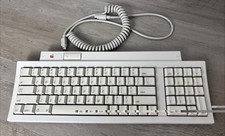
Vintage Apple Keyboard II M0487 ADB Keyboard w/ Coiled Cable 🍎
$44.99
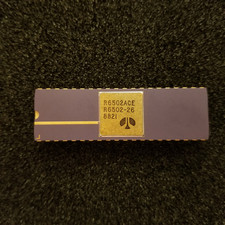
Vintage Apple I 6502A CPU: Kim 1, Pet, = (Synertek MOS), Unused, gold Ceramic
$299.99
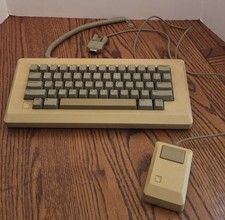
Vintage Apple Macintosh M0110 Keyboard with Coiled Cable & M0100 Mouse Bundle
$180.00
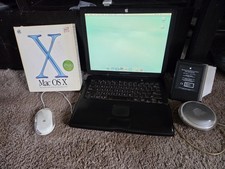
VINTAGE Apple PowerBook G3 Lombard M5343 400MHz 192MB Working Mac OS X Bundle
$299.00



 Reply With Quote