-
Well, I got it to work. I converted my 1st partition to fat32 and it booted up fine and displayed all my partition. However, the nic card was disable and I could not access any of my NTFS 5.0 partitions.
I got the nic card working by going through Knoppix expert more and skipping autoprobe step.
Now I am posting this message using Knoppix on my ze5170.
_______
Next task is to find a way to update my Nessus and Snort rules and signatures. I would also like to use Gnome instead of KDE. Looks like I will have to explore how to create my own Knoppix CD from scratch and just add the programs I need.
So long
Watchdog
:P
-
I think I am about to give-up on this.
I am able to see everything on the boot CD (I can open up HTML, TXT files, view JPG images etc).
I would like to try the boot floppy again, which I did give a go, however the command suggetsed in the HTML file did not work,
The document says to create a boot floppy use "rawrite2 -f boot-en.img -d A" from the DOS command-line when in the /Knoppix directory.
I get the error response "boot-en.img: No such file or directory". The CD has file boot.img but not boot-en.img ...... I originally altered the command to use boot.img and the floppy was created.
Is this indicative of a fundamental error somewhere??
-
Senior Member
registered user

Originally Posted by
David
I think I am about to give-up on this.
I am able to see everything on the boot CD (I can open up HTML, TXT files, view JPG images etc).
I would like to try the boot floppy again, which I did give a go, however the command suggetsed in the HTML file did not work,
The document says to create a boot floppy use "rawrite2 -f boot-en.img -d A" from the DOS command-line when in the /Knoppix directory.
I get the error response "boot-en.img: No such file or directory". The CD has file boot.img but not boot-en.img ...... I originally altered the command to use boot.img and the floppy was created.
Is this indicative of a fundamental error somewhere??
Just a change in the file on the CD in the english version, it now uses boot.img instead of the boot-en.img for the image.
Similar Threads
-
By tarinja in forum General Support
Replies: 4
Last Post: 10-02-2004, 04:55 AM
-
By tdb in forum General Support
Replies: 2
Last Post: 05-24-2004, 07:39 PM
-
By /dash in forum General Support
Replies: 0
Last Post: 04-30-2004, 08:39 PM
-
By turbines in forum General Support
Replies: 2
Last Post: 04-22-2004, 07:27 AM
-
By arkaine23 in forum Customising & Remastering
Replies: 0
Last Post: 06-24-2003, 03:12 PM
 Posting Permissions
- You may not post new threads
- You may not post replies
- You may not post attachments
- You may not edit your posts
-
Forum Rules


Dell 6P85J 4TB ST4000NM0063 7.2k 6Gb/s 3.5” SAS SED Hard Drive with Tray
$39.99

Seagate ST8000DM004 8TB 3.5" 6Gb/s 256MB SATA HDD P/N: 2CX188-300 Tested
$149.99

Western Digital HUS726T4TAL5204 4TB 7.2K SAS 12Gb/s 3.5" 512e HDD NetApp X375A
$64.00

(ST8000NM0045) SEAGATE ENTERPRISE 8TB 7200RPM 4Kn SATA 6Gb/s 3.5" HARD DRIVE
$199.99

Seagate ST500DM009 BarraCuda 500 GB 3.5" SATA III Desktop Hard Drive
$14.99

HGST Ultrastar 7K4000 3TB 7200RPM SATA III 3.5" Hard Drive HDD HUS724030ALA640
$39.99

Dell ST6000NM0034 1HT27Z-150 NWCCG 6TB SAS 3.5 7.2K ENTERPRISE SERVER DRIVE
$68.99

HGST HUA723030ALA640 3TB SATA 7200 RPM 3.5 in Enterprise HDD | 0F14044 (100%)
$45.00

DELL 2TB Enterprise HDD (7200RPM, 3.5", SATA III, 128MB Cache) HUS722T2TALA600
$49.95
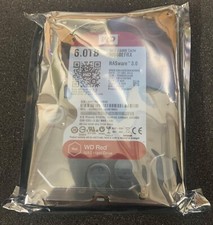
Western Digital Red WD60EFRX-68MYMN1 6 TB,Internal,5400 RPM,3.5 inch Hard Drive
$179.99



 Reply With Quote