-
-
Senior Member
registered user
@ Forester
I think I understand what you intend to do here,
but I find the user interface most unfriendly.
I'd be glad to set some variables and make some
choices, but none I try seem to be correct.
I suggest perhaps you make it more clear which
lines need attention.
I've prepared my 2nd USB but I'll wait to see
how the discussion goes before just tweaking away.
A good example for cloop, not-encrypted and pruned
with /dev/sdb1 as master and dev/sdc1 as target
would be most helpful.
-
-
Senior Member
registered user
Progress so far:
doremaster cloop image creates a fatter KNOPPIX compressed file.
doremaster create knoppix-data.img <anything> doesn't work.
doremaster prune knoppix-data doesn't work, with or without
a persistent store.
target LiveUSB still boots, but doesn't appear to benefit from
its larger size.
doremaster create knoppix-data.img <...> does not recognize an input
such as 2000 or 2000 Mb or <2000> or <2000 Mb>.
Last edited by utu; 03-22-2011 at 05:08 PM.
-
-

Originally Posted by
dinosoep

after using the script a new knoppix.sq was created like I said but as it was just a test, I decided to delete it. But for some strange reason the original knoppix.sq was removed. so after a reboot it couldn't find it anymore (logical)
Oh dear. Your knoppix.sq is mounted so you can see it at /mnt-system/KNOPPIX. There is nothing to stop you mounting the file system again at some other location. If you did this, you'd have what might appear to be two knoppix.sq files but when you delete one the other vanishes as well. That may be what happened here. I don't know. I wasn't there.
You used /dev/loop2. Why did you think that was a good idea ? It reminds of when I was 15 I stuck the points if a pair of scissors into the main sockets on the bench in front me in the middle of a biology lesson to just to see what would happen. I didn't hear the bang. I was told afterwards it was very loud.
Originally Posted by
dinosoep
Now comes the smart part: I had a backup

Yep, you're learning. That's why I went and bought two USB sticks for test purposes.
Originally Posted by
dinosoep
Maybe I should decide to simply try to understand the script before I try some more stuff with it.
Careful, you might grow wisdom. The number of times I've decided I need software that does X, googled a bit, skimmed through a man page and then spent the rest of night/week/month trying to the convince the software I was right and it was wrong .... I've learnt at least to try to use the software the way it was intended and then decide if it meets my needs or not.
Think long term. Today you may remaster from your favourite stick to a backup and then use the backup stick for a while. Next time you would remaster from the backup to your favourite stick. Whatever you call your sticks, you alternate between them. That's why I called them flip-flop. I could have called them ping-pong but if I'd wanted to be obscure I'd have called them Hunky Dory or Castor and Pollux.
Originally Posted by
dinosoep
and forester, don't overestimate me

I don't. I just don't know what to estimate. I once showed an old lady how to send and receive e-mail. She had a daughter in Australia and that does things to people. The first problem was she didn't know what 'click the left mouse button' meant. At least she said so, I got useful feedback and we could move forward. Here's what doesn't work: feedback of the form "XYZ didn't work" with no other information but the clear implication that someone is stupid.
Now, were you try prune knoppix-data and report you an got error of the form:
Code:
losetup: could not find any free loop device
I would suggest that it is just possible you forgot to remove /dev/loop etc. as the instructions in post #5 recommended. But you haven't and neither has utu so I can't make that suggestion can I ?
-
Senior Member
registered user
[email protected]
Please put me on your mailing list for doremaster 2.0.
I am declaring victory forthwith and retiring from
this scavenger hunt.
I'm sure there was a pony in there somewhere.
-
Senior Member
registered user
When working with external storage and doing lots of writing, I always try to put in a USB harddisk in the mix. I use both "ready-made" and "home-made", typically mounting a disk from a harddisk upgrade into a cabinet. Then I can use several partitions and file systems on one drive, and typically leave the USB "master install" read-only until the new version has been testen.
 Posting Permissions
- You may not post new threads
- You may not post replies
- You may not post attachments
- You may not edit your posts
-
Forum Rules


Kingston 32GB 64GB 128GB 256GB USB 3.0 Flash Drive Thumb Memory Stick Pen lot
$285.90
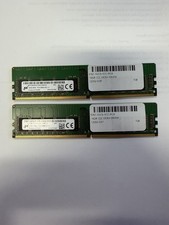
LOT OF 2 Micron 16GB 2Rx8 PC4-2666V-EE1-11 P/N: MTA18ASF2G72AZ-2G6D1ZG
$199.95

Lot Of 8 Micron 8GB 2Rx8 PC4-2666V-RE2-11 ECC REG Server Ram MTA18ASF1G72PDZ-2G6
$210.00
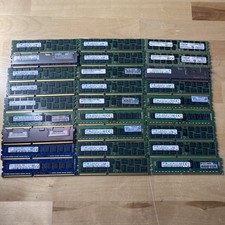
LOT OF 27-Mixed Lot of 8GB (27x8GB=216GB TOTAL) PC3L-12800R ECC REG Server RAM
$99.99

USB 3.0 Flash Drive 32GB 64GB 128GB Memory Stick Thumb Stick Lot Pack
$826.09
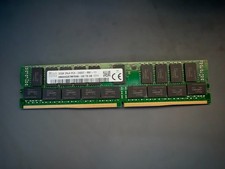
SK Hynix 32GB Server Memory 2Rx4 PC4-2400T-R81-11 HMA84GR7MFR4N-UH Server RAM
$169.99

USB 3.0 Micro SD SDHC TF Card Reader Memory Adapter for PC Laptop Camera lot
$3.75
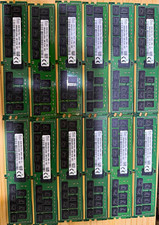
SK hynix 576GB DDR4-2933 ECC RDIMM Server RAM 24x DIMMs 12x32GB + 12x16GB
$3000.00
Micron MTA18ASF2G72XF1Z-2G9WP1ABVGD 16GB 1Rx4 NN4-2933Y DDR4 ECC NVDIMM
$74.50

LOT OF 4 Samsung 16GB DDR4-2666 ECC UDIMM 2Rx8 PC4-21300 M391A2K43BB1-CTDQ
$469.95



 Reply With Quote