
The system clock slows down over a period of time.
After shutdown/hibernate/standby the system time resumes at time the comp was stopped.
Comp- Toshiba Satellite
OS- Windows XP MCE 2002


The system clock slows down over a period of time.
After shutdown/hibernate/standby the system time resumes at time the comp was stopped.
Comp- Toshiba Satellite
OS- Windows XP MCE 2002
Hello Leyvanom and welcome to the Knoppix forms.Originally Posted by Leyvanom

Do you mind my asking which version of Knoppix are you using (last time I looked Windows XP didn't count).
Also stating that you have a Toshiba Satellite tells us very little about your laptop. I'm guessing yours is a bit more recent than the Toshiba Satellite 100CS, running on an Intel Pentium processor @ 150 MHz, 32 MB of RAM, with an internal floppy drive on Windows 95.
My suspicion is that your Tosh has seen better days and the little battery that backs up its CMOS and RTC is almost dead. I'm not sure what that will look like in your Tosh but you can find a picky of a selection here: http://en.wikipedia.org/wiki/Button_cell.
It may be that the RTC on your Tosh is dead but not to worry. If you have an Internet connection you can install NTP, a protocol for talking to very accurate atomic clocks, which will soon put your time right whenever it starts to drift off.
Just because your laptop is a Toshiba doesn't mean it will try to talk to a Japanese atomic clock and I've read no reports of the recent events in Japan affecting their clocks or their Internet in any way anyway.
Install the ntp package using your favourite method and add ntp to the list of services in /etc/rc.local. If you are using Knoppix from CD without persistent store just stall the ntp package each time you notice the clock is wrong.
If anything is not clear, don't hesitate to ask.
 Posting Permissions


SFP TO RJ45 TRANSCEIVER SFP MODULE COPPER SFP OPTICAL PORT TO RJ45 ETHERNET PORT
$7.99
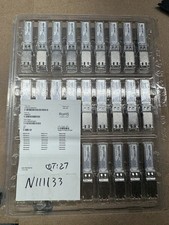
Finisar Copper SFP 1Gbps Transceiver Module FCLF8522P2BTL (34 total)
$680.00

Dell Intel X710-DA2 5N7Y5 Dual-Port 10GbE SFP+ PCIe 3.0 x8 Network Adapter
$27.50

NEW Sealed Cisco SFP-10G-LR 10GBASE-LR SFP+ 1310nm 10km *US Shipping*
$24.00

Genuine Cisco SFP-10G-SR 0-2415-03 10 Gigabit Transceiver
$5.40
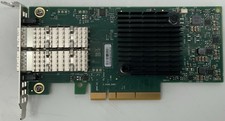
Dell Mellanox ConnectX-4 Lx CX4121C Dual 25GbE SFP28 LP | 20NJD
$25.00

HP 560SFP+ 10GB 2-port PCIe NIC Ethernet ADAPTER 669279-001 w/ (2) 10GB SFP+
$16.99

HPE 560SFP 2x 10Gb SFP+ PCIe Both Profile Network Card 669279-001 665247-001
$14.90

Cisco Meraki MA-SFP-1GB-SX Network Tranceiver Module
$89.00

Netgear ProSafe AGM732F 1000BASE-LX SFP 1310nm GBIC Module NEW SEALED
$80.00

 Reply With Quote