

 Reply With Quote
what version of knoppix? cd/dvd?
look at this: http://www.robo47.net/blog/197-Setti...0x1080-Display
please keep us informed at how your doing


Hello. This is my first post. I am not too familiar with the ins and outs of Knoppix but it has worked great for me recovering files off older Dell laptops, D630 or so. I now am trying it on a new Latitude E6510. I choose to use the Graphical Interface in the first menu and then the full X session in the second menu. The gui display never came up. Any help would be greatly appreciated.
thanks
what version of knoppix? cd/dvd?
look at this: http://www.robo47.net/blog/197-Setti...0x1080-Display
please keep us informed at how your doing
Thanks. I read through that post and some of the comments. I know nearly nothing about Linux, just using Clonezilla and Knoppix and playing around with Ubuntu a bit. I simply don't have time for that kind of depth, given the time it would take with my current skill set.
ok, what happens if you use the boot option
xmodule=vesa
Just give that a try
Hi MKLinux and welcome to the Knoppix forums.
The same question has come up a number of times recently on these forums. Sometimes the person asking the question admits to having a Dell Latitide, sometimes they claim to have a GEForce to make the Japanese weep. Seldom do they realise they have an Nvidia graphics chip.
This means that, as they dilligently read the release notes at http://www.knopper.net/knoppix/knoppix64-en.html while waiting for their download to complete, they fail to realise that the section:
Known Bugs & Workarounds
is addressed to them.
At the very start of boot, when Tux is posing for Gallileo, at the boot: prompt, enter:
and see if that doesn't do the trick.Code:knoppix nomodeset xmodule=nv
I was first able to get back to this now. I tried Forester's advice and it worked right away. Thank you to forester and dinosoep!

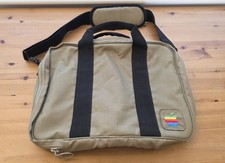
Vintage Apple Macintosh Computer Travel Bag Tote Shoulder Side Bag with Strap
$125.00
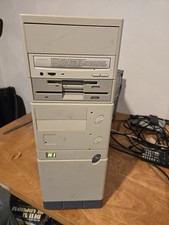
Vintage Retro Cyrix 6x86 133mhz 32mb RAM Floppy Combo
$299.00

Ast Advantage Adventure 4050D Vintage Retro Computer Great Condition
$199.99

Vintage HP 21MX 1000 M-Series Minicomputer Chassis Backplane Parts AS-IS
$228.19

Vintage PC Accessories Floppy Disk Storage Case/Red
$27.00
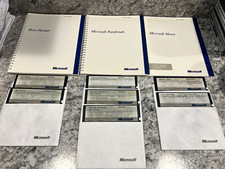
Vintage 1986 Microsoft Mouse COMPLETE Software & Manual Suite 7 Disks 3 Manuals
$99.99
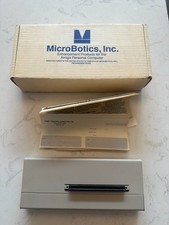
Microbotics Starboard 2MB Sidecar for Amiga 1000 Vintage Computer w Box READ
$299.00

Original Vintage Old Style STANDARD Black CD Jewel Case (Heavy Duty) 90g Lot
$316.95
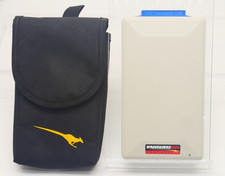
Vintage KanguruDisk Portable External Drive Module with Pouch - Rare Retro Drive
$114.88
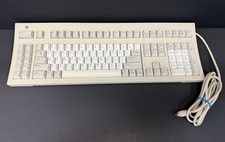
Vintage Sun Microsystems Type 5 Keyboard N860-8701-T010 Tested Working
$55.55

