-
Hi otropogo,
klaus2008 is right that we need to find out what kind of device Linux thinks your tablet is. I think it is fairly safe to say Linux knows your tablet is there, otherwise your cursor wouldn't have gone bananas.
I'm going to start at the other end. Most tablets of this sort are/were made by a Japanese company called Wacom. Just 'cos your says Hyundai on the outside doesn't mean it isn't Wacom on the inside. In the day, xorg.conf contained a configuration section for wacom tablets and they worked 'out of the box'.
On my Debian, if I type:
Code:
dpkg -l | fgrep xserver-xorg-input
I get the list:
Code:
ii  xserver-xorg-input-all               1:7.5+8                           the X.Org X server -- input driver metapackage
ii  xserver-xorg-input-evdev             1:2.3.2-6                         X.Org X server -- evdev input driver
ii  xserver-xorg-input-kbd               1:1.4.0-2                         X.Org X server -- keyboard input driver
ii  xserver-xorg-input-mouse             1:1.5.0-2                         X.Org X server -- mouse input driver
ii  xserver-xorg-input-synaptics         1.2.2-2                           Synaptics TouchPad driver for X.Org server
ii  xserver-xorg-input-wacom             0.10.5+20100416-1                 X.Org X server -- Wacom input driver
So if I had a Wacom tablet, I know my X-org server has the right driver for it. When I do the same with my Knoppix 6.4.4, I get a different list and there is no xserver-xorg-input-wacom. I need to install it.
It may be that installing the driver is enough but I suspect not. I suspect I would need to alter the X-11 configuration to tell it what capabilities my tablet has. If my tablet were a Wacom device, then I'd use the notes on https://help.ubuntu.com/community/Wacom for Ubuntu 10.10 as a starting point. There are guides for other distributions, which might help with the little details. I ought to be able to find all I need on http://sourceforge.net/apps/mediawiki/linuxwacom but the information there might not be so user friendly.
How would I find out what kind of tablet I have ? Well, the suggestion by Klaus2008 is valid. Myself, I would use ctrl+alt+F2 to get to a text console and type in lsusb before and after plugging in the tablet. The difference should tell me what kind of device I have. I might do that same with dmesg | tail to get a second opinion.
Now, with that information I'd have to look at the installed (and not installed) drivers for input devices that are available to see if mine is covered. Knoppix appears to have several drivers that might be for pen or tablet devices already installed.
To get the full list of installed and not-installed drivers, type in:
Code:
dpkg -l 'xserver-xorg-input-*'
You may find xserver-xorg-input-wacom is not listed. The X server in Knoppix 6.4.4 is the very latest and not all drivers have been updated to work with it. Knoppix 6.4.4 was released on the 31th January and included all the drivers that were available at the time. The Wacom driver came out on the 2nd February.
You would need to do:
Code:
sudo apt-get update
to update the package lists in order to list what drivers are currently available (and eventually install one of them). We have to hope that the driver for your tablet it there and once installed the banana cursor will go away.
If things still are not working there are other things we can try but I think you have enough for now.
 Posting Permissions
- You may not post new threads
- You may not post replies
- You may not post attachments
- You may not edit your posts
-
Forum Rules

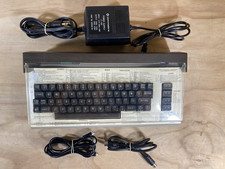
Commodore 64 Vintage Home Computer Without Box/No turn ON/FOR PARTS
$99.99

Pi1541 Zero with Epyx Fastload Hat, Case & 16gb SD for Commodore 64 and 128
$84.99
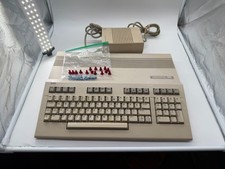
Commodore C128 Comp w/ Original Box TESTED & WORKING + Original & PETG Key Plung
$260.98

Commodore OS USB | Bootable LIVE + Install | The Ultimate Gaming Linux OS | NEW
$11.99
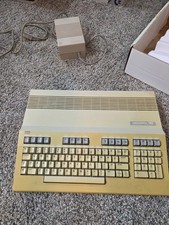
Commodore 128 Personal Computer Powers On w/ Power Supply in Original Box
$145.00
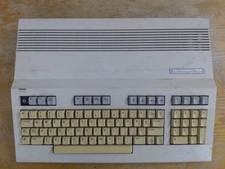
Commodore 128 Case + Keyboard + LED, C128 Computer Parts
$42.50

Commodore 64 Serial Cable 6PIN DIN 1541 1571 C64 128 C128 Disk Drive Printer USA
$10.49
Commodore USA 64x Mini-ITX Barebones w/ Slot Load Blu-ray, Memory Card Reader ++
$449.99

Commodore OS Vision 3.0 | Bootable USB Install | Linux Gaming OS
$24.99
Commodore 128 In Box Untested system guide and Power Cable
$195.49



 Reply With Quote