-
Senior Member
registered user

Originally Posted by
rafal_rr

Hello.
How can I disable showing desktop icons and menu bar? I want to run my application on a start of system and i don't want to see icons and menu bar. Only wallpaper+my application.
I think it can be done. You just disable pcmanfm from starting and put in your program in the same file :-
/etc/xdg/lxsession/LXDE/autostart
As for the wallpaper you configure it in compiz, since you have disabled pcmanfm, so now the wallpaper is managed by compiz. You can set different wall paper for each of the virtual desktop.
 Posting Permissions
- You may not post new threads
- You may not post replies
- You may not post attachments
- You may not edit your posts
-
Forum Rules


Samsung SSD Solid State Drive MZ-VL25120 512GB
$54.99
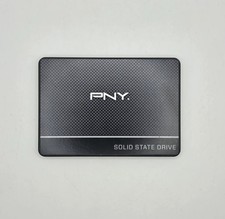
PNY CS900 250GB 2.5" Internal SSD (SSD7CS900-250-RB)
$31.00

ON SALE TURBOLINK EVO 4TB V-HAND SSD 2.5 SATA III Internal Solid State Drive
$199.99

Toshiba THNSN81Q92CSE 1920GB SATA 2.5 Solid State Drive
$199.00

SAMSUNG SSD 512GB 500GB 480GB 256GB 250GB 240GB SSD 2.5 Solide State Drive 6Gbps
$40.99

Samsung 860 EVO 250GB, SATA III, 2.5" Internal Solid State Drive - Black
$29.00

Crucial 2TB P3 Plus NVMe PCIe 4.0 M.2 Laptop Desktop Internal SSD CT2000P3PSSD8
$199.00

256GB mSATA SSD DRIVE MIXED BRAND TESTED WORKING
$23.50

Samsung 870 EVO 500GB 2.5” SATA III Internal SSD MZ-77E500 SSD - Good Health
$59.99

Western Digital Blue 3D NAND 250GB 2.5" SATA III Internal SSD - WDS250G2B0A
$29.99



 Reply With Quote