-
Senior Member
registered user

Originally Posted by
rafal_rr

hello.
i have one more problem: my application should occupy full screen. so, i kill lxpanel before running and run my app yet. but my application occupy whole desktop area without lxpanel area. so i see part of desktop instead.
how to solve it?
Not sure if it will meet your requirement :-
The lxpanel itself can be configured. One of the things you can configure is 'autohide'/'autoshow'. When lxpanel is configured to autohide, it should allow your application to take up the remaining screen space. And subsequently you can kill lxpanel if you like to.
-
We seem to have the opposite problem. When fiddling with panel settings (I think), we seem to have lost our desktop icons except for knoppix, which is still there and also lost the bottom menu bar. on all desktops. Also the working desktop has a 1/3 inch gap at the top and about a 1 1/2 inch gap at the left side with just a gray color in the gap.
No idea how to get the bottom menu bar back and how to make the desktop take up the entire screen.
Haven't tried rebooting, friend thinks we can shut down from terminal console, since we don't have a menu for shutdown. ... added later - shutdown from terminal not authorized... power off button worked. .... rebooting brought the menu back.... good thing.
Whew - OK now.
Last edited by Denver Dave; 03-09-2012 at 02:31 AM.
 Posting Permissions
- You may not post new threads
- You may not post replies
- You may not post attachments
- You may not edit your posts
-
Forum Rules


Macintosh Platinum Mouse - Apple 128K 512K 512Ke Mac Plus Lisa IIe M0100 - NEW
$49.99

Apple Macintosh Mac 128k - 512k Boot / Diagnostics 2 Disk Set for Classic Macs
$14.99
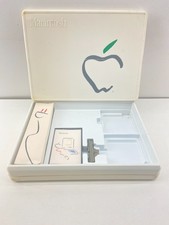
1984 Apple Macintosh 128k Picasso Accessory Case Empty Cord Tape Box Incomplete
$59.99

1984 APPLE MACINTOSH 128K FIRST MAC Model M0001 PICASSO KIT Discs Harvard Rare
$1800.00
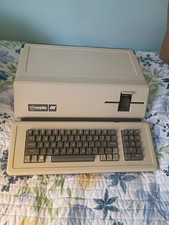
VINTAGE APPLE III COMPUTER A3S1-052010 (128k)
$800.00
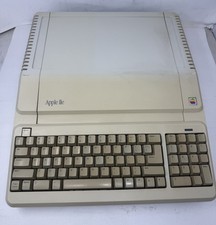
Apple IIe Platinum 128k Computer - Powers On - As is - See Photos - a2s2128
$255.00
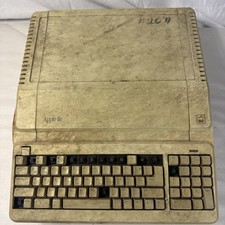
Vintage Apple IIe Platinum A2S2128 128K Computer Parts Repair Missing Keys
$100.00

Vintage Apple Macintosh Classic 128K Game Pack 5 On New 400K Double Density Disk
$39.99

Apple Keyboard for Macintosh 128k 512k Mac Plus RARE Vintage M0110 (010)
$149.00
Apple Keyboard for Macintosh 128k 512k Mac Plus RARE Vintage M0110 (971)
$139.00



 Reply With Quote