-
For what it's worth, I downloaded rdesktop-1.6.0.tar.gz and tried to do a ./configure, I see:
checking for stdlib.h... yes
checking for string.h... yes
checking for memory.h... yes
checking for strings.h... yes
checking for inttypes.h... yes
checking for stdint.h... yes
checking for unistd.h... yes
checking whether byte ordering is bigendian... no
checking for X... no
ERROR: Could not find X Window System headers/libraries.
Probably you need to install the libx11-dev package.
To specify paths manually, use the options --x-includes and --x-libraries.
knoppix@Microknoppix:/media/sdc1/rdesktop/rdesktop-1.6.0$
I'm running a terminal emulator in x, why doesn't it see it?
-Charlie
-
Hi again Charlie Foxtrot.
I think you are trying to hard again.
You should not need to download a tar ball and compile from source. You should be able to download and install the package you need from the Debian repositories. If you like GUI or are not yet comfortable with the Linux command line, try synaptic. You should be able to find that from the main menu under Preferences > Synaptic Package Manager.
I use the DVD edition and I have two remote desktop clients already installed. From the main menu, one is under Internet > Remmina Remote Desktop Client and the other is under Internet > Remote Desktop Viewer.
What have you got at work ? Linux or a commercial Operating System ? For the former, you'd want the VNC protocol and you'll need to start a VNC server on your machine at work (and stuff). For the latter, you'd need RDP and the service is probably already running so all you need to do is provide credentials.
For Linux there are several VNC servers to choose from. For use over a VPN, tightvnc might be a good choice. Folks on this forum have recommended x11vnc. This allows you to connect to the X session you have a work (instead of one you start just for use from home) but I found that it unlocked the keyboard and left it that way. 
If you use Linux and use command line consoles almost exclusively, then the screen program might be a better option.
Have fun,
 Posting Permissions
- You may not post new threads
- You may not post replies
- You may not post attachments
- You may not edit your posts
-
Forum Rules


OPNsense pfSense 8-Core Atom C3758 2.2GHz 8GB DDR4 64GB SSD 8x NIC QAT AES VPN
$155.00

pfSense Firewall 16-Core Atom C3958 8GB DDR4 RAM 64GB SSD 8x 1Gbe QAT AES-NI VPN
$184.99

OPNsense pfSense 16-Core Atom C3958 16GB ECC RAM 512GB SSD 8-Port QAT AES-NI VPN
$298.00

Zero Trace Pen: All-in-one Tor Network Anonymous Drive + Cryptocurrency Wallet
$147.00

Fortinet FortiGate 60F FG-60F P24286-03-13 Network Firewall Security Appliance
$155.75

Palo Alto PA-220 Next-Gen Firewall 520-000309-00J
$40.00
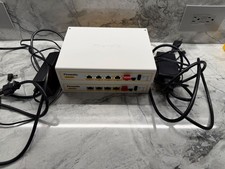
TWO (2) Firewalla Gold Pro Devices - 10 Gbps Cyber Security Firewall
$1444.00

Fortinet FortiGate 60F FG-60F UTM UTP License Until 2027 Network Security FW VPN
$229.99
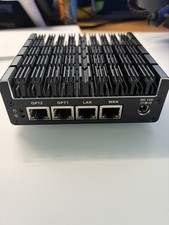
Protectli Vault FW4C-0-8-120 - 4 port, Quad Core, 8GB RAM, 128GB
$180.00
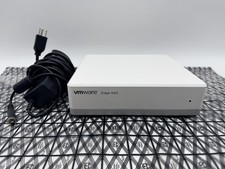
OPNsense Firewall Router VMware Edge 640 Atom C3758 32GB ECC RAM 256GB SSD 10Gbe
$284.99



 Reply With Quote