-
Hi kl522,
Assuming your Windows System Administrator's are worthy of their titles, there will be no anonymous use of any corporate LAN resources. The corporate LAN will be running Active Directory (that's probably M$ trademark for LDAP or something) so that a single Windows user id and password work everywhere. You log on to Windows on a workstation of some sort and every time a network resource ask for credentials, Windows automatically supplies those you used when you logged on. Otherwise you'd need to enter a user id and a password not just to print but to mount network drives, access e-mail and a host of other corporate services. Depending on how M$ centric they are, some web-based apps will authenticate automatically while others will require you to enter user id and password. I have met some so poorly crafted that you have to use IE because they assume automatic authentication and you can't use Firefox of Chrome because entering user id and password doesn't work.
With Linux you have no such luck. This kind of automatic domain authentication is outside the scope of an OS like Linux so it is up to the individual applications and coverage varies. That's just as well as user Knoppix, no password isn't know to LDAP. I'm sure that the integrated desktop projects such as Gnome and KDE have facilities that move in the right direction. For example, they provide password protected wallets where user ids and password are hidden so the use of passwords in plain text files with restricted access is slowly disappearing. Another example is in KDE you can enter centrally a samba user id and password which allow programs such a Konsqueror to browse the samba neighbourhood easily.
The samba user id and password will usually be your Windows user id and password. Will CUPS know this ? I suspect not. I suspect you can configure CUPS to use a particular user id and password for a given printer but whether you can do this through http:localhost:631 or
not I don't know (try http://localhost:631/help). You might have to fiddle with cupsd.conf with an editor (back up first) but I must confess that man cupsd.conf is for those that know what they are doing. I've seen network paths that included user id and password. A bit ugly but that might work as a last resort.
 Posting Permissions
- You may not post new threads
- You may not post replies
- You may not post attachments
- You may not edit your posts
-
Forum Rules


(New) AMD Ryzen 7 5700X 8 Core 16 Thread AM4 Unlocked 3.4 GHz CPU OEM Tray
$174.99
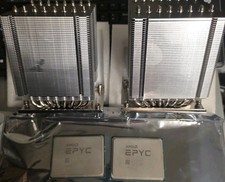
Pair ID-COOLING A8-SP3 CPU Heatsink Coolers and AMD EPYC 7601 32 Core Processors
$290.00

AMD Ryzen 7 PRO 8700GE 8-Core/16-Thread Up to 5.1GHz AM5 (FL1)
$189.00

Dell OptiPlex 5070 SFF i7-9700 (8-Core) 3.0GHz 16GB 256 SSD Windows 11
$250.00

AMD Ryzen 7 7800X3D 4.20GHz Quad Core 100-000000510 8 Thread AM4
$279.99

AMD Ryzen 7 9800X3D 8-Core 16-Thread AM5 Zen 5 Desktop Processor NEW
$399.00

Apple Macbook Pro 13" M1 8-Core 16GB 512GB - Good
$464.99

Intel Xeon E5 - 2667V2 / SR19W 3.30GHz 25MB 8-Core CPU Socket LGA2011
$30.00

SGIN 17.3" Laptop Intel Quad-Core Up to 2.4 GHZ 8GB RAM 256GB SSD HD
$229.99

AMD - Ryzen 7 5800X3D 8-Core - 16-Thread 3.4 GHz (4.5 GHz Max Boost) w/ Ice Pad
$355.99



 Reply With Quote