-
Monitor Issue
I'm using my 50 inc LG flatscreen as a monitor, It has been forever since I have used Linux, I started out on Ubuntu 7.10 and became very fond to it. I found a Knoppix 6.2 disc in one of my Iso folders so I decided to try it out, I installed it and finally got it to come up after switching to a small flatscreen monitor I think was a 16 inch? I swapped it back over and it worked like a charm til I rebooted my box, I was thinking it was an issue with the disc I burnt so I reinstalled with Ubuntu. I can get as far as the "Try without installing" or "Install to HD" and after that my monitor stays at "Invalid format" floating around, Anyone have any ideas? -_- It's killing me, Having my Nux withdrawls 
-
Hi Baulter and welcome to the Knoppix forums.
You tried to reinstall Gutsy ? Wow.
Plenty of ideas. I don't know which will work so we may have to experiment a bit.
First problem is I can't see how far you get with your big screen. So ....
Knoppix starts with a boot screen that shows a Vetruvian Penguin with the prompt boot: in the bottom left hand corner. This is where you can enter 'cheat codes', which are the usual way out of boot problems. If we don't get far we're toast.
Next you get a screen with a row a penguins (one for each CPU) at the top and a long green progress bar and bits of text. Sometimes this hangs but not usually for big screens.
Next you get another Vetruvian Penguin. At this point Knoppix is starting the X Windows system. I'm hoping this is where is stops.
Next you get the desktop and you should be on the home run.
Assuming it gets stuck at the second Vetruvian Penguin, can you type in ctrl+alt+F1. That should get you back to the previous screen. It is actually a text console so you type in commands. What I'd like you to do is copy the file /var/log/Xorg.0.log to a USB stick.
Now reboot with the cheatcode line:
Code:
knoppix nomodeset nocomposite
See how far that gets and again save the Xorg log file to USB. Finally boot with the smaller screen.
What we're interested in here are the differences in the Xorg logs between the big and small screens. They will be too long to post. These will tell you what graphics chip you've got and what driver is loaded (be nice if you could report that). Quite a way down the log you should find a line that reads:
This is where the X Window server is probing your display to find out what it is and what it can do. Perhaps your big screen is meant as a telly and doesn't provide this information. What normally follows is a long list of the display modes the display will support. Lines that start "Modeline" are 'good'. Others start with "Not using default mode" and give a reason why. At the end of this lot is stuff about what outputs your machine has (VGA, HDMI) - report this please - and finally a line similar to:
Code:
Output LVDS1 using initial mode 1366x768
This is the crucial line I'd like you to post from all three logs (post a few lines either side, particularly if they are not the same in each log).
If there are any lines in the logs that have (EE) at the front, post those too.
-
Alright I've gotten a little bit further, I work away from home alot so I did a video conf with my brother and he had gotten a smaller monitor, Dropped the setting down to 800/600 and it worked fine, We worked it up to 1200 and thats were the "Invalid format" came along yet again, I don't know If It's something to do with Linux but with Windows 7 I had the screen maxed at 1920/1080. When I get home in a few days I'll try to post up the logs.
 Posting Permissions
- You may not post new threads
- You may not post replies
- You may not post attachments
- You may not edit your posts
-
Forum Rules


Dell PowerEdge M630 Blade Server 2x Xeon E5-2680 v4, 2F3MP , 4GDP5 ,R10KJ ,JVFVR
$140.00

Cisco UCS 5108 Blade Server Chassis Enclosure N20-C6508 4x PSU 8x Fans 2x Fabric
$174.99

Dell PowerEdge M640 Blade Barebone Server Dell P/N: HHB006 Tested Working
$149.99
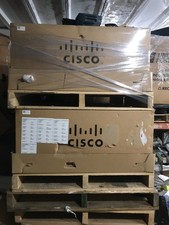
NEW Cisco UCSB-5108-AC2 Blade Server Chassis 8 Slot 6RU Chassis 4 X PSU - DW
$599.40
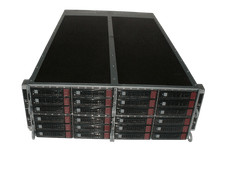
Supermicro 4U 32x 3.5 Bays 4-Nodes | 8x E5-2660 v3 2.6Ghz | 64gb RAM | 9207-8i
$699.99

NETAPP HCI NAF-1701 SuperMicro Server 4X BLADE H410C 8X GOLD 5120 4 NODE SERVER
$1499.97

Dell PowerEdge FX2 FX2s Server 10GbE CMC Blade Enclosure Chassis
$274.99
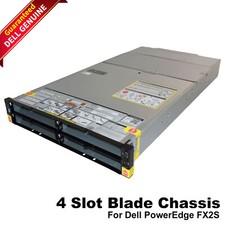
Dell PowerEdge FX2 FX2s Server 10GbE CMC Blade Empty Chassis XJ6VP
$149.99

Lot of 2 IBM blade center Type H chassis 8852
$559.00
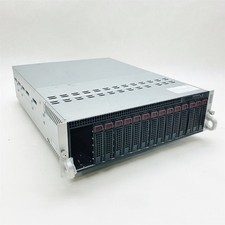
Supermicro 938-16 16-LFF MicroCloud SuperServer 5038ML-H8TRF *No Blade Servers*
$134.99



 Reply With Quote