

 Reply With Quote
By using the correct version of Knoppix, one without "Adrian" in the name. Or even better, by installing something intended to be installed to hard disk like Debian rather than Knoppix (which is intended as a Live CD).


How can I turn the screen reader off once I have installed Knoppix to my HD?
By using the correct version of Knoppix, one without "Adrian" in the name. Or even better, by installing something intended to be installed to hard disk like Debian rather than Knoppix (which is intended as a Live CD).
---
Verifying of md5 checksum and burning a CD at slow speed are important.
If you're running off the live CD, at the boot prompt, type "knoppix" and hit enter. If you install to your hdd, it appears that the default is not to run the screen reader. I am fully sighted and prefer to run without it, I found it helpful a few times, when I was searching through menus. Every once in a while, I'd find myself going "Wait a minute, what did that just say", and I'd go back a few pages and what I was looking for would be there.
There are not two versions of Knoppix (with or without the talking interface). There are two different CDs/DVDs but they use the same Knoppix. The difference is in the boot codes (cheat codes) used when booting.
I never do a full install so I don't know what boot loader is used when you do. You need to change the configuration file for the boot loader.
If the boot loader is isolinux or syslinux have a look in the directory /boot on your hard drive (or possibly a subdirectory) and there will be a file called isolinux.cfg or, presumably, syslinux.cfg. You need to edit this file. It must currently have a line which says:
default adriane
change it to:
default knoppix
If you use another boot loader then the appropriate config file will have to be changed.
You can see the isolinux.cfg file on the original CD/DVD.
If you have default adriane the lines following
label adriane
are executed.
You can see this is
kernel linux
append ..... adriane
If you want to run without the talking interface (adriane) then the lines after
default knoppix are:
kernel linux
append ...
The only difference is the addition or removal of the boot code (cheat code) adriane. The version of Knoppix is the same.
 Posting Permissions


PfSense/OPNsense 6x1Gb, Quad Core, 8GB, 128GB SSD, AES-NI, QAT (Lanner FW-7525D)
$85.00

OPNsense pfSense 16-Core Atom C3958 16GB ECC RAM 512GB SSD 8-Port QAT AES-NI VPN
$298.00

Firewalla Purple Gigabit Firewall Router Factory Reset Excellent Cond G2U
$245.00

Cisco ASA 5506-X Network Security Firewall Appliance- No Adapter
$50.00

OPNsense pfSense 8-Core Atom C3758 2.2GHz 8GB DDR4 64GB SSD 8x NIC QAT AES VPN
$145.00

Fortinet FortiGate FortiWiFi 80F Network Security Firewall (FG-80F)
$73.49

10GbE OPNsense Firewall VPN AES QAT 4-Core Atom C3558 2.20GHz 8GB DDR4 128GB SSD
$165.00

Netgate 2100 MAX pfSense+ Security Gateway 128 GB storage
$285.00

SonicWall SOHO Wireless Network Security Appliance 01-SSC-0218
$199.00
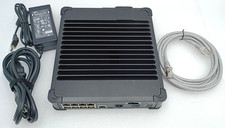
Palo Alto PA-440 Next-Gen Firewall PAN-PA-440 GREAT WORKING CONDITION
$274.99