

 Reply With Quote
One last thing, do I need the buisnesscard ISO?


All right, thanks.
One last thing, do I need the buisnesscard ISO?
So sorry for my multiple posts. I appreciate y'all's responses, especially since we're not even talking about Knoppix. I've found a live CD version of Debian, and I'd like to get it, since it would make me more comfortable. http://live.debian.net/ and their site is a lot easier for me to understand. Is there any reason I shouldn't use it? Also, and I know this is probably silly, but where is the BIOS stored on a computer? Giving something the "whole disc" won't delete the BIOS, right? This is my first time installing OSes like this and GParted was kinda intimidating, so I'm just checking. Thanks.
Last edited by Zaiella; 05-17-2011 at 11:28 PM.
uhm, I know some old relics had part of BIOS on hdd (I accidentally erased it on my old 486) but most now have BIOS on a separate flash rom.
Uhm ok,more or less all, there are a few specialty boxes for controlling equipment in industry that still do this, but to 90% those try to occupy tiny space and therefore use same flash card for everything (more or less an expanded BIOS).
To conclude, if your computer is newer than 66MHZ you can likely disconnect the hdd and still boot knoppix, if you cn it is fairly safe to wipe the disk.
if you use this image and this checksum you are bit closer to what you need.
http://cdimage.debian.org/cdimage/da...86-netinst.iso
7a45b52c9bc6c53e33159d49bfa52c6d debian-testing-i386-netinst.iso
reason i say this is that this ISO has basic system components that the the buissnesscard one does NOT, I have foud that it sometimes require YOU to install drivers... DURING install (less than optimum IMHO).
keep asking, we like to give advise and are patient as you can see
Thanks. I'm actually leaning more toward Ubuntu still. I managed to get the Live Debian CD (didn't install it) and it just looked way too confusing for me. I got the KDE version, would Gnome have been better? If I install the "real" Debian and not the Live one would I get a choice of Gnome or KDE?
I can't install anything until I know for certain how. I asked them at the Dell forums, maybe they will tell me if it's safe to let an OS use the whole disk. The Laptop is a Inspiron 1520. I'm actually in the process of moving, and I don't have the energy to learn Linux right this minute, not that I wouldn't want to later on. I just want an OS that will make the laptop usable, and Ubuntu is simple enough. What's the difference in Ubuntu and Debian for a regular person? How do they compare in speed? Stablility? Security? Viruses? Programs? From what I can see they look similar except Debian is hard and Ubuntu is easy (Knoppix is the only one that will pick up wirless internet for me but Knoppix's on the harder side) Maybe I just like Gnome but I've only experianced it in Ubuntu so I dunno if Gnome makes Ubuntu seem easier or if I just perfer Gnome's layout to KDE's.
Last edited by Zaiella; 05-20-2011 at 09:55 PM.
... this is a Knoppix Forum! Please ask Google by yourself:
"Ubuntu vs Debian" and "Gnome vs KDE"
Greetings Werner * http://www.wp-schulz.de/knoppix/summary.html
Own Rescue-CD with Knoppix (Knoppix V6.4.4 remaster)
Right, of course. Sorry about that.Originally Posted by Werner P. Schulz

 Posting Permissions

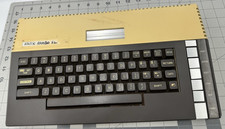
Atari 800XL 8-bit Home Computer Video Game System - **UNTESTED PARTS OR REPAIR**
$69.99

Atari 400 / 800 Computer Memory Module 16K RAM PCB CX853 - Works Perfectly
$18.95

Atari 400 Home Computer System includes Power Cord G2U
$159.99

Fujinet 1.7.1 Atari 400 800 800XL 130XE 65XE XEGS Assembled, Tested, Working
$99.99
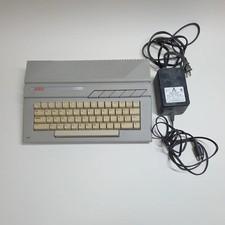
Broken Atari 130XE Console System 130XE No Power
$129.99
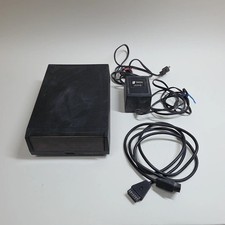
Broken Indus GT Floppy Disk Drive for Atari
$129.99

Atari 1200 XL home computer with original owners guide and power supply power on
$255.00
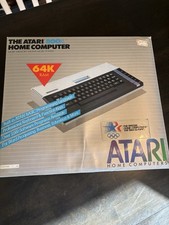
Atari 800XL Home Computer 64K RAM in Original Box 1984 Olympic Edition Untested
$149.99

GreaseWeazle v4 board USB floppy drive adapter Retro All Formats
$35.00

DEFECTIVE Atari 810 Vintage Computer Disk Drive powers on Unit Only Boo G3D
$49.29