

 Reply With Quote
I would use useradd to create a new user with password automatically in knoppix.sh. For detailed information on useradd, please see the man page.


Any idea how to add a root and knoppix password automatically ?
(without user intervention)
It's to create semi-customized knoppix.
It should launch FTP server and SSH server automatically at boot.
But without setting the password for knoppix this doesn't work.
Anyone an idea ?
Greetzzzzz,
I would use useradd to create a new user with password automatically in knoppix.sh. For detailed information on useradd, please see the man page.
Answer resided in article 'Headless knoppix' (docs division)
the line :
does the trick.Code:echo "knoppix:$PASSWORD" | chpasswd
Nevertheless you must be in root.
Since you can't sudo this with knoppix user ,you'll have to work with inbetween script.
The reason I use sh xxxx.sh is that I can use then from a remote drive. (I don't have to chmod it- since I can't either )
How I pulled it off :
- launch KWrite (or other editor)
type here :
save it as setmyknoppix.shCode:echo "knoppix:testpassword" | chpasswd
- Now type in knoppix console :
Now the password for knoppix is set to testpasswordCode:sudo sh setmyknoppix.sh
This can also be applied for the root.
- launch KWrite (or other editor)
type here :
save it as setmyroot.shCode:echo "root:rootpassword" | chpasswd
- Now type in knoppix console :
et voilà ....Code:sudo sh setmyroot.sh
greetzzzz...
Sorry chaps, seems you can't get bold into code.
So here is the good one
Answer resided in article 'Headless knoppix' (docs division)
the line :
does the trick.Code:echo "knoppix:$PASSWORD" | chpasswd
Nevertheless you must be in root.
Since you can't sudo this with knoppix user ,you'll have to work with inbetween script.
The reason I use sh xxxx.sh is that I can use then from a remote drive. (I don't have to chmod it - since I can't either
How I pulled it off :
- launch KWrite (or other editor)
type here :
save it as setmyknoppix.shCode:echo "knoppix:testpassword" | chpasswd
- Now type in knoppix console :
Now the password for knoppix is set to testpasswordCode:sudo sh setmyknoppix.sh
This can also be applied for the root .
- launch KWrite (or other editor)
type here :
save it as setmyroot.shCode:echo "root:rootpassword" | chpasswd
- Now type in knoppix console :
Now the password for root is set to rootpasswordCode:sudo sh setmyroot.sh
et voilà ....
greetzzzz...
 Posting Permissions


Vintage DEC Digital Equipment Flip-Chip Module Lot Parts
$59.99

Vintage DEC Digital T1043 DWMBB/B VAXBI XMI Adapter 5018232-01 C1 VAX Board
$109.99

Vintage Digital VR241-A color CRT monitor, powers on, DEC Rainbow or terminal
$150.00

Vintage DEC Digital XMI-A1 5017293-01A1 LWPR BE3-0 VAX Circuit Board T2012
$74.99

DEC Digital DECmate III PC238 PDP-8 6120 RX50 Dual Floppy Vintage Computer
$649.95

Vintage DEC Digital Equipment DELNI 8-Port Ethernet Local Network Hub VAXstation
$79.95
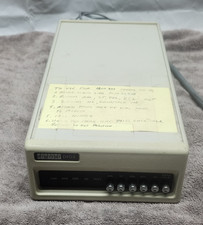
Rare Vintage DEC DIGITAL DFO3 modem ~Powers Up but UNTESTED #1
$75.00

Vintage DEC LK201 Digital Equipment Corporation (DEC) LK201-AA Computer Keyboard
$149.99

Vintage DEC/Mostek memory systems MK 8015 AA-00 6805-08015 1100 REV C(B7)
$279.99

Vintage DEC Digital Starion 200 Desktop PC Powers On Boots To BIOS NO HDD - DW
$269.99