-
Senior Member
registered user

Originally Posted by
dinosoep

I am currently trying to compile the newest version without succes, I'll continue my quest tomorrow

Instead of compiling, have you tried just install aufs-tools from synaptics ?
What is the error when you try to compile it ?
Do you have /usr/include/linux/aufs_type.h on your system ?
-
Senior Member
registered user
Why are special tools needed here?
I just wonder why special tools should be needed if the semantics in aufs2 is as advertised? If knoppix-data.img and ramdisk are both mounted read-write, shouldn't it be possible just to rsync ramdisk onto knoppix-data.img?
BTW, I have another use for aufs: When using databases and web servers, we may use a lot of space, not easily accomodated on the persistent image, but standard package installation will place them there nonetheless. Instead of changing installation data, or introduce symlinks, we could simply move data to persistent image versions, and union mount those with larger store versions. We could then union merge the versions, and, eventually, create dummy stores for use when larger stores are not mounted. I think of something like:
Code:
mount -t aufs -o dirs=/var/lib/mysql_ps:/store/var/lib/mysql none /var/lib/mysql
mount -t aufs -o dirs=/var/www_ps:/store/var/www none /var/www
-
Senior Member
registered user
Debian aufs - a sad state of affairs?
In the sourceforge mailing list for aufs, the main developer recently posted the following:
http://sourceforge.net/mailarchive/f...ame=aufs-users
And more importantly, the aufs module in debian is totally broken. Last
time I saw aufs in debian, they use TOO OLD version which is obsoleted
and not maintained. Additionally they made their original changes. It
means I cannot support aufs in debian.
Maybe the safest thing is to get the source off sourceforge and proceed?
-
Senior Member
registered user
@ Capricorny
I think you should post this on the debian-knoppix list,
with attn to Klaus Knopper. Sounds serious.
http://lists.debian.org/debian-knoppix/2011/06/
-
Senior Member
registered user
Originally Posted by
Capricorny
Maybe the safest thing is to get the source off sourceforge and proceed?
If you are talking about aufs kernel module for KNOPPIX, there is nothing to worry, Klaus K would have compiled the right version for it. If it had been the wrong version, it wouldn't compile with newer kernel and it won't run. It would be noticed !
By contrast the debian version might be old and faulty, because a typical debian user won't use aufs, so even if it is old and faulty, it would go unnoticed.
If you are talking about aufs-utils or aufs-tools, then I can't say anything about the debian version, because in a typical use, the aufs-utils are not used at all. It would not be surprising if the package faulty.
-
Senior Member
registered user
Originally Posted by
Capricorny
I just wonder why special tools should be needed if the semantics in aufs2 is as advertised? If knoppix-data.img and ramdisk are both mounted read-write, shouldn't it be possible just to rsync ramdisk onto knoppix-data.img?
Aufs is more than just adding new files and modifying existing files. It is also able to "delete" or "hide" an existing files or directory. There is certain encoding or protocol to fully represent the modified file system structure. And therefore it is better to use the tools provided than to re-invent the wheel.
-
Senior Member
registered user
More yes, but how much is needed here?
Originally Posted by
kl522
Aufs is more than just adding new files and modifying existing files. It is also able to "delete" or "hide" an existing files or directory. There is certain encoding or protocol to fully represent the modified file system structure. And therefore it is better to use the tools provided than to re-invent the wheel.
If you have to modify the whole structure, definitely yes. But is that really necessary for this particular use?
If we do something like
Code:
mount -t aufs -o dir=ramdisk=rw:persistent_image=rw:KNOPPIX=ro none /unionfs
What would go wrong if we did (evt. as a cron job)
Code:
rsync -ax ramdisk/ persistent_image
I just tested this with a couple of directories with a few files. Seemed to work in that case, at least.
-
@kl522 the script I use needs to have aufs-utils the same version as the aufs patch-version, when I tried with the one from synaptic it gave me:
Code:
"aubrsync move_with_wh /UNIONFS /KNOPPIX-DATA-RAMDISK /KNOPPIX-DATA"
and that gives me the following errors:
+ mount -o remount,ro,udba=reval,noshwh /UNIONFS
/sbin/mount.aufs:plink.c:223: AUFS_CTL_PLINK_MAINT: Inappropriate ioctl for device
+ mount -o remount,udba=reval,noshwh,rw,relatime,si=aa3aa37c,noplink /UNIONFS
/sbin/mount.aufs:plink.c:223: AUFS_CTL_PLINK_MAINT: Inappropriate ioctl for device
when I tried compiling from source it gave me:
Code:
install -d /usr/share/man/man5
install -o root -g root -p -m 644 aufs.5 /usr/share/man/man5
install -d /sbin
install -o root -g root -p -m 755 mount.aufs umount.aufs auplink /sbin
install: cannot stat `umount.aufs': No such file or directory
make: *** [install_sbin] Error 1
The maintainer suggested updating the kernel module which I'm going to try this evening
@Capricorny
The problem with rsync here is that when you delete a file, it should create a whiteout on the writeable upper filesystem and rsync doesn't sync those, only the real files get synced. (thats at least what I think, why else would they've created aubrsync?)
-
Senior Member
registered user
Originally Posted by
dinosoep
The problem with rsync here is that when you delete a file, it should create a whiteout on the writeable upper filesystem and rsync doesn't sync those, only the real files get synced. (thats at least what I think, why else would they've created aubrsync?)
Exactly. And I would ask: Why would they have to use aubrsync? My (implicit) point was that file creatons and updates are taken care of through rsync, while deletions must be done directly on the persistent image, preferably upon shutdown. Of course, it would be nice to have a "commit" function doing the actual deletions, determined from the ramdisk-recorded changes (whiteouts), but I will rather have something simple, stupid and robust than something that nobody seems to be able to tell how and why works or not.
-
I have no idea how I could make that and aubrsync sounds like a working solution.
I have not the smallest idea on how I can update the aufs module in my kernel to the latest version without recompiling everything. or compile anything for that mather from aufs git without getting errors I'm hoping someone who does understand a bit about that would help me out
for the intersted persons, here is the "nowear" initrd.gz
Everyone can try their own scripts and see if they get the sync working 
http://dl.dropbox.com/u/15024434/initrd_nowear.gz
 Posting Permissions
- You may not post new threads
- You may not post replies
- You may not post attachments
- You may not edit your posts
-
Forum Rules


🔀 Juniper Networks EX2300-C-12P 12× Gigabit PoE+ • 2× 10G SFP+ Compact Switch ⚡
$109.99

Juniper EX2300 12-Port Gigabit PoE+ Managed Network Switch P/N: EX2300-C-12P
$149.99

Juniper Networks EX3400-24T 24-Port Ethernet Switch w/Power Cord
$174.99

Juniper EX3400-24P 24-Port PoE+ GbE + 4-Port 1/10Gb SFP Switch
$245.00
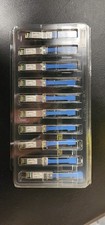
Juniper Networks 25GBASE-LR SMF 25Gbps 10km 1310nm LC SFP 740-071562 Lot 10
$1200.00

JUNIPER QFX5120-48Y-AFO 48x 10/25GbE SFP28 8x 40/100GbE Network Switch Dual PSU
$6998.00

Juniper MX204 +JUNOS and Dual Power Supply
$7299.99

Juniper Networks AP33-US Indoor Wifi6 (US Version) 5GHz: 4x4:4; 2.99
$24.99

Juniper Networks Mist Wireless Access Points, Model AP45
$59.99

Juniper Networks EX2300-48P 48-Port Gigabit PoE Managed Ethernet Switch
$79.99



 Reply With Quote