

 Reply With Quote
have you checked if /dev/pg(or is it pg0) exist ?
I tried KNOPPIX(an April version) with my HP 7200E(also parallel port CD-RW) and remembered that I have to create the device node manually as it doesn't have one. after that, everything works.


I have a Microsolutions backpack CDRW. My computer is a Dell Optiplex GX100 so I can't put a burner in the case. Under Mandrake 9.0 the following worked but it will not work in Knoppix:
root@scott:/home/scott# insmod paride
Using /lib/modules/2.4.20-xfs/kernel/drivers/block/paride/paride.o
root@scott:/home/scott# insmod parport_pc
Using /lib/modules/2.4.20-xfs/kernel/drivers/parport/parport_pc.o
insmod: a module named parport_pc already exists
root@scott:/home/scott# insmod bpck6
Using /lib/modules/2.4.20-xfs/kernel/drivers/block/paride/bpck6.o
root@scott:/home/scott# insmod pg
Using /lib/modules/2.4.20-xfs/kernel/drivers/block/paride/pg.o
Cdrecord 2.01a14 (i686-pc-linux-gnu) Copyright (C) 1995-2003 Jörg Schilling
Linux sg driver version: 3.1.24
Using libscg version 'schily-0.7'
scsibus0:
cdrecord: Warning: controller returns wrong size for CD capabilities page.
0,0,0 0) 'SAMSUNG ' 'CD-ROM SN-124 ' 'q009' Removable CD-ROM
0,1,0 1) *
0,2,0 2) *
0,3,0 3) *
0,4,0 4) *
0,5,0 5) *
0,6,0 6) *
0,7,0 7) *
scsibus1:
1,0,0 100) 'SanDisk ' 'ImageMate II ' '1.30' Removable Disk
1,1,0 101) *
1,2,0 102) *
1,3,0 103) *
1,4,0 104) *
1,5,0 105) *
1,6,0 106) *
1,7,0 107) *
If I use insmod pcd instead of pg I can mount it and read a disk but I cannot get it to register for burning. Any help appreciated.
have you checked if /dev/pg(or is it pg0) exist ?
I tried KNOPPIX(an April version) with my HP 7200E(also parallel port CD-RW) and remembered that I have to create the device node manually as it doesn't have one. after that, everything works.
no it doesn't exist. I would appreciate it if you could determine which one it should be and give me a quick tutorial on how to create it. I'm still very much a newbie.
Thanks
Open a console and su then enter the root password then cd /dev to change to the /dev directory then ./MAKEDEV pg to create the devices. example below:Originally Posted by scocrys
I used the -n option which simulates the action of MAKEDEV.Code:[01:03 PM Sat Jun 14: stephen @ ~] >$ su Password: HappyTux:/home/stephen# cd /dev HappyTux:/dev# ./MAKEDEV -n pg create pg0 c 97 0 root:root 0600 create pg1 c 97 1 root:root 0600 create pg2 c 97 2 root:root 0600 create pg3 c 97 3 root:root 0600
Thank You,
That worked perfectly.
I am also try to get a microsolutions usb/parallel port cdrw to work. thw microsolution website talks about two modules bpck.o and bcpk6.o. How do I check if it is loaded in the kernel. lsmod? insmod?
I try to do everything that I have read in this thread and I can't get it to work.
i try the cd /dev, ./MAKEDEV pg
but at that point I don't get a response like create pg0 c 97 0 root:root 0600
What is it that I am not understanding or that I am doing wrong?
 Posting Permissions

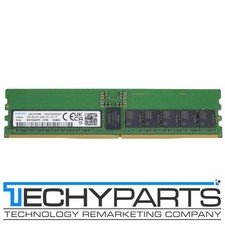
Samsung M321R4GA0PB1-CCPWC 32GB 1Rx4 DDR5-6400 PC5-51200 CL52 REG ECC 288p RDIMM
$1599.99

New Samsung 512GB FIT Plus USB 3.2 Gen 1 Type-A Flash Drive MUF-512AB/AM NEW
$120.00

Samsung Galaxy Tab Active 3/ 64 gig/WIFI
$85.00
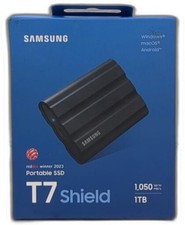
Samsung T7 Shield 1tb, Up To 1050mb/s, Usb 3.2 Gen2, Rugged, Ip65 Rated, For
$187.99

Samsung MLT-R116 Imaging Unit Xpress M2625 M2675 M2825 M2875 M2885 M3015 OEM NEW
$49.99

Samsung SCXSTP000, SCX-STP000 (Swingline Staple Cartridge - 3 Refills)
$57.99

Magnetic Leather Flip Case with Stand for Samsung Tab S9 S9+ S10+ S10 Ultra
$20.99

Kids Case for Samsung Galaxy Tab A9+/A9 plus 11 Inch 2023 Case, with Strap, Shoc
$27.99

QTY 100 Samsung Galaxy Tab Active 4 Pro 10.1” Case, Black
$500.00

Samsung Chomrebook XE350XBA-K02US LCD Screen FHD Display 15.6" XE350XBA-K03US
$51.77