-
Senior Member
registered user

Originally Posted by
Werner P. Schulz

You will be amused to know that I just used my LiveCD, not an iso,
and told VirtualBox where my guest OS source was to be found.
A few snapshots later I had something like my LiveUSB up and
running, albeit with a few hardware emulation errors.
I didn't know that was the wrong way to go about things.
I'll stop troubling you with all my growing pains.
Thanks for getting me going on both VirtualBox & re-mastering.
-
I don't like the 'chroot' method because I think in a typical 'chroot', the final system behaviour is only tested during the few hours of 'chroot' - which is often inadequate to represent the final thing the user want to see and there maybe some "side-effects" which were not noticed during the few hours of usage
With my method of remastering in a virtual drive enviroment you can create new ISOs over and over and test them with VirtualBox without the necessity to reboot always your conputer.
Or you install the remastered new ISO to an USB-Stick and make extensive tests with it in the Virutalbox. And so you have the ability to eliminate all "side-effects" or integrate new features.
-
... in case of trouble you can contact me per email (look at summary.html) 
-
Senior Member
registered user
Originally Posted by
utu
When I did answer the question, it only took 'one' for an answer,
for a reason having to do with some missing interface programming.
Hi, utu!
Does the problem still exist?
In an internet forum I read that one needs to enable virtualization technology (VT) in the BIOS on some machines with VT capable processors.
-
Senior Member
registered user
@ Klaus
Yes, the dual cpu problem still exists with the current state of my VirtualBox.
The dual cpu problem is not THE show stopper for me, but not having USB access is
just too inconvenient. It looks like a lot of folks with my sort of set-up have
a problem. That is, Win7, 64-bit and dual cpus. Werner uses a Debian host, but
the only big supply of Gb's I have is on Win7. Here's a ref on this:
http://www.virtualbox.org/ticket/5343
My VirtualBox seemed to be handling things like synaptic very well, and began to look
like a good avenue for me toward re-mastering. But somewhere in trying to get USB working, my VB has gotten damaged, I think, and even re-installs are not solving this problem.
I do have to wonder: if the hardware emulation in VirtualBox is poor, can we be
comfortable with the products it helps us produce, say by remastering? Might
it not inflict some distortion or artifacts into the process?
@ Werner
Thanks again for your help.
I am embarrassed at having co-opted your re-mastering thread for this VB diversion.
It may be a useful demo that one needs his VB house to be in good order BEFORE tackling
re-mastering with it.
-
Senior Member
registered user
Originally Posted by
utu
It looks like a lot of folks with my sort of set-up have
a problem. That is, Win7, 64-bit and dual cpus. Werner uses a Debian host, but
the only big supply of Gb's I have is on Win7.
...And I still don't understand why you won't try with a poor man's install on all that NTFS real estate. Plus a volume for remastering workspace. I'm running off NTFS writing this, and I just created an extra volume yesterday, to shrink my persistent storage.
-
Senior Member
registered user
@ utu
Did you read the section "USB settings" of Chapter 3 in the Virtual Box manual (available online at http://www.virtualbox.org/manual/ch03.html ). The manual says that you first have to create a filter for the USB device after installing the extension pack. "On a Windows host, you will need to unplug and reconnect a USB device to use it after creating a filter for it."
I think that the developers should invent a simpler procedure to use USB device.
-
From the manual:
In the Settings dialog,
you can first configure whether USB is available in the guest at all, and in addition also optionally enable the USB 2.0 (EHCI) controller for the guest. If so, you can determine in detail which devices are available. For this, you must create so-called "filters" by specifying certain properties of the USB device.
... you can define a filter for USB, but you need not. I never defined any filter for my USB sticks - simply plug in and they will be recognized.
-
if the hardware emulation in VirtualBox is poor, can we be
comfortable with the products it helps us produce, say by remastering? Might it not inflict some distortion or artifacts into the process?
... I think "Windows 7 + VirtualBox" isn't a good choice. Perhaps you will consider doing a Multiboot installation on your Laptop: for example Windows 7 and Debian? (Don't forget backup!)
"Debian + VirtualBox" runs for me without any problems. But why not work and do your experiences with Debian first?
Greetings Werner
-
Senior Member
registered user
@ Klaus
I'll try that again, but I think something's broken here.
Do you know of a successful instance of VB with my hardware setup?
If so, that would motivate me to persevere.
The ticket 5343 docket is pretty discouraging; I interpret it to
indicate lots of folks with my hardware setup are not getting the
results they'd expect with a Win7 host arrangement.
@ Capricorny
You force me to reveal yet another layer of my ignorance.
I think I've done poor man's installs to linux-formatted partitions,
but I thought the rule was NEVER to write linux stuff to ntfs.
Virtual box didn't seem like a violation of that rule.
Kindly point me to some reading material.
Re-formatting was my initial interest; VirtualBox is interesting,
but I can come back to that.
@ Werner
One thing I do know; I don't want to further partition the hard drive
on this laptop. As it stands, I don't have to worry about grub or lilo,
I can select my OS-du-jour just by using the built-in media select
to use HDD/DVD or USB. If I can do a 'poor-man's install' to the ntfs
without clobbering the Win7, that'll probably serve. That's where all
my Gbs are right now.
Again, thanks to all.
 Posting Permissions
- You may not post new threads
- You may not post replies
- You may not post attachments
- You may not edit your posts
-
Forum Rules


Samsung 2.5" 870 EVO SSD SATA III 250GB 500GB 1TB Internet Solid State Drive Lot
$90.00

Samsung 860 EVO 250GB SSD MZ-76E250 2.5" SATA III Solid State Drive
$39.99

Netac 2TB 1TB 512GB 256GB Internal SSD 2.5inch SATAIII Solid State Drive lot
$79.00

Samsung New SSD 970 EVO Plus 2TB 1TB 500GB 250GB NVMe M2 Internal Hard Drive Lot
$79.99

Crucial MX500 1TB 2.5" SATA III Internal SSD CT1000MX500SSD1
$102.99

Fanxiang 1/2/5/10Pcs 2.5'' SATA SSD Lot 1TB 2TB 4TB 512GB 256GB TLC Internal SSD
$129.99

Samsung 256 GB Internal SATA SSD Fully Tested 50%-79% Health
$24.00

2 PACK 128 GB SSD M.2 2280 SATA Solid State Drive Major Brands, Samsung, LiteON
$28.80
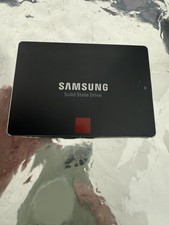
Samsung 850 PRO 512GB 2.5" SATA SSD MZ-7KE512 MZ7KE512
$65.00

Micron MTFDDAK256TBN 256 GB, Internal ,2.5" SSD
$23.00



 Reply With Quote