-
Senior Member
registered user
Poor man's install, with extra storage, on NTFS/Win7
Here is a short account of my (rather trivial) procedure for running Knoppix off an unmodified NTFS partition, with extra storage.
In case partitions can't be shrinked or deleted, this is a non-invasive way of adapting the PC to Linux. I have just used it on a new Toshiba Satellite R830, w/640GB disk.
1. Boot from USB. (In this case, external SSD-disk on USB3, very fast)
2. Copy KNOPPIX over to main NTFS partition.
3. Setup a new, large image file on the NTFS partition with ext4, mount it as /store.
4. Copy over /store from backup to the new "partition".
Here's what I did run:
Code:
# fdisk -l

  Device Boot      Start         End      Blocks   Id  System
/dev/sda1   *           1         192     1536000   27  Unknown
/dev/sda2             192       76169   610284544    7  HPFS/NTFS
/dev/sda3           76169       77826    13309952   17  Hidden HPFS/NTFS

# mount /media/sda2
# rsync -ax /mnt-system/KNOPPIX /media/sda2 &
# dd if=/dev/zero of=/media/sda2/store.img bs=1M count=60000 &
60000+0 records in
60000+0 records out
62914560000 bytes (63 GB) copied, 682.558 s, 92.2 MB/s
# losetup /dev/loop6 /media/sda2/store.img
# mkfs.ext4 /dev/loop6
# losetup -d /dev/loop6
# mkdir /store
# mount -o loop=/dev/loop6 /media/sda2/store.img /store
# mount /media/sdb2
# rsync -ax /media/sdb2/local/ /store &
All the indirection is of course not optimal, but with a Sandy Bridge I5-2410, I think I can live with it. Here's a snapshot of top while copying the files
Code:
PID USER      PR  NI  VIRT  RES  SHR S %CPU %MEM    TIME+  COMMAND
  5071 root      20   0  2668 1184  664 S   22  0.0  14:26.44 mount.ntfs
21056 root      20   0  7668 4704  840 R   19  0.1   2:20.18 rsync
21058 root      20   0 19144 1916  620 R   19  0.0   2:21.09 rsync
After starting from HD, I can manually mount this new image file, or I can add the commands to rc.local.
This /store can be used also for remastering, but to be as failsafe as possible, I would recommend repeating the procedure for another similar image for that purpose. Maybe I'll come back with a detailed exposition of remastering on "foreign land" like NTFS.
Normally, it should be enough just to enter knoppix{64} and the usual boot options to run from NTFS - that image should be found first and used. But, of course, using the fromhd=/dev/sda2 makes it even more foolproof.
 Posting Permissions
- You may not post new threads
- You may not post replies
- You may not post attachments
- You may not edit your posts
-
Forum Rules

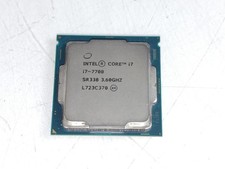
Intel Core i7-7700 3.6 GHz 8 GT/s LGA 1151 Desktop CPU Processor SR338
$39.99
READ Intel Core Ultra 9 285 Processor LGA 1851
$449.99
LOT OF 4 Intel Core i5-10505 6-Core 3.2GHz SRH38 CPU Processor
$349.95
Corsair HX1500i 1500W 80+ Platinum Fully Modular ATX 3.1 PSU Certified Refurb
$207.99
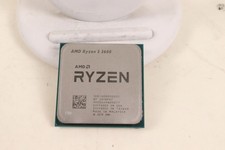
AMD RYZEN 5 3600 PROCESSOR | 3.60GHZ | 100-000000031
$59.99
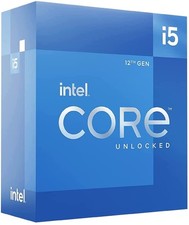
Intel Core i5-12600 3.30 GHz Processor CPU
$119.99

AMD Ryzen 5 5600X Desktop Processor (3.7GHz, 6 Cores, AM4 CPU) 100-100000065
$135.00
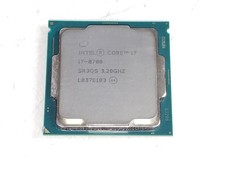
Intel Core i7-8700 3.2 GHz 8 GT/s LGA 1151 Desktop CPU Processor SR3QS
$67.99
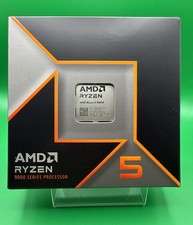
AMD Ryzen 5 9600X Processor (Zen 5) 6-Core 3.9GHz AM5 65W CPU 100-000001405 USED
$165.99

INTEL CORE I7-870 SLBJG 2.93GHZ LGA1156 4 CORE CPU PROCESSOR
$23.00



 Reply With Quote