-
 Possible solution
Hi Ryan,
I was tumbling around the web with the same issue as you and I think I found a solution. Two things have to be done:
- Enable kernel modules:
Code:
# modprobe hfs
# modprobe hfsplus
(Don’t know if this has to be done in order, but I guess it won’t hurt if you do so). - Repopulate filesystem (credit: http://www.renanmarks.net/en/blog/re...g-linux-system ). Knoppix has parted, which AFAIK comes with a program called partprobe. Execute it now that it will recognize HFS partitions and then there you will find new directories under /media:
Code:
# partprobe /dev/sdb
(assuming that the HFS partition is in /dev/sdb).
Note: If you have a HFS+ partition (journal enabled) it will probably mount it in read-only mode. You can fix this by mounting the partition with the force option:
Code:
# mount -o force,rw /media/sdb2
(again, assuming /dev/sdb2 is the HFS partition).
 Posting Permissions
- You may not post new threads
- You may not post replies
- You may not post attachments
- You may not edit your posts
-
Forum Rules


Intel Core i5-12500T SRL5W 2GHz 18MB 6 Core Socket LGA1700 Desktop CPU Processor
$114.99

INTEL CORE I9-10940X X-SERIES PROCESSOR | 3.30GHZ | SRGSH
$179.99
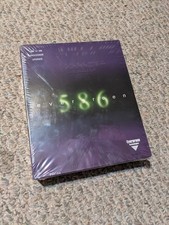
Evergreen 586 - Processor upgrade 486 to 586
$149.99

Lenovo ThinkCentre M920s SFF Barebones PC Motherboard PSU DVD No CPU RAM SSD
$27.99

AMD Ryzen 5 5500 Processor ( read Description)
$59.00

Intel SR3XE Core i5-8500 3.0GHz 9M Socket 1151 6-Core CPU Processor *Tested*
$32.99

Intel Core i7-3770K 3.5 GHz Processor
$39.00

Intel Xeon E3-1230 v3 SR153 3.3GHz Quad Core LGA 1150 CPU Processor
$14.49

AMD - Ryzen 7 5800X3D 8-Core - 16-Thread 3.4 GHz (4.5 GHz Max Boost) w/ Ice Pad
$355.99

Intel 6th Gen Core i7-6700K 4.0GHz (Turbo 4.2GHz) 4-Core LGA1151 CPU SR2L0
$38.00



 Reply With Quote