

 Reply With Quote
Not sure if it will work, but you can try using the cheatcode fromhd=/dev/sr0, add that to your grub menu kernel line.Originally Posted by TheLexx


I have a laptop with no internal CD/DVD ROM, however I have a USB CDROM. The problem is that the BIOS does not recognize the USB devices as bootable. I have (some Linux) and grub on the hard drive. What I would like to do is load the Knoppix kernel from the hard drive then get the rest of Knoppix from the CDROM. It seems like there should be a combination of grub command line arguments that will tell kernel how to locate the operating system.
I copied the kernel from the KNOPPIX 6.4 over to (hd0,0). I was able to boot up the kernel and get a half-working busybox system running. from there using dmegs I was able to tell that the kernel recognized the USB CDROM as /dev/sr0 without no modules loaded into the kernel. However I was not able to get any farther than that. Any suggestions on how I can proceed?
Not sure if it will work, but you can try using the cheatcode fromhd=/dev/sr0, add that to your grub menu kernel line.
I tried several things and it seemed to continually mount the root directory onto /dev/ root which was soft linked to /dev/sda1 after reading http://www.knoppix.net/wiki/Cheat_Codes I tried adding some other cheetcodes. here are a few of the grub combinations I used
kernel (hd0,0)/knoppix-6.4-linux fromhd=/dev/sr0
kernel (hd0,0)/knoppix-6.4-linux fromhd=/dev/sr0 knoppix_name=KNOPPIX
kernel (hd0,0)/knoppix-6.4-linux boot=/dev/sr0
Some of these would make the cdrom light flash for a while, but there would ultimately fix / to the wrong device.
I then tried adding root=/dev/sr0 to the above commands. but this only resulted in a kernel panic because it could not find init.
I think your menu.lst is too simple to be useful. You should take the syslinux.cfg from the CDROM/DVD and translate it to menu.lst and ***THEN*** add the fromhd=/dev/sr0.
The original syslinux.cfg is something like this :-
The translated menu.lst is something like this ( I did not do the exact translation, the sample below is copied from my system ) :-Code:LABEL knoppix KERNEL linux APPEND ramdisk_size=100000 lang=en vt.default_utf8=0 apm=power-off video=vga16fb:off initrd=minirt.gz nomce loglevel=1 tz=localtime
And then you can add fromhd=/dev/sr0 to the kernel line.Code:title Knoppix on Internal HD (testing) kernel /boot/syslinux/linux video=vga16fb:off lang=us apm=power-off nosound nomce loglevel=0 quiet dma noeject initrd /boot/syslinux/minirt.gz boot
---SOLVE---
Copy both the kernel AND minirt.gz to a media that is accessible to grub.
I was talking to some people in ##Linux chatroom. I was inquiring on how I could start the CDROM manually. There replay was to look info on what is technically called an "initrd pivot". Once I had a grasp what the purpose of minirt.gz was, the pieces fell together in my mind.
Once the kernel and minirt.gz are a grub accessible media, I need a minimum of three lines. The 'kernel' line that tells grub where I put the kernel. A second 'initrd' line tells where I put 'minirt.gz'. When grub gets to the boot line, it starts the kernel up and hands it minirt.gz. minirt.gz is packed with intelligent startup scripts. The (minirt.gz)s that comes with Knoppix 5.1 and Knoppix 4.6 are both pretty smart they were both able to find the operating system on the USB CDROM with no farther instructions. Although it is possible that setting 'fromhd=/dev/sr0' could speed things up a few seconds, by avoiding a hunt for the OS.
All the other cheat sheet info is good for setting hardware and the graphics mode. I built something after reading http://www.knoppix.net/wiki/Cheat_Codes
The solution given by kl522 is good, provided that the kernel and initrd lines point to the location where I copied them to. Before I understood what initrd was, I would have tried to point to it's location on the USB-CDROM. Which would not have worked, because grub can't see the USB-CDROM.


Yealink T48S VoIP/SIP Phone, 2 x Gigabit Ports PoE 7" Color SIP-T48S | TESTED
$34.95

Poly CCX 400 Desktop Business Media Phone VoIP 2200-49700-019
$49.99

Grandstream VoIP Phone Adapter ATA 1-Line Black Ethernet (RJ-45) Micro USB
$27.07
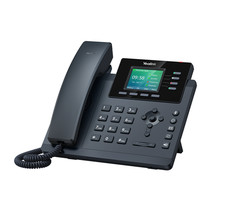
YEALINK T34W PHONE & 2 MONTHS OF PHONE SERVICE
$65.00

Yealink SIP-T33G IP Phone 4-LineSpeakerphone VoIP Desk Phone Black w/ Power Sply
$25.00

Grandstream WP810 Portable Cordless Wi-Fi IP Phone
$49.28

Cisco / Linksys SPA2102 VoIP 2FXS Phone Adapter with Router (unlocked)
$18.99
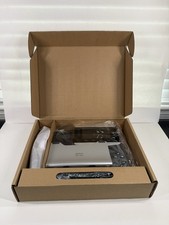
Cisco CP-8851-3PW-NA-K9 IP Phone MPP Multiplatform VoIP 4 New Open Box
$74.99

Cisco CP-8841 IP Phone Charcoal Handset And Stand Included
$27.99

SIM Bank 32 SIM Card Slots Ethernet SIM Server for GoIP
$400.00

