-
Senior Member
registered user
It is not surprising that when people re-master, expecially the very first one, they end up having an image bigger than the original. There can be many reasons to it, one of them is due to the commands used, 'create_compressed_fs'. The command has additional switches which selects better compression scheme ( at the expense of MUCH slower compression time ).
If one really wants to remaster for the last time, like what K Klaus does when he releases his liveCD, he probably selects '-L -1' or '-L -2', which incorporates 7zip compression. 7zip compression is famous for able to produce higher compression ratio but at the expense of MUCH longer compression time. Squashfs has its equivalent, and does it with EVEN higher compression ratio.
-
Senior Member
registered user
@ kl522
Thanks. I'll give that a try.
My initial try is just to re-do my cd.
More than half the time is spent in 'preparing the workspace'.
only about one-quarter spent in sub-optimum compression.
One quarter spent in copious, unused print-out, I haven't found
out how to cut down on yet. This in the rsync area and what follows.
Thanks for your hints.
-
Senior Member
registered user
@ kl522
ps
I now have the gigabyte wherewithal and enough background to delve into your 'Remaster your flash installation'.
I hope to be able to report some success with your approach sometime in the near future.
Cheers.
-
Senior Member
registered user
@ Capricorny
Regarding your script as shown in post #54:
Are your case descriptors missing a left paren on purpose?
Missing relative to Forester's script, that is.
Thanks.
-
Senior Member
registered user

Originally Posted by
utu

@ kl522
More than half the time is spent in 'preparing the workspace'.
Something I haven't tried it myself but I think it might be possible to shorten the time by changing the 'dd' command to a 'sparse file'. It allows the time to be shortened to almost nothing, at the expense of risking into having not enough disk space in the subsequent use. This can be mitigated by doing disk space calculation prior to starting.
Example of sparse file :-
Code:
$ dd of=sparse_file bs=1024 count=0 seek=1000K
This will create a 1G file in below 1 second.
-
Senior Member
registered user
@ kl522
Incredible. My 15 Gb file takes 10 MINUTES to build as it is.
Are we on the same page here?
-
Senior Member
registered user
@ kl522
Is this the replacement you are suggesting?
# sudo dd if=/dev/zero of=${workdir}/knoppix-remaster-data.img bs=1M count=$psize
$dd of=sparse_file bs=1024 count=0 seek=1000K
-
Senior Member
registered user
Originally Posted by
utu
@ kl522
Is this the replacement you are suggesting?
# sudo dd if=/dev/zero of=${workdir}/knoppix-remaster-data.img bs=1M count=$psize
$dd of=sparse_file bs=1024 count=0 seek=1000K
Change it to :-
dd of=${workdir}/knoppix-remaster-data.img bs=1M count=0 seek=$psize
That will use back the same arithmatic, creating the required workspace in a couple of seconds.
Cheers.
Last edited by kl522; 08-17-2011 at 03:55 AM.
-
Senior Member
registered user
Using the following input,
./rem_05.sh /media/sdc1 15M /media/sdc1/KNOPPIX670&
and the single line of modification, shown here:
"create workspace") # Setup workspace as loop image
workdir=$1; shift;
psize=$1; shift;
# sudo dd if=/dev/zero of=${workdir}/knoppix-remaster-data.img bs=1M count=$psize
$dd of=sparse_file bs=1024 count=0 seek=${wrkspc_sz} # replace line above per kl522
sudo losetup /dev/loop7 ${workdir}/knoppix-remaster-data.img
sudo mkfs.ext3 /dev/loop7
sudo losetup -d /dev/loop7
purge_or_create /tmp/knx-remaster-data;
sudo mount ${workdir}/knoppix-remaster-data.img /tmp/knx-remaster-data -o loop=/dev/loop7 ;
;;
We get a 'command not found' error for the new line, and nothing produced
except an empty KNOPPIX file at the end.
1. Also, I don't see how sparse_file and {workdir} ever get together; and
2. Shouldn't the case descriptors have a left-parenthesis?
-
Senior Member
registered user
It also looks to me like sparse_files or sparse-files are elements
that require ntfs-3g driver(s). Having started with a cd version
of Knoppix, my synaptic doesn't show ntfs-3g as an option.
 Posting Permissions
- You may not post new threads
- You may not post replies
- You may not post attachments
- You may not edit your posts
-
Forum Rules


SK Hynix Server Memory 32GB (1x32GB) RAM DDR4 2400MHz HMA84GR7MFR4N Lot of 12
$1599.99

SK Hynix 64B PC4-2933Y Server Memory DDR4 RAM HMAA8GR7MJR4N-WM
$499.99
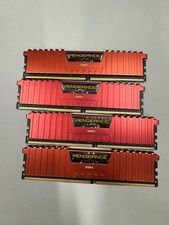
32GB (4x8gb) Corsair Vengeance LPX DDR4 2666MHz PC RAM CMK32GX4M4A2666C16R
$100.00

16GB KIT (2x8GB) DDR4 Gamer Desktop RAM PC4 MIXED BRANDS
$65.00
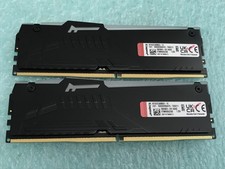
Kingston Fury Beast 32GB(2 x 16GB) KF552C36BBEA-16 DDR5 5200MHz RAM - R1031A
$299.95
![[ BULK LOT OF 10 ] UNITS of 8GB DDR4 Laptop RAM SAMSUNG, HYNIX etc. picture](/store/img/g/IKQAAeSwEK9qv9TG/s-l225/-BULK-LOT-OF-10-UNITS-of-8GB-DDR4-Laptop-RAM-SAMSU.jpg)
[ BULK LOT OF 10 ] UNITS of 8GB DDR4 Laptop RAM SAMSUNG, HYNIX etc.
$299.99
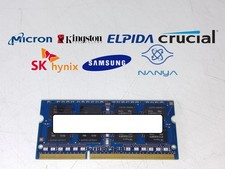
Major Brand 8 GB PC3L-12800 (DDR3-1600) 2Rx8 DDR3L Laptop Memory RAM
$10.99
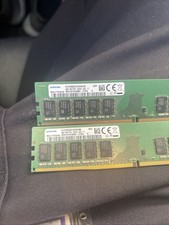
2x Samsung M378A1K43CB2-CRC 8GB DDR4 UDIMM Module - 16GB Total
$43.00

LOT OF 23 Ram Sticks-Corsair Vengeance CMZ8GX3M2A1600C9 4GB (4GBx23=92GB Total)
$129.99
Kingston (HyperX Fury ) DDR4 64gb 4x16 2933 MHz (PC4-23400)
$375.00



 Reply With Quote