-
Senior Member
registered user

Originally Posted by
utu

Better than none but they are not the kind of information which interest me in.
This table indicates Firefox 5 to be an option with 6.7.
I was unable to verify Firefox 5 as an option with my CD version of 6.7, even opening up all possible repositories.
I am amused.  The way things are classified, we may as well also list Opera and M$ Window Explorer as options too ! True enough, if you willing dig up everything and put in new things ....
-
Senior Member
registered user
May be mostly a kernel upgrade/bugfix release
From the documentation I have seen so far, this is mostly a kernel upgrade/bugfix/driver update release. Plus quite a bit of reworked Adriane stuff. I'm most curious about any changes to the innards, can't wait to take a diff of the minirt init  (But I don't think so much has changed there recently.
As for Firefox 5.0.1, at least in 64 bits it looks promising.
-
Senior Member
registered user
Correction to my posts #3 & #5 about Chromium & Flash
.
I am embarrased to admit that I've got Chromium working with flash, after all.
Not being familiar with its symbology, I missed the clue that 'some plug-ins are blocked'.
Look for a little icon with a red 'x' in the address bar at the top.
Even so, I prefer Firefox-5 1st, IceWeasel-3.6 2nd and Chromium 3rd.
My bad. I don't know why the default is to block the built-in capability.
-
Senior Member
registered user
Is knoppix V6.7.0 more usable inside virtualbox compared to 6.4.4 ? Does it still need the 'noudev', after that mouse is not working ?
-
Originally Posted by
utu
.
I am embarrased to admit that I've got Chromium working with flash, after all.
Not being familiar with its symbology, I missed the clue that 'some plug-ins are blocked'.
Look for a little icon with a red 'x' in the address bar at the top.
Even so, I prefer Firefox-5 1st, IceWeasel-3.6 2nd and Chromium 3rd.
My bad. I don't know why the default is to block the built-in capability.
utu:
I read your post with interest because I would like to get flash working with Chromium on my Knoppix 6.7 as well. I am new to Linux.
Had no problem with the red x "unblocking" and after being led to a number of adobe sites, downloading flash_player_10_linux.tar.gz and extracting it (libflashplayer.so) in the download folder, following some instructions I found about going to "about lugins" and enabling chrome Nacl and Default Plugin - version 1 (IceTea v. 1.8.7 was already enabled). For good measure I went to the Contents settings and set Javascript to allow all sites, and Plugins to run automatically. I even added CNBC.com to the exceptions in both Javascript and Plugins, so I though I was all set.
But when I go to view one of the videos on a CNBC.com site, instead of getting a playing video, I'm told I need to install flash player. I can only think that I haven't installed the extracted flash linux.tar.gz file into the proper place.
Do I have to close chromium and/or reboot? I haven't done this yet because I don't want to loose all my bookmarks and preferences. Can you help me? (I also downloaded Firefox and have same problem with installing flash into it, although I could install Download YouTube Videos + 3.3.51.)
If I can get flash working on both browsers, I'd like to try and set up my chromium browser to keep all my setting (preferences and bookmarks) intact, so that when I boot up I don't loose everything. In reading through the postings that follow your message, I understand that this can be accomplished with Knoppix using "overlayering" (on the thumb drive I have Knoppix installed), but this sounds a bit complicated. Is it?
Thanks for any input.
John
-
Senior Member
registered user
@ jm1944
Greetings, John & welcome to the forum.
You have two main questions as I see it.
1. Getting flash going; and
2. 'Overlayering'
Let's tackle flash first. That's the easiest.
I think the best way to do that is to use Synaptic.
Synaptic is a menu item on you main menu.
First time you use it, do 'reload' to update the cache.
Then search for Flash. You should get an answer for flashplugin-nonfree.
Install this and you should be set for both Chromium and IceWeasel;
anyway, I was.
I use 'Silent Monks' on YouTube to test my flash & sound.
First hit on Google.
Get that under your belt first, then come back and lets talk
about overlayering. It's not really complicated.
-
Senior Member
registered user
@ jm1944
Greetings, again John.
When you last booted, were you given a choice on setting up a persistent store?
Did you answer that question, or did it just whiz by?
If this makes no sense, just say so, and we'll start from there.
 Posting Permissions
- You may not post new threads
- You may not post replies
- You may not post attachments
- You may not edit your posts
-
Forum Rules


Intel Xeon E5-2699 V4 2.20GHz 55M 22-CORES LGA2011-3 Server Processor 145W SR2JS
$84.49

Dell EMC PowerEdge R440 Xeon silver 4215 2.5GHz 16 GB ram 2x 550W PSU No HDD
$275.00

Lenovo ThinkStation P520 Intel Xeon W-2123 3.6GHz 900W - NO RAM/ GPU/ HDD/ OS
$189.98

Dell Precision T5820 Workstation 3.70GHz W-2135 No RAM/ GPU/ HDD/ OS
$179.98

Intel Xeon Gold 6230 2.1 GHz Processor - SRF8W
$29.00

Matched Pair _ Intel Xeon E5-2698 V4 2.2GHz 20-Core Processor CPU LGA2011 SR2JW
$94.99
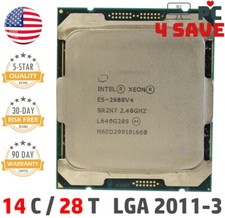
Intel Xeon E5-2680 V4 CPU 2.4~3.3GHz 14-Core 35M LGA 2011-3 R3 Server SR2N7 120W
$16.99
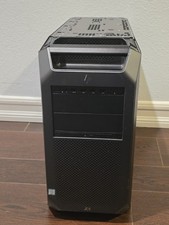
HP Z8 G4 Z8G4 Barebone Workstation w/ Intel Xeon Silver - No HDD No RAM No GPU
$449.99

Intel Xeon Processor E5-2687W V4 SR2NA 3.00GHz Broadwell 160W LGA2011 12-Core
$36.00

Supermicro 1027GR-TSF 1U Rackmount Server 2x Xeon 2.3GHz 128GB DDR3
$219.99



 Reply With Quote