-
Knoppix won't let me boot XP
I am a complete Linux rookie, but I did manage to set up Knoppix 6.7 on my HDD along with XP.
When I start up my PC, however I get a screen telling me to select Knoppix or Windows by using the arrows. Then my keyboard does nothing.
I bang the arrows and letters, nothing happens and inevitably Knoppix boots up.
I still need to use my Windows. HELP, Advice please!
-
Senior Member
registered user
@ ciscowen
Welcome to the forum.
For openers, look around for the .cfg file or menu.lst for grub, or whatever boot process you have,
and post that here. It may be obvious just looking at this that it's only a simple typo causing your problem.
Also, is your Knoppix working after it comes up?
Last edited by utu; 08-12-2011 at 04:05 PM.
-
-
Senior Member
registered user
-
ciscowen, I have the same problem on one of my pc's and it's due to the bios.
try unplugginn and replugging your keyboard in the 10 second timeframe and see if you can select then 
-
Junior Member
registered user
I've seen this type problem several times...
It could be your keyboard is not fully resetting. Turning the computer off with an operating system really does not remove the power from a USB keyboard. Got one computer here doing that. I had to power off the computer at the power supply switch to get the keyboard to reset. Then upon power up and boot, I had keyboard input again.
Some computers don't read from a USB keyboard before booting into an operating system. So you may need one of those converters that plug onto your keyboard connector to put it into the PS2 keyboard hole. There can also be a setting in your BIOS settings that turn on USB before boot that might help. This varies from computer to computer of course.
Tags for this Thread
 Posting Permissions
- You may not post new threads
- You may not post replies
- You may not post attachments
- You may not edit your posts
-
Forum Rules


Intel Core i7-9700 Octa-Core 3 GHz Desktop Processor LGA 1151
$79.99
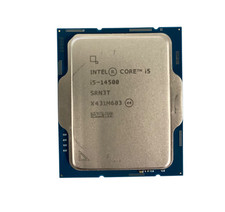
Intel Core i5-14500 SRN3T 2.6GHz 14-Core 24 MB Cache Desktop CPU Processor
$180.00
INTEL CORE I5-11600 2.80GHZ PROCESSOR | SRKNW
$109.99

INTEL CORE I7-870 SLBJG 2.93GHZ LGA1156 4 CORE CPU PROCESSOR
$23.00

AMD Ryzen 5 5600X Desktop Processor (3.7GHz, 6 Cores, AM4 CPU) 100-100000065
$135.00

Intel Core i9-9900 3.10GHz CPU Processor SRG18
$165.00
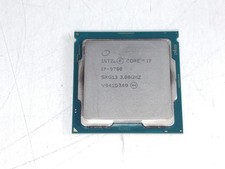
Intel Core i7-9700 3.00 GHz LGA 1151 Desktop CPU Processor SRG13
$79.99

Intel Core i5-7500 Processor (3.4 GHz, 4 Cores, LGA 1151) - SR335
$12.99
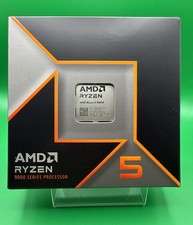
AMD Ryzen 5 9600X Processor (Zen 5) 6-Core 3.9GHz AM5 65W CPU 100-000001405 USED
$165.99

Lot of 2 INTEL CORE ULTRA 5 245 PROCESSOR | 3.50 GHZ | SRVFE
$256.99



 Reply With Quote