-
 BIOS gives "boot error" on USB boot, CD boot works perfectly
I've read the wiki and FAQ and I'm still unable to get a successful USB boot.
Booting KNOPPIX 6.7.0 CD English version without any difficulties. Verified the md5 sum and verified the CD.
Trying to install to Kingston Data Traveler 2.0 (4 GB) USB stick. Stick has been used successfully to boot CrunchBang and ArchBang. System is a Dell 530 w/Dell BIOS V1.0.18 dated 2/24/2009.
When I formatted the stick (gparted) with a MS-DOS type MBR and a 1 GB FAT32 partition, the "Menu->Preferences->Install KNOPPIX to flash disk" option allowed me to skip formatting and installed to the /dev/sdc1 partition. Files looked good when I mounted it. Rebooted and BIOS gave "boot error" message but it *did* recognize the USB stick as bootable.
OK, I let the KNOPPIX installer partition format the whole stick and install. Again, it looked good in the file manager. This time, the BIOS did not recognize the stick as a bootable device at all. No message because I couldn't select it to boot.
One thing that *might* be significant -- the BIOS had "ZIP" in the string when it recognized the stick. IIRC, there are two type of bootable sticks: ZIP and some other type. Don't know if this is significant with KNOPPIX installer. (Remember this vaguely from my Damn Small Linux days.)
Help! Should I use UnetBootIn or is there some other way to resolve this?
-
I have the same issue with my older Dell desktop.
The solution is to give the USB key zipdrive-like geometry (64 heads, 32 sectors per track)
You can do that from the Knoppix CD using the "mkdiskimage" script:
Note: This will erase all data on the USB drive
Code:
mkdiskimage -z /dev/sdx 0
-z means "use zipdisk geometry"
Replace /dev/sdx with your USB drive (use 'fdisk -l' or gparted to find out what your USB drive is called)
The 0 means automatically determine the size of the device.
Also might be required (but wasn't for me) is the -4 option, which means "use partition entry 4 (standard for zipdisks)". This option will cause the Knoppix installer to fail because it tries to install to partition #1 of the USB drive.
More info in the syslinux docs:
<edit>Sorry, not allowed to post links yet. Read /usr/share/doc/syslinux/usbkey.txt from the Knoppix CD</edit>
-
Senior Member
registered user
@ secdroid.
I have formatted a 4 Gb usb as a single partition
of Fat32 with GParted, using a Knoppix 6.7 CD.
Then, also using the LiveCD, made a LiveUSB, allowing
2 GB for persistent store, and allowing grub to be
installed to the MBR of the USB.
This leaves about 1Gb unassigned on the USB for whatever
use I might make of it.
It leaves my computer's MBR unchanged;
I select USB from among the media boot choices already
available on my computer's boot program, whatever it is.
Works for me, and I don't know a simpler way.
If you are trying to install to a 1 Gb partition,
I don't think you will have enough room for any significant
persistent store. 2 Gb will work well enough, except don't
try a full upgrade of all programs.
-
Senior Member
registered user
I've been using different sizes Kingston datatravelers for booting Knoppix for a few years now also on older and newer Dells, never any problem with either syslinux booting (default flash disk install) or grub (setup an ext2 partition on the drive).
I suspect the troubles may have to do with MBR/partition table issues. I would therefore, as a first shot at it, use fdisk, delete the partition table, recreate it with 1-2 partitions (big FAT32 + small ext2 for evt grub install later), make FAT32 partition active, and run Knoppix flash install again, with formatting. As a second try, repeat fdisking, but use mkfs.vfat from command line instead of flash install to create the file system.
As a second shot,I would have tried installing grub to MBR and second, small ext2 booting partition. I have posted about this method here on the forums.
Tags for this Thread
 Posting Permissions
- You may not post new threads
- You may not post replies
- You may not post attachments
- You may not edit your posts
-
Forum Rules


INTEL XEON E5-2680V4 SR2N7 2.40GHZ CPU
$11.00

Dell EMC PowerEdge R440 Xeon silver 4215 2.5GHz 16 GB ram 2x 550W PSU No HDD
$275.00

Dell Precision Tower 7810 Xeon E5-2630 v3 @ 2.40GHz , 32GB Ram, NO HDD, NO OS
$239.99

Dell Precision T7820 2x Xeon Silver 4114 2.20GHz 950W No RAM GPU HDD 4x SATA
$350.48

Dell Precision T5820 Workstation 3.70GHz W-2135 No RAM/ GPU/ HDD/ OS
$179.98

Intel Xeon E5-2699 V4 2.20GHz 55M 22-CORES LGA2011-3 Server Processor 145W SR2JS
$84.49

Intel Xeon E5-2690 v4 SR2N2 14 Core 2.6GHz 35MB LGA2011-3 CPU *km
$15.99
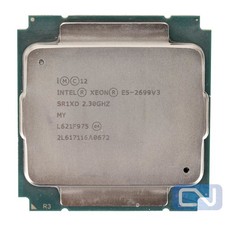
Intel Xeon E5-2699 v3 18 Core 2.3 GHz 45MB SR1XD LGA 2011-3 B Grade
$15.95

DELL Precision T3420 | Xeon 1240v6 | 525GB SSD |16GB RAM |Nvidia GPU |Win11
$149.00

Lenovo ThinkServer TS460 Part Number: 70TS-S01U00
$279.00



 Reply With Quote