

 Reply With Quote
A google search on the error has a few post that mentions usb so I'd give knoppix nousb a try, you might also try disabling the floppy seek in the BIOS as well.


Greetings All,
I'm experiencing troubles to pass the autoconfiguring devices process on a Dell Inspiron 600M notebook which results in stalling the boot process.
The error message is at Autoconfiguring devices:
Autoconfiguring devices... modprobe: modprobe: Can't locate module block-major-2
(repeated)
block-major-2 seems to be caused by the lack of a floppy drive in this laptop. Autoconfiguring seeks for floppy drive and causes the boot halt when doesn't find one.
If block-major-2 problem is due to the lack of floppydrive indeed,
is there any Cheat code that could help boot with no floppy drive detection?
Only failsafe will pass by the modprobe major 2 halt and boot it.
All the rest of hardware is Beautifully supported in the Knoppix distro--thanks to Klaus and all that did this great job!. (well, the Intel WiFi is only backwards compatible, but still!).
Thank you for reading and your help. Since the floppy drive is getting obsolete, it will certainly benefit others too.
PS: I tried, of course, the first that came to mind:
knoppix nofloppy --the same modprobe problem,
... nofd --the same modprobe problem,
... nofd0 --the same modprobe problem...
... nousb as suggested: -the same modprobe problem...
disable the Floppy drive from the bootup sequence [BIOS] -the same modprobe problem...
A google search on the error has a few post that mentions usb so I'd give knoppix nousb a try, you might also try disabling the floppy seek in the BIOS as well.
disable USB doesn't sound like a solution(but a good way to pinpoint the problem) even though that is quite likely the cause. If this is in fact the case, I believe it should be reported to the kernel folks as a modern machine without USB would severely limit its usefulness.
Thanks, but no, nousb doesn't help.
There is no usb or any other kind floppy drive attached to this machine. There is no floppy drive as well in bios. There was a boot from floppy in the boot up sequence though, I disabled that in BIOS, but the modprobe problem described above persists.
would ... nofd* help? testing... no go.
 Posting Permissions


(New) AMD Ryzen 7 5700X 8 Core 16 Thread AM4 Unlocked 3.4 GHz CPU OEM Tray
$169.99

RYZEN 7 9800X3D 8-Core, 16-Thread Desktop Processor
$475.00
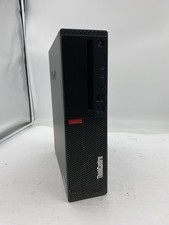
Lenovo ThinkCentre M920S Sff Intel Core i5 8600 8GB 256GB SSD Windows 11 Pro
$94.99

Apple MacBook Air 13.6” M2 8GB 256GB SSD 2022 MLY33LL/A 8‑Core CPU 8‑Core GPU
$529.95

Apple MacBook Air 13 2020 M1 8-Core CPU 8-Core GPU 16GB 1TB Space Gray - Good
$730.00

AMD Ryzen 7 9800X3D 8-Core AM5 CPU 4.7GHz 96MB L3 8MB L2 100MHz
$389.99
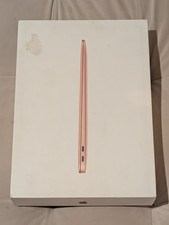
MacBook Air 13 2020 M1 8-Core CPU 7-Core GPU 8GB RAM 256GB Storage Gold
$399.00

Lenovo LOQ 15 15.6" FHD 144Hz 8-Core i5-12450HX 16GB 512GB SSD GeForce RTX 4050
$760.00

8-core 10-core GPU baseboard 8654 to PCIE 5.0x16 GPU expansion baseboard
$377.77

CHUWI 15.6'' Laptop Computer Intel Core 8GB RAM 512GB SSD WiFi Windows 11
$269.99