-
No, I never tried Debian Remastersys and I can not say, if it will do the job. But you told us, you have experience with Ubuntu Remastersys; therefore you will be able to solve all troubles which may occur with Debian Remastersys.
With my scripts you need
1. a Knoppix HD Installation (you allready have)
2. a decompresses filesystem image at '/opt/knx/remaster' (will be done by the scripts)
3. all the bootloader stuff at '/opt/knx/' (will be done by the scripts)
4. repeat installation and purge of all programs and tools within the chroot jail, as you did within your HD Installation (it's your job)
5. build the new ISO (will be done by the scripts)
-

Originally Posted by
Werner P. Schulz

No, I never tried Debian Remastersys and I can not say, if it will do the job. But you told us, you have experience with Ubuntu Remastersys; therefore you will be able to solve all troubles which may occur with
Debian Remastersys.
With my scripts you need
1. a Knoppix HD Installation (you allready have)
2. a decompresses filesystem image at '/opt/knx/remaster' (will be done by the scripts)
3. all the bootloader stuff at '/opt/knx/' (will be done by the scripts)
4. repeat installation and purge of all programs and tools within the chroot jail, as you did within your HD Installation (it's your job)
5. build the new ISO (will be done by the scripts)
When I was trying your script in the first step "kn-prepare" it is asking for knoppix CD, now what will I do?
-
... it's all explained step by step on my page "summary.html". In case of error please tell me detailed, what didn't work.
-
Originally Posted by
Werner P. Schulz
... it's all explained step by step on my page "summary.html". In case of error please tell me detailed, what didn't work.
Here is the result of the " kn-prepare" command. I am trying to make my installed knoppix 6.7 with some extra packages from HDD. I am not using virtual box, and I have not put any cd in the ROM as well.
mount: /dev/sr0: unknown device
If CD can't be mounted
please mount it within pcmanfm-filemanager
-
... in this case the script cann't go on. You need the Knoppix CD inserted. From the CD all bootloader stuff is written to '/opt/knx/boot' and the decompressed filesystem image to '/opt/knx/remaster'.
I did a hint at "summary.html". Perhaps you can wait till evening. I'm working on new version of my script; with this version you can easily rsync all of your HD Installation with '/opt/knx/remaster' and build a new ISO.
-
Originally Posted by
Werner P. Schulz
... in this case the script cann't go on. You need the Knoppix CD inserted. From the CD all bootloader stuff is written to '/opt/knx/boot' and the decompressed filesystem image to '/opt/knx/remaster'.
I did a hint at "summary.html". Perhaps you can wait till evening. I'm working on new version of my script; with this version you can easily rsync all of your HD Installation with '/opt/knx/remaster' and build a new ISO.
Ok thanks, one more thing, I have use your script and it works fine as you describe in your "summary.html" but when I try to use that iso the default keyboard layout change. When I press "z" it comes "y" and vice versa, "-" comes from "/" vice versa. Please look at this matter.
-
Try at next boottime which language settings you need using for example the cheatcode
Code:
knoppix lang=de
or
knoppix lang=us
If you use my graphical bootmenu then edit '/opt/knx/knoppix/boot/isolinux/knoppix.menu', otherwise edit '/opt/knx/knoppix/boot/isolinux/isolinux.cfg'.
Change within all "Append" lines the entry of 'lang=..' as you need. You can also insert in all this lines 'keyboard=..' and 'xkeyboard=..'. But I think only change of 'lang=..' will do the job. Create a new ISO and try it.
Greetings Werner * http://www.wp-schulz.de/knoppix/summary.html
Own Rescue-CD with Knoppix (Knoppix V6.7.0 remaster)
 Posting Permissions
- You may not post new threads
- You may not post replies
- You may not post attachments
- You may not edit your posts
-
Forum Rules

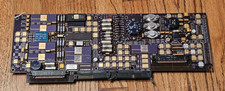
Vintage Honeywell Military Aerospace Avionics PCB Gold Ceramic Hybrid IC Board
$299.95

Vintage Computer Keyboard Northgate OMNIKEY Ultra
$120.00

Lot of 2 Vintage Plextor PX-43CS SCSI CD-ROM Caddy Drives + 4 Caddies Used
$55.99

Vintage Hewlett Packard HP 13181-60074 Circuit Card Assembly / Interface Board.
$135.37
Primax FaxSwitcher II FS100, VINTAGE WORKS
$40.00
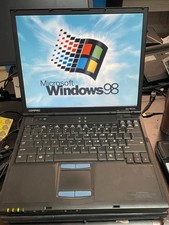
Vintage Compaq EVO N610C Laptop Pentium 4 2.0GHz 256MB 60GB Win 98SE w/ USB
$100.00
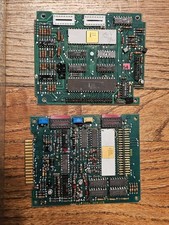
Vintage NAV 2300 Series Computer Boards Intel 8255 Mostek 6305P Gold Ceramic IC
$199.95

Original Vintage Old Style STANDARD Black CD Jewel Case (Heavy Duty) 90g Lot
$316.95

VINTAGE COLLECTIBLE Comp USA Maxtor 20 GB 3.5 Inch EIDE Hard Drive NEW SEALED
$500.00
Vintage Trading Expert for Windows - AIQ Systems Floppy Disks Software + Storage
$75.00



 Reply With Quote