-
Senior Member
registered user

Originally Posted by
utu

'are in use on a noimage reboot.
Last line should read: 'are in use AFTER a noimage reboot.'
-
I feel more comfortable NOT modifying the HD on my laptop.
The underlying Win7 system works very well, and I don't feel confident enough to repair it if I break it.
What shall happen with NTFS from Windows7? Knoppix doesn't change or install anything; it creates a new directory "\knx" and writes some files and folders to it; that's all.
The 'lame duck' may have the potential of a self-contained
re-mastering capability.
It doesn't need external storage nor another OS to complete
the re-mastering. After the kn-recombine rsync phase,
dismount the 'duck and reboot IT with the option 'noimage'
and proceed with the kn-recombine write operation.
This doesn't work. On my page at position "Reassemble your flash disk" I wrote
The old files 'KNOPPIX' and 'knoppix-data.img' respectively 'knoppix-data.aes' (= persistent memory) will be removed.
You cannot exchange in a running Knoppix Live session the existing KNOPPIX with a new compressed filesystem Image (KNOPPIX).
Greetings Werner
http://www.wp-schulz.de/knoppix/recombine.html
-
Senior Member
registered user
Originally Posted by
Werner P. Schulz
I have to keep proving this.
It seems SO un-necessary, since the COMPRESSED filesystem is not the ACTIVE system.
It seems the COMPRESSED system should be inert once the ACTIVE system is built.
-
Suggesting but not recommending:
1. How about re-mounting knoppix-data.img as readonly.
2. Then creating new Union with KNOPPIX and directly compressing the new Union.
I think this procedure can be scripted.
-
Senior Member
registered user
Originally Posted by
vkrishn
Suggesting but not recommending:
1. How about re-mounting knoppix-data.img as readonly.
2. Then creating new Union with KNOPPIX and directly compressing the new Union.
I think this procedure can be scripted.
The way Knoppix-data.img file system is mounted/structured, you can't remount it as read-only, you will get 'busy' error.
-
Member

might be interesting to divide the script into a further function:
1) rsync of Unions
2) generate the compressed filesystem
3) write to USB
Between the first and second feature I'd like to manually edit some files or folders in case I notice that you have a problem ....
Stupid silly example:
I customized the splash screeen Compiz (splash_backgroung.png & splash_logo.png) with my logo
I have placed in / KNOPPIX-DATA/usr/share/compiz and then I updated the path to two files in CompizConfig.
Well, by mistake the name of the file that I used had two capital letters than the original ....
result is that the new recombined Knoppix filesystem I found both the original file and my files ... and so I lost the customization ...
In order to fix the problem I should start all over again by launching the script again ... with a huge waste of time
-
Using your flash disk Installation with persistent memory you shall not edit '/KNOPPIX-DATA/'!
In your "silly example" write your modifications to '/usr/share/compiz' not to '/KNOPPIX-DATA/usr/share/compiz' and use this path in CompizConfig.
And before "recombine" Knoppix test your flash disk Installation as long as there are no errors.
Greetings Werner * http://www.wp-schulz.de/knoppix/summary.html
Own Rescue-CD (Knoppix V6.7.1 remaster).
-
If you want short times for "recombine", why don't you use a free partition on HD as I described? The use of a second flash device is a lame duck.
I have integrated some calculations of transfer rate. With it you can compare the use of a partition of a HD versus a partition of a flash disk.
Caution: at "Reassemble your flash disk" you have to boot with a Knoppix CD/DVD or with another Knoppix flash disk Installation. Booting with productive OS doesn't work.
Greetings Werner
-
Senior Member
registered user
Here's where I think we are:
.
I began this thread some months ago, bemoaning the high cost of
Gbs necessary to the needs of re-mastering. I had hoped for some
algorithm that would somehow magically perform this neat operation
on my meager 2 Gb LiveUSB.
Aside from the obvious, of acquiring the necessary Gbs outright,
over time, a number of our senior users have come to a consensus
that there are several ways to tap into the otherwise unused NTFS
real estate most of us have to get around 'the high cost of Gbs'.
At least three such approaches have been used and advocated:
1. Re-partitioning a Windows drive to create a new partition;
2. Using VirtualBox or equivalent virtual installs on either
...Windows or another Linux system; and.
3. Reading & writing to an out-of-service NTFS partition.
Surprisingly to me, over this time, the cost of LiveUSBs has
come down so much that an 8 Gb LiveUSB Class 10 can now be
obtained at a cost LESS than the cost of a 2 Gb Class 2 LiveUSB
when this effort began. Class10 LiveUSBs are now a viable and
inexpensive alternative for re-mastering CD-size Knoppix LiveUSBs.
Also, over this time, Werner Schulz has given us at least two
useful methods to carry out practical schemes of re-mastering
CD-size Knoppix LiveUSBs:
1. Using Virtual box (or equivalent) and Knoppix's built-in Own
outine to create a virtual system within which to develop and
finalize a custom LiveUSB; and
2. A generalized algorithm, kn-recombine that can be utilized in
several ways to recombine an initial compressed Knoppix image with
un-compressed Knoppix-data image to create a final compressed
Knoppix imgage containing both the contents of both the original
and that of the un-compressed data changes.
I believe Werner has nailed the re-mastering Proof-of-Principle
for CD-size Knoppix LiveUSBs with his algoritm, kn-recombine.
kn-recombine leaves it up to the user to specify where and in
what form to locate the necessary Gbs. Find kn-recombine at:
http://www.wp-schulz.de/knoppix/recombine.html
And thanks, Werner; well done.
Last edited by utu; 01-25-2012 at 01:31 AM.
-
Originally Posted by
kl522
The way Knoppix-data.img file system is mounted/structured, you can't remount it as read-only, you will get 'busy' error.
Remounting of Knoppix-data.img seems to work in 6.4.4
Only extra step was to create a new loop device.
I can post the method if useful.
 Posting Permissions
- You may not post new threads
- You may not post replies
- You may not post attachments
- You may not edit your posts
-
Forum Rules


OEM Genuine 86WH 69KF2 Battery For Dell XPS 15 9500 Precision 5550 M59JH M15 M17
$45.49

OEM 68Wh 3HWPP Battery For Dell Latitude 5401 5501 5410 5510 E5411 E5511
$28.99
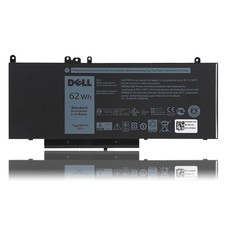
OEM Genuine 62WH 6MT4T Battery For Dell Latitude E5470 E5570 6MT4T 07V69Y 7V69Y
$36.66
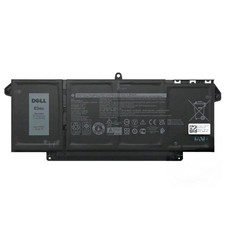
Genuine OEM 63Wh 7FMXV Battery For Dell Latitude 5320 7320 7420 7520 4M1JN TN2GY
$32.99

OEM Genuine 42Wh WDX0R For DELL Inspiron WDXOR Battery 15 5567 5568 13 5368 7368
$22.99

OEM 68Wh 3HWPP Battery For Dell Latitude 5401 5411 15 5501 5511 Precision 3541
$35.78
NEW OEM V6W33 Battery For Dell Inspiron 3510 5510 Latitude 3330 3320 Vostro 3515
$22.00
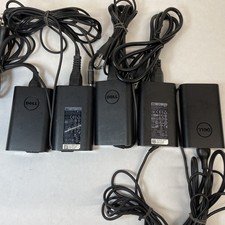
Lot of 5 Dell OEM 65W 7.4mm 19.5V 3.34A AC Adapters Mixed Models B Grade
$39.99
OEM Genuine 95WH PKWVM C903V Battery 7550 For Dell Precision CR72X 17C06 447VR
$37.40
OEM 38Wh F62G0 Battery for Dell Inspiron 13 5370 7000 7370 7380 7386 7373 P83G
$29.89



 Reply With Quote