-
I feel more comfortable NOT modifying the HD on my laptop.
The underlying Win7 system works very well, and I don't feel confident enough to repair it if I break it.
What shall happen with NTFS from Windows7? Knoppix doesn't change or install anything; it creates a new directory "\knx" and writes some files and folders to it; that's all.
The 'lame duck' may have the potential of a self-contained
re-mastering capability.
It doesn't need external storage nor another OS to complete
the re-mastering. After the kn-recombine rsync phase,
dismount the 'duck and reboot IT with the option 'noimage'
and proceed with the kn-recombine write operation.
This doesn't work. On my page at position "Reassemble your flash disk" I wrote
The old files 'KNOPPIX' and 'knoppix-data.img' respectively 'knoppix-data.aes' (= persistent memory) will be removed.
You cannot exchange in a running Knoppix Live session the existing KNOPPIX with a new compressed filesystem Image (KNOPPIX).
Greetings Werner
http://www.wp-schulz.de/knoppix/recombine.html
-
Senior Member
registered user

Originally Posted by
Werner P. Schulz

I have to keep proving this.
It seems SO un-necessary, since the COMPRESSED filesystem is not the ACTIVE system.
It seems the COMPRESSED system should be inert once the ACTIVE system is built.
-
Suggesting but not recommending:
1. How about re-mounting knoppix-data.img as readonly.
2. Then creating new Union with KNOPPIX and directly compressing the new Union.
I think this procedure can be scripted.
-
Senior Member
registered user
Originally Posted by
vkrishn
Suggesting but not recommending:
1. How about re-mounting knoppix-data.img as readonly.
2. Then creating new Union with KNOPPIX and directly compressing the new Union.
I think this procedure can be scripted.
The way Knoppix-data.img file system is mounted/structured, you can't remount it as read-only, you will get 'busy' error.
-
Member

might be interesting to divide the script into a further function:
1) rsync of Unions
2) generate the compressed filesystem
3) write to USB
Between the first and second feature I'd like to manually edit some files or folders in case I notice that you have a problem ....
Stupid silly example:
I customized the splash screeen Compiz (splash_backgroung.png & splash_logo.png) with my logo
I have placed in / KNOPPIX-DATA/usr/share/compiz and then I updated the path to two files in CompizConfig.
Well, by mistake the name of the file that I used had two capital letters than the original ....
result is that the new recombined Knoppix filesystem I found both the original file and my files ... and so I lost the customization ...
In order to fix the problem I should start all over again by launching the script again ... with a huge waste of time
-
Using your flash disk Installation with persistent memory you shall not edit '/KNOPPIX-DATA/'!
In your "silly example" write your modifications to '/usr/share/compiz' not to '/KNOPPIX-DATA/usr/share/compiz' and use this path in CompizConfig.
And before "recombine" Knoppix test your flash disk Installation as long as there are no errors.
Greetings Werner * http://www.wp-schulz.de/knoppix/summary.html
Own Rescue-CD (Knoppix V6.7.1 remaster).
-
Originally Posted by
kl522
The way Knoppix-data.img file system is mounted/structured, you can't remount it as read-only, you will get 'busy' error.
Remounting of Knoppix-data.img seems to work in 6.4.4
Only extra step was to create a new loop device.
I can post the method if useful.
 Posting Permissions
- You may not post new threads
- You may not post replies
- You may not post attachments
- You may not edit your posts
-
Forum Rules


Dell PowerEdge FX2s + 8x FC430 Blades 16x E5-2630v4 160 Cores Rails No PSU/RAM
$699.00

Dell PowerEdge FC430 Blade Server 2x Xeon E5-2630v4 20 Cores FX2 FX2s No RAM/HDD
$119.99

Dell PowerEdge M630 Blade Server 2x Xeon E5-2680 v4, 2F3MP , 4GDP5 ,R10KJ ,JVFVR
$140.00

Dell PowerEdge M620 Blade Server 2x Xeon E5-2680v2 2.8ghz 20-Cores | 128GB
$149.99

Dell Poweredge C6400 24x 2.5’’ 2x 2400W 4x C6420 Nodes H330 | 2x SFP | 8x Trays
$799.99

NETAPP HCI NAF-1701 SuperMicro Server 4X BLADE H410C 8X GOLD 5120 4 NODE SERVER
$1499.97
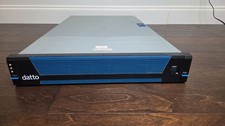
Datto S3E12000 RACK SERVER 2U 2x Xeon E5-2670 v3 2.30GHz 32GB RAM 2x PSU 14 BAY
$399.95

LOT (8) Cisco UCS UCSB-B200-M5 2x6248R 24 core 3.0G 24x64g DDR4-2933 ram
$112000.00

Dell PowerEdge M640 Blade Barebone Server Dell P/N: HHB006 Tested Working
$149.99

Dell Poweredge VRTX 25Bay 2.5" 2x PERC 8, 2xCMC, I/O 1GB Pass Through, 4x PS
$578.08



 Reply With Quote