-
Junior Member
registered user
A simple problem eluding me
OK, A very simple problem is eluding me that I could sure use your help with.
I put Knoppix on an 8GB USB flash drive. I was playing around with the desktop settings (right click on desktop for the menu). I turned off some option that allowed the menu for right clicking on the desktop. Now when I right click on the desktop, nothing comes up. So, I need to know where I can turn that option back on, so that right click on the desktop brinks up that menu.
Also, how can I add menu items to the application menu?
Also, how can I make a new Link to another file or directory on the desktop.
Also, where can I change default paper size to "letter size" in LibreOffice? The printer is already set, but every new document I create, defaults to A4. Very annoying.
Thanks for your time.
Edit: Oh, I'm on version 6.7.0.
 Posting Permissions
- You may not post new threads
- You may not post replies
- You may not post attachments
- You may not edit your posts
-
Forum Rules


(New) AMD Ryzen 7 5700X 8 Core 16 Thread AM4 Unlocked 3.4 GHz CPU OEM Tray
$174.99

AMD Ryzen 7 PRO 8700GE 8-Core/16-Thread Up to 5.1GHz AM5 (FL1)
$189.00
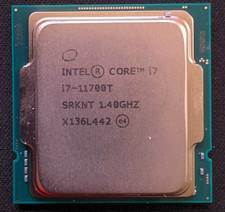
Intel Core i7-11700T 1.4GHz Processor 8-Core Socket LGA1200 SRKNT
$129.95

SGIN 17.3" Laptop Intel Quad-Core Up to 2.4 GHZ 8GB RAM 256GB SSD HD
$229.99
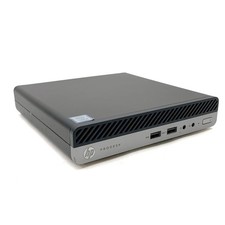
HP ProDesk 400 G5 Desktop Mini Intel Core i5-9500T Gen 8GB DDR4 As-Is For Parts
$49.99

AMD Ryzen 7 9800X3D 8-Core 16-Thread AM5 Zen 5 Desktop Processor NEW
$399.00

Apple Macbook Pro 13" M1 8-Core 16GB 512GB - Good
$464.99
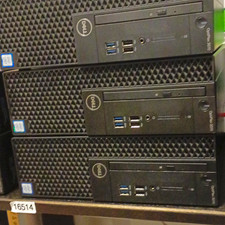
Dell OptiPlex 3070 SFF Desktop Intel Core i3 9th gen 8gb RAM 128gb NVMe win11pro
$79.99

Dell OptiPlex 5070 SFF i7-9700 (8-Core) 3.0GHz 16GB 256 SSD Windows 11
$250.00

DELL OPTIPLEX 3280 21.5" AIO Core i5 10500T 8GB 256GB NVMe Windows 11 -NO STAND
$199.99



 Reply With Quote