-
If you boot Knoppix with cheatcode "noimage" you can only see persistent memory in the (compressed) file '/mnt-system/KNOPPIX/knoppix-data.img'. If you boot without this cheatcode you can also see the persistent memory in the (decompressed) directory '/KNOPPIX-DATA/'.
In "case 1" from you, all is done by Knoppix.
You can change personal settings in '/home/knoppix/' or '/root/', you can install or deinstall programs in '/usr/' and the program-settings in '/etc/'. But in reality Knoppix writes all this stuff in '/KNOPPIX-DATA/' using "UNIONFS".
To prevent later trouble you can do a backup (your "update.tar.gz") from your personal stuff, which is a part of 'KNOPPIX-DATA/', and leave out the remaining of '/KNOPIX-DATA/'.
In "case 2" you can
a) only delete persistent memory alone, or
b) reformat the whole USB flash-drive and reinstall Knoppix. But why this expenditure?
 Posting Permissions
- You may not post new threads
- You may not post replies
- You may not post attachments
- You may not edit your posts
-
Forum Rules


Lenovo ThinkPad L13 Yoga Touch Laptop 13.3” Core i5 8GB RAM 256GB SSD Win 11 Pro
$239.99

Lenovo ThinkPad L15 Gen 3 15.6" 16GB, Thunder Black
$241.50

Lenovo ThinkPad E14 Gen 3 Laptop 14” FHD AMD Ryzen 5 16GB RAM 512GB SSD Win 11
$374.99

Lenovo ThinkPad E14 Gen 2 Laptop 14” HD Ryzen 5 16GB RAM 512GB SSD Win 11 Pro
$319.99

Lenovo ThinkPad L14 Gen 3 14" FHD Laptop i5 12th Gen 16GB RAM 256GB SSD Win 11
$329.99

Lenovo ThinkPad T480s | i5-8350U | 256GB NVMe | 8GB RAM | W11 Pro | W/AC Adapter
$169.99
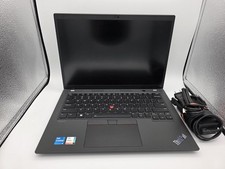
Lenovo ThinkPad T14 Gen 3 | Intel I5-1245U | 16GB RAM | 256GB NVMe | W11P | W/AC
$299.99

Lenovo ThinkPad L14 Gen 2 14" Laptop Core i5-1135G7 2.40GHz 8GB RAM 256GB SSD
$124.99

Lenovo ThinkPad T495 14” Laptop AMD Ryzen 5 PRO 16GB RAM 256GB SSD Windows 11
$229.99

Lenovo ThinkPad L15 Gen 3 15.6" 16GB, Thunder Black
$241.50



 Reply With Quote