

 Reply With Quote
Did you make a 640x400 pixel 16 color graphic?


Guys, I've created a new logo.16 following the tutorial and it works great.
The only thing that is weird...is under the image, where it says "Terminal client starting in 30 seconds" and "boot:" the text color is like purple-ish. (i'm slightly color blind, so it could be turqoise) point is, it's not the normal white / gray color.
Any idea how that happened? all i did was swap the logo.16 with my new one, which I made doing the giftoppm and ppmtolss16 scripts, and the image itself shows up fine.
If i replace the image with the normal logo.16, font color is restored. This is on Knoppix 6.7.0
oh, and the image is 640x397. I am gonna try resizing it to 640x400 to see if that fixes it, but i had some trouble earlier with that. Just don't see how that would break the color of the non-image.
Edit: resized it to 640x400. didn't fix problem.
Thanks!
Last edited by keeger; 10-05-2011 at 04:59 PM. Reason: update
Did you make a 640x400 pixel 16 color graphic?
yep. I did that on export. opened starting gif up in GIMP, and it says "Indexed color (16 colors)" in the properties.
Last edited by keeger; 10-05-2011 at 06:59 PM.
so i think it must be something related to the color palette?
the starting image was a 256 color adobe illustrator image. I exported it to a 16 color GIF, with dither set to 100%, and the GIF thing set to um, adaptive. originally I used GIMP to scale it from 640x397 to 640x400. (that was the one with a purple hue)
I re-did the export just now, making it slightly bigger and cropping it so it was exactly 640x400 from Adobe illustrator all the way. (So no using GIMP etc). This also does the color changing, but now instead of purple it's orange.
I have no idea how lss16 works, nor am I graphics person. (I edited the graphic to add text, o.O) but any suggestions on what the deal is?
Matt
Try to start with 16 color graphic.
 Posting Permissions


Crucial MX500 500GB 2.5" SATA III Internal SSD CT500MX500SSD1
$52.99

SSD 880EVO SATA III 2.5 4TB INTERNAL STATE DRIVE
$214.99

Samsung 860 EVO 250GB SSD MZ-76E250 2.5" SATA III Solid State Drive
$39.99

Kingston 128GB M.2 SATA III SSD
$13.00

Netac 2TB 1TB 512GB 256GB Internal SSD 2.5inch SATAIII Solid State Drive lot
$549.00

SAMSUNG SSD 512GB 500GB 480GB 256GB 250GB 240GB SSD 2.5 Solide State Drive 6Gbps
$37.99
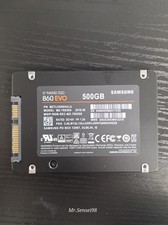
Samsung SSD, v-nand,860 EVO, 500gb, model MZ-76E500, SATA III, Health 90-98%
$50.00

Fanxiang 1/2/5/10Pcs 2.5'' SATA SSD Lot 1TB 2TB 4TB 512GB 256GB TLC Internal SSD
$129.99

KingSpec SSD 2.5" SATA3 Internal Solid State Drive for PC,Laptop,Mac
$60.00
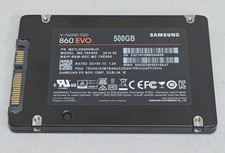
Samsung 860 EVO 500GB 2.5" SATA III SSD MZ-76E500 SSD Excellent Health wiped
$54.99