

 Reply With Quote
How do you connect by static settings, DHCP do you use PPPoE ? If you use PPPoE (you have to connect it's not always on) then there is a tool in the Knoppix menu IIRC. If you could provide a little more information it would be easier to help.


hey guys,
I just started playing around a wee bit today with knoppix for the first time. keep in mind im a complete and total newb to linux :X Ive been searching forums, knoppix help, and either i cant find it or its just not there, but how do I get my cable modem to work through knoppix? its a motorola surfboard thru earthlink, running through a linksys NIC. i just cant find an option anywhere in the gui to configure my cable modem! what am I doing wrong, or what am i not doing?
How do you connect by static settings, DHCP do you use PPPoE ? If you use PPPoE (you have to connect it's not always on) then there is a tool in the Knoppix menu IIRC. If you could provide a little more information it would be easier to help.
honestly i know as little about cable networking as i do about linux. I do not have to dial up. i just installed my nic card, plugged everything in, and ran the windows connection wizard. i know my internet is always connected and i do NOT have to do anything to access the internet. just turn the comp on and its there. thats about all i know about it :\
Well in that case you are more than likely connecting via DHCP. Some things you can try:
Open a console window (the clam shell icon in the taskbar) and enter netcardconfig for the network card configuration tool and agree yes to dhcp and you will see messages in the window to tell if it has been successful (if not post the error). Also in the console window ifconfig eth0 will tell you the settings of your ethernet card. You can also use the ping command to see if you can contact the internet eg. ping www.google.com or ping 216.239.39.99 which is google's IP address. Whatever errors if any you get post them.
Also be a little more specfic as to the steps you have tried eg. I turned on the computer and booted the CD when I enter some address in Mozilla and try to connect I get this error blah blah ... that sort of thing will help to get it working.
when i ran netcardconfig it said:
"sending DHCP broadcast from device eth0Operation failed. failed."
when i ran ifconfig eth0 everything was zero except for dropped received packets, which was 378.
anything else ya need to know?
In a console window the output of :Originally Posted by beetlebz
lspci -v
dmesg | grep eth0
lsmod
and the model number of the network card (should be in the output of lspci if not include).
errr sorry stephen, I got suddenly very busy with work and ran out of time to play with linux
I'll come back and figure it out once and for all when I finish building my filesharing box
 Posting Permissions


128GB (4x32GB) SK hynix DDR4 PC4-2666V RDIMM ECC Server Ram HMA84GR7CJR4N-VK
$799.00

Netac DDR4 32GB 16GB DDR4 3200MHz UDIMM C16 Desktop Internal Memory RAM Kit
$99.99
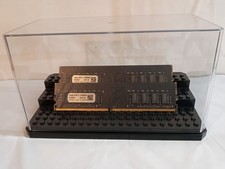
32GB KIT (2x16GB) DDR4 2666MHz PC4-21300 - 288 pin DESKTOP Non ECC - Black/Gold
$121.00
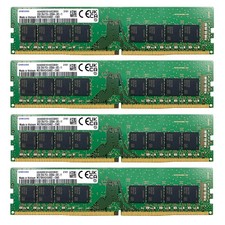
Samsung 128GB (4X32GB) DDR4 3200MHz PC4 UDIMM Memory Ram M378A4G43AB2 DESKTOP
$800.00

A-Tech 8GB DDR3 1600 PC3-12800 Laptop SODIMM 204-Pin Memory RAM PC3L DDR3L 1x 8G
$21.68

Major Brand 16GB (2x8GB) PC3-12800U DDR3-1600MHz DDR3-12800 DESKTOP RAM NON-ECC
$29.99
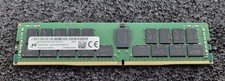
32GB Micron PC4 – 3200AA DDR4 ECC Registered Server RAM - MTA36ASF4G72PZ-3G2J3
$200.00

Samsung 16GB LPCAMM2 PC5 7500 DDR5 LPDDR5X CAMM2 M561K1LC4DM0-CCTGM RAM Memory
$189.00
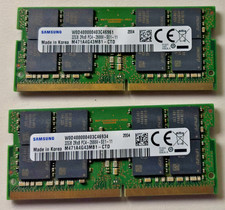
64 (32x2 GB) Memory for laptop Samsung PC4 2Rx8 2666V.
$260.00
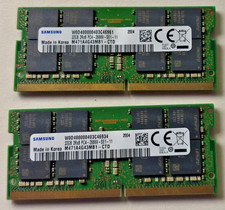
64 GB Ram (32x2) Memory for laptop: Samsung PC4 2Rx8 2666V.
$280.00
