-
Member

 Knoppix 6.7.1 Bluetooth Problem !!!
Hi all, I have a problem with the integrated netbook bluetooth but only with knoppix 6.7.1 (with 6.7.0 everything was fine).
Gnome Bluetooth applet is installed correctly and start automatically at boot, and tells me that the bluetooth is disabled by showing a red x next to the icon placed in the system tray. I can not in any way to enable it via the applet.I can not even name the device and can not in any way you can then connect my phone to the netbook.
These are the commands used to investigate:
PHP Code:
root@Black:/home/knoppix# lsusb | grep -i blue

Bus 003 Device 002: ID 13d3:3249 IMC Networks Internal Bluetooth
PHP Code:
root@Black:/home/knoppix# hciconfig

hci0:    Type: BR/EDR  Bus: USB

    BD Address: 00:22:43:B4:1B:9E  ACL MTU: 1021:8  SCO MTU: 64:1

    DOWN

    RX bytes:457 acl:0 sco:0 events:18 errors:0

    TX bytes:76 acl:0 sco:0 commands:18 errors:0
Bluetooth is DOWN. I manually activated the bluetooth ad I assign a name to the device
PHP Code:
root@Black:/home/knoppix# hciconfig hci0 up

root@Black:/home/knoppix# hciconfig hci0 name Black-0

root@Black:/home/knoppix# hciconfig

hci0:    Type: BR/EDR  Bus: USB

    BD Address: 00:22:43:B4:1B:9E  ACL MTU: 1021:8  SCO MTU: 64:1

    UP RUNNING

    RX bytes:908 acl:0 sco:0 events:35 errors:0

    TX bytes:149 acl:0 sco:0 commands:35 errors:0

root@Black:/home/knoppix# hcitool dev

Devices:

    hci0    00:22:43:B4:1B:9E
Bluetooth now is UP but Gnome Bluetooth applet tells me again that the bluetooth is disabled. Does anyone have any ideas?
-
Senior Member
registered user
It seems that the configuration file /etc/dbus-1/system.d/bluetooth.conf is missing and it does not help to create one. Since the release of Knoppix V6.7.1 there is a new bluez package available in the Debian software package repository. When I installed this new package the configuration file bluetooth.conf was still missing in the directory /etc/dbus-1/system.d but it is included in the package.
After many attempts I found the following solution.
I used the Knoppix V6.7.1 CD with my USB Bluetooth dongle unplugged.
My first step was to download the package bluez_4.96-3 to my /home/knoppix directory.
I opened a terminal and extracted the package
Code:
dpkg -x /home/knoppix/bluez_4.96-3_i386.deb bluez
I installed the package
Code:
sudo dpkg -i /home/knoppix/bluez_4.96-3_i386.deb
I copied the configuration file bluetooth.conf.
Code:
sudo cp /home/knoppix/bluez/etc/dbus-1/system.d/bluetooth.conf /etc/dbus-1/system.d/
In the "Preferences" menu I selected "Desktop Session Settings". I selected "Bluetooth Manager" and "Policykit Authentication Agent" and closed the window.
In the terminal I issued I plugged my USB Bluetooth adaptor in. Then I issued The graphical desktop environment started and the icon of the Bluetooth applet appeared in the system tray. The icon had got a red X. I disconnected my USB Bluetooth adapter and replugged it. Now the red X had disappeared and I was able to connect to my second computer.
Comments are always welcome. 
-
Member

In the coming days I will try to follow your steps, hoping to solve the problem.
Thanks in advance for the time you have dedicated to me.
See you soon. Bye.
-
Member
 Solved !!!
Hi guy ! Problem Solved ! Thank you very much !
In fact the file bluetooth.conf was missing in the directory /etc/dbus-1/system.d and even flag "Policykit Authentication Agent" was disabled.
Bye
 Posting Permissions
- You may not post new threads
- You may not post replies
- You may not post attachments
- You may not edit your posts
-
Forum Rules


NEW Kingston 8GB DDR4 2666MHz Desktop RAM KCP426NS8/8 PC4-21300
$30.00
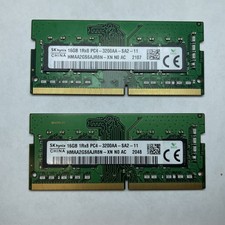
Lot of 2 SK Hynix HMAA2GS6AJR8N-XN 16GB DDR4 PC4-3200AA 1Rx8 Laptop SODIMM RAM
$354.99

16GB (2x8GB) Kingston HyperX blu KHX1600C10D3B1/8G PC3-12800U DDR3 1600
$27.99

Crucial Ballistix 32GB (2x16GB) DDR4 3200MHz CL16 Desktop RAM BL16G32C16U4B.16FE
$149.99

DDR4 Laptop RAM 4GB 8GB 16GB 32GB 2400 2666 3200 Samsung Hynix
$66.00

Samsung W03J0009150379F87A 64GB (2x32GB) RAM DDR4 2400MHz CRC0Y
$179.99
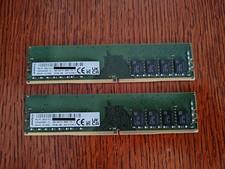
Kingston 2x16GB (32GB) DDR4 3200MHz UDIMM RAM - Lenovo OEM LV32D4U2S8HC
$129.99

A-Tech 8GB DDR3 1600 PC3-12800 Laptop SODIMM 204-Pin Memory RAM PC3L DDR3L 1x 8G
$21.68

16GB (2x8GB) Samsung DDR4-2133MHz PC4-2133P Desktop RAM 2Rx8 UDIMM
$54.99
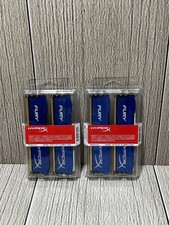
Lot of 2 Kingston Fury 8GB (4x4GB) HX316C10FK2/8 DDR3-1600MHz Ram
$50.35



 Reply With Quote