-
Senior Member
registered user
It seems that the configuration file /etc/dbus-1/system.d/bluetooth.conf is missing and it does not help to create one. Since the release of Knoppix V6.7.1 there is a new bluez package available in the Debian software package repository. When I installed this new package the configuration file bluetooth.conf was still missing in the directory /etc/dbus-1/system.d but it is included in the package.
After many attempts I found the following solution.
I used the Knoppix V6.7.1 CD with my USB Bluetooth dongle unplugged.
My first step was to download the package bluez_4.96-3 to my /home/knoppix directory.
I opened a terminal and extracted the package
Code:
dpkg -x /home/knoppix/bluez_4.96-3_i386.deb bluez
I installed the package
Code:
sudo dpkg -i /home/knoppix/bluez_4.96-3_i386.deb
I copied the configuration file bluetooth.conf.
Code:
sudo cp /home/knoppix/bluez/etc/dbus-1/system.d/bluetooth.conf /etc/dbus-1/system.d/
In the "Preferences" menu I selected "Desktop Session Settings". I selected "Bluetooth Manager" and "Policykit Authentication Agent" and closed the window.
In the terminal I issued I plugged my USB Bluetooth adaptor in. Then I issued The graphical desktop environment started and the icon of the Bluetooth applet appeared in the system tray. The icon had got a red X. I disconnected my USB Bluetooth adapter and replugged it. Now the red X had disappeared and I was able to connect to my second computer.
Comments are always welcome. 
 Posting Permissions
- You may not post new threads
- You may not post replies
- You may not post attachments
- You may not edit your posts
-
Forum Rules


Macintosh Platinum Mouse - Apple 128K 512K 512Ke Mac Plus Lisa IIe M0100 - NEW
$49.99

Apple Macintosh Mac 128k - 512k Boot / Diagnostics 2 Disk Set for Classic Macs
$14.99
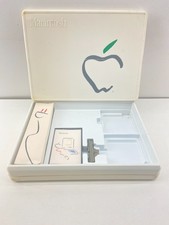
1984 Apple Macintosh 128k Picasso Accessory Case Empty Cord Tape Box Incomplete
$59.99

1984 APPLE MACINTOSH 128K FIRST MAC Model M0001 PICASSO KIT Discs Harvard Rare
$1800.00
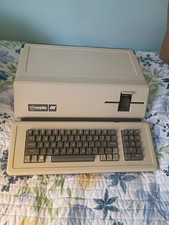
VINTAGE APPLE III COMPUTER A3S1-052010 (128k)
$800.00
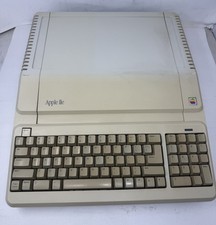
Apple IIe Platinum 128k Computer - Powers On - As is - See Photos - a2s2128
$255.00
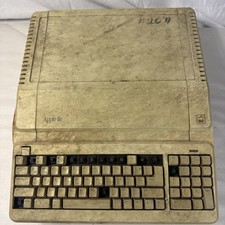
Vintage Apple IIe Platinum A2S2128 128K Computer Parts Repair Missing Keys
$100.00

Vintage Apple Macintosh Classic 128K Game Pack 5 On New 400K Double Density Disk
$39.99

Apple Keyboard for Macintosh 128k 512k Mac Plus RARE Vintage M0110 (010)
$149.00
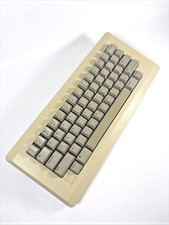
Apple Keyboard for Macintosh 128k 512k Mac Plus RARE Vintage M0110 (971)
$139.00



 Reply With Quote