

 Reply With Quote
Add your username to the modem group. Not sure I understand why you have to reinstall drivers each time. They should still be there.Code:mcedit /etc/group


I have just done a HD install of Knoppix and I am having trouble with my modem. Its an Intel536EP 56K modem and I have the correct Linux drivers for it and have managed to install them as root. I can use the modem then as root but as soon as I change to Knoppix user I can't access the modem device. If I then switch back to root, I can't use the modem on root anymore!
It is really frustrating as it means I can only use my modem on root and everytime I want to use it I need to install the drivers again.
How can I get it to save the fact that I have installed the drivers and want to use them on user as well as root.
Thanks
Ste
Add your username to the modem group. Not sure I understand why you have to reinstall drivers each time. They should still be there.Code:mcedit /etc/group
Or adduser < username > dailout as root in a console window logout and login back in for the changes to take effect. Some other groups you may want to add yourself to audio cdrom floppy video src if not already a member check with groups or id in a console window.
I will have a look at dialout, I don't seem to have a modem group. Is this the problem with having to reinstall the drivers each time I want to use the modem?
Alteratively is there a way I could automatically make linux run the install script for the modem drivers on bootup, while file would I need to edit? the sort of autoexec.bat of the Linux world...
Ste
I am allready in the group dialout and I still have to install my modem drivers everytime I want to use them. They do then work for root but in any user mode I get (using eznet as my ISP needs it):
Failed to open /dev/modem: Permission denied
Freeserve: pppd failure at 07:39PM Mon Jun 16, 2003
knoppix@ste:~$
using the KPPP application it just cant access /dev/modem on connect or the query modem.
Ste
I installed Knoppix 06-06-2003 last night (at a very late hour)... and I couldn't believe my eyes when I read this topic... I'm having almost the exact same problem as ste. I have an Intel536ep modem as well. I can compile the drivers and install them when I log in as "knoppix" (after an hd install), but /dev/modem does not respond to any query or attempt to dial.
I tried logging in as root and re-installed the drivers. At that point, my modem responded to querying and even dialed my ISP and connected. BUT no program I used would make use of the newly available ppp0 connection...
I really want to use Knoppix to install a Debian system on my hard drive, but unless I can get my modem to work I'm not going to use it. The 536ep driver requires kernel source be installed, which as far as I know IS available after the hdinstall of Knoppix. I think the driver functions just fine, but I'm not smart enough to troubleshoot beyond that point. I haven't followed any of the other posts in this category because they seemingly apply to a situation in which the modem functions properly in root.
Thanks in advance to anyone who can help me.
Heres what I've done to get my modem working after getting help from the #knoppix IRC chatroom.
Do this first bit in root.
After you install the drivers you should have 2 files called 536ep.o and 536epcore.o, make copies of these files in /lib/modules/2.4.20-xfs/kernel/drivers/net. After doing that if you type modprobe -l in Konsole you will get a list of .o files and the two files mentioned above should be listed. Next you need to edit in a text editor the file /etc/modules . This is just a list of other modules which will be launched when Knoppix boots. Put on two seperate lines 536ep and 536epcore (emiting the .o). If you restart the computer now, the drivers should be loaded automatically and root should be able to connect without having too install the drivers each time.
To make Knoppix user work type in the Konsole (still as root) "chown root.dialout /dev/536/ep" and then "chmod g+w /dev/536ep". After restarting again the modem should be accessable in users other than root.
For ppp0 problems try using eznet, that might work. It works with me on a connection that didnt work with KPPP. http://www.hwaci.com/sw/eznet/
I hope this all helps.
Ste
Thanks for replying... I'm in Windows again at the moment, but I'll try out your directions as soon as I can. From what I read of them, I think it's going to work.
Ah well sometimes I just take a guess ya know. It's been a while since I've used a modem (good thing too eh?). :POriginally Posted by Ste
Very nicely put-Thanks for taking it easy on me Stephen.
 Posting Permissions


USB 3.0 Flash Drive 32GB 64GB 128GB Memory Stick Thumb Stick Lot Pack
$826.09

Samsung 32GB (1x32GB) PC4-17000 (DDR4-2133) LRDIMM Memory (M386A4G40DM0-CPB0Q)
$120.00
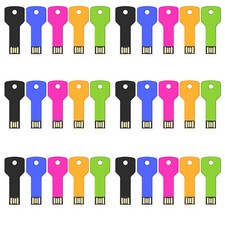
Wholesale USB 2.0 5/10/ 100PCS 2GB 4GB 8GB 16GB 32GB 64GB Metal USB Flash Drive
$176.00
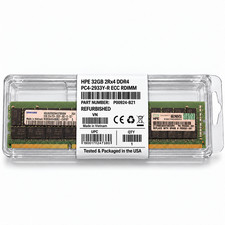
HPE 32GB 2Rx4 PC4-2933Y-R DDR4 Svr RAM P03052-091 P00924-B21 M393A4K40DB2-CVFBY
$270.00

Kingston 32GB 64GB 128GB 256GB USB 3.0 Flash Drive Thumb Memory Stick Pen lot
$285.90

Samsung 96GB LPCAMM2 PC5 9600 FE1 E1 LPDDR5X CAMM2 M561K6LC3CL1-CCV DDR5 Memory
$2150.00

Kingston 32GB 2Rx4 PC4-2400T-RB1-11 ECC REG Server Memory HP24D4R7D4MAM-32
$150.00
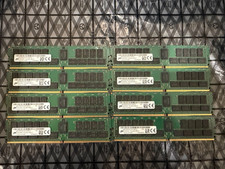
Lot 8 Micron 32GB DDR4-2933 ECC RDIMM 256GB MTA36ASF4G72PZ-2G9E2UI
$1999.99

6 in 1 USB 3.0 Type C Card Reader SD Micro SD TF OTG Memory Adapter Laptop PC US
$3.95

CHUWI CoreBook X 14.1'' Laptop Intel Core i5-1035 4.4GHz 16GB RAM 512GB SSD W11H
$398.99