-
Senior Member
registered user
Tweaks for Knoppix 6.7.1
.
Optional tweaks appropriate to Knoppix 6.7.1 LiveUSB that I've found useful.
Summary:
OS-related Minor Changes--located in usr, etc, root & mnt-system, where mpt#='minor program tweak(#)'
Abbreviated description of changes:....................... OS file locations related to changes:
Use Synaptic to downgrade lxpanel to stable 0.5.6-1....... /usr/bin/lxpanel (req'd for lxmenu if lxpanel at top)
Use Synaptic to add bleachbit for re-mastering............ /usr/bin/bleachbit & ~/.config/bleachbit
Use Synaptic to add ntpdate; see also mpt4................ /usr/sbin/ntpdate & /etc/network/if-up.d/ntpdate
Use Prefs menu to install M$ fonts & flash plug-in........ /usr/sbin/knoppix-install-extras zenity menu choices
Use mpt1 to add lxpanel menu entries for mc & alsamixer.. /usr/share/applications/................................(1)
Use mpt2 & gui to set firewall mode='easy', active='yes'.. /etc/sysconfig/firewall & /usr/sbin/firewall line 288...(2)
Use mpt3 to re-establish /var/log/syslog.................. /etc/init.d/knoppix-autoconfig/syslog-knoppix.conf......(3)
Use mpt4 to to adjust for local time...................... /etc/default/rcS & /mnt-system/boot/syslog/syslog.conf..(4)
Use mpt5 to change a parameter for bash's use with mc..... /etc/bash.bashrc ('=ignoredups' -> '=ignoreboth').......(5)
Use mpt6 to disable touchpad.............................. /etc/X11/Xsession.d/15x11-disable-synaptics.............(6)
Use mpt7 to delete desktop 'knoppix' icon................. /etc/X11/Xsession.d/45knoppix comment out line 200......(7)
Use mpt8 & backup to RECORD update*.tar.gz................ /root/backup -> /mnt-system/update*.tar.gz...........(
**To RESTORE KNOPPIX-DATA....................(use tar -xzf /mnt-system/update*.tar.gz -C / command)
Details of the numbered tweaks:
1. Add lxpanel menu entries for mc and alsamixer:
Use /usr/share/applications/htop.desktop as a pattern to define similar mc.desktop
and alsamixer.desktop files in /usr/share/applications/. Of course-- change Name,
Comment, Exec, Icon, GenericName entries as appropriate to provide these two new
choices on the SystemTools submenu.
2. Correct a minor bug in knoppix-firewall:
Add debian-knoppix repo to Synaptic, reload, and upgrade firewall-knoppix
to 0.5-6; then for example, set (or accept) mode='easy', active='yes'.
3. Re-establish /var/log/syslog:
Edit /etc/syslog-knoppix.conf to contain the line
*.*;auth,authpriv.none (tab here) /var/log/syslog
I know you can find syslog at Ctl-Alt-F12, but it's harder to work with that.
4. One way to define time settings, for example for Eastern US Time:
Set hardware clock to local time; in /etc/default/rcS, set 'UTC=no'; and in
/mnt-system/boot/syslinux/syslinux.conf, set kernel option to 'tz=America/New_York'.
To be independent of Windows 7 in providing for the correct transition between
Daylight-Savings and Standard time, add ntpdate and allow it internet access to NTP.
Really optional: my favorite digital clock format is %l:%M%P. (note, small 'ell')
5. Change a 'history control' setting affecting bash's use with mc:
Edit /etc/bash.bashrc line 15, changing'=ignoredups' to '=ignoreboth'.
6. Disable the touchpad, if you have & prefer a wireless mouse:
Add a one-line program, called /etc/X11/Xsession.d/15x11-disable-synaptics,
containing the command
synclient "TouchpadOff=1"
Make this root:root ownership and executable.
7. Delete the 'knoppix' desktop icon:
If you don't need or can't find a use for what this icon provides, then you can
make the desktop less cluttered by editing /etc/X11/Xsession.d/45knoppix by
commenting out line 200; that is, the line following the comment
'# Create a link to our KNOPPIX DVD'.
Fair warning: DO NOT, as an alternative, use pcmanfm to 'trash' this icon.
8. Make a backup of personal-settings:
The following works for me. Don't use all available Mb on your USB for persistence;
leave a few hundred Mb in /mnt-system for self-contained, personal-settings backups.
Assuming you and backup are both in /root, do './backup'; this will produce a compressed
file, update*.tar.gz, in /mnt-system, where * represents a date. When required to
replace a spoiled KNOPPIX-DATA, do 'tar -xzf /mnt-system/update*.tar.gz -C /' to restore
KNOPPIX-DATA to an earlier, presumably healthier state. My backups are about 53 Mb.
Code:
#!/bin/bash
#
# /root/backup
# remember to do 'chmod +x backup' & 'chown root:root backup'
#
cd /; STOR=/mnt-system/update$(date +'%m%d%H').tar.gz
echo -e 'Compressing data; patience, this may take a little time..\c'
tar -cz --exclude=*/Cache/*\
    -f  $STOR KNOPPIX-DATA/home/ KNOPPIX-DATA/etc/ KNOPPIX-DATA/root/\
              mnt-system/boot/syslinux/syslinux.cfg
echo '.Done.'; echo 'Restore using the command, tar -xzf '$STOR' -C /'
#
exit 0
utu, 18Nov11
Last edited by utu; 11-19-2011 at 01:35 AM.
-
Senior Member
registered user
An addendum to the personal backup/update*.tar.gz idea:
/mnt-system/restore.txt
Save thus to /mnt-system to help remind yourself how to restore
your persistent store if it becomes corrupted.
If the LiveUSB will not boot as usual, then start over
and at the 'boot:' prompt, input 'knoppix noimage' and knoppix
should boot with the original CD version of Knoppix 6.7.1.
After this has booted, then re-establish KNOPPIX-DATA with the
command, as root, 'tar -xzf update112410.tar.gz -C /',
assuming the saved update is 'update112410.tar.gz'.
Once that is completed, reboot again, and knoppix-data.img
should have been rolled-back to a former state.
Some recent changes in usr/ may not survive,
but all of home/ root/ etc/ & syslinux.cfg should be preserved.
Last edited by utu; 11-28-2011 at 02:23 AM.
 Posting Permissions
- You may not post new threads
- You may not post replies
- You may not post attachments
- You may not edit your posts
-
Forum Rules


OEM Genuine 42Wh WDX0R For DELL Inspiron WDXOR Battery 15 5567 5568 13 5368 7368
$22.99

OEM 68Wh 3HWPP Battery For Dell Latitude 5401 5501 5410 5510 E5411 E5511
$28.99
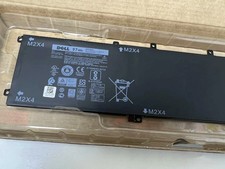
Genuine OEM 6GTPY 97Wh Battery for Dell XPS 15 7590, 9550 Series 5XJ28 GPM03 New
$33.50
Genuine OEM 63Wh 7FMXV Battery For Dell Latitude 5320 7320 7420 7520 4M1JN TN2GY
$32.99

OEM Genuine 86WH 69KF2 Battery For Dell XPS 15 9500 Precision 5550 M59JH M15 M17
$45.49

OEM 68Wh 3HWPP Battery For Dell Latitude 5401 5411 15 5501 5511 Precision 3541
$35.78
NEW OEM V6W33 Battery For Dell Inspiron 3510 5510 Latitude 3330 3320 Vostro 3515
$22.00

OEM 74WH 357F9 Battery For Dell Inspiron 15 7559 i7559 7557 i7557 5577 7567 5576
$26.99
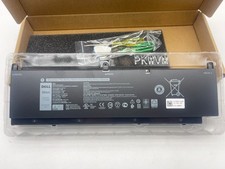
OEM Genuine 95WH PKWVM C903V Battery 7550 For Dell Precision CR72X 17C06 447VR
$37.40
OEM 97Wh NYFJH Battery For Dell Precision 7530 7540 7730 7740 P74F P34E Series
$30.99



 Reply With Quote