-
PDF Printer
Trying to install a PDF printer on an HD install of 6.7.1 using cups-pdf. Package installed and the CUPS printer config finds the virtual printer, but when trying to add the printer, it insists on asking for a model name, which is inapplicable; or a PPD file, which I cannot find.
How do I complete the Add Printer operation, please?
-
Senior Member
registered user
When I installed the package cups-pdf (cups-pdf_2.5.0-16_i386.deb) using apt-get the new printer was installed automatically. The printer queue has the name PDF.
If you need a ppd file you can search the list of files included in the cups-pdf package. Open an LXTerminal and issue
Code:
dpkg -L cups-pdf | grep ppd
If the printer was installed properly then you should find the printer "Generic CUPS-PDF Printer (en)" in the "Generic" section.
-
OK, I am so used to not finding the cups-pdf package in a distro package lists and having to do it directly through apt-get ... I removed cups-pdf with apt-get (it had not properly configured) and reinstalled it via synaptic ... this time it configured correctly ... except that I cannot get the CUPS printer manager screen to generate a test page ... selecting the option does nothing ... but a print from Libre Office works ... I find a PDF printer very useful for on-line receipts and orders (Amazon, Ebay, etc.) ... paperless office, Hah!
-
Further ... having got the PDF printer working on the HD install, I tried the same on the live USB, using synaptic ... same initial problem, no printer in the printer manager list ... reinstalled with synaptic and I noticed that the "configuring cups-pdf" stage in the reinstall took much longer than on the first install, as it had with the HD Knoppix install ... and this time, again, the PDF printer appears in the lists and works ... still cannot get the "Print Test Page" function to do anything, though.
It appears that in order to get the package to be correctly configured with Knoppix 6.7.1, you have to install and then reinstall cups-pdf ... something in the configuration is missed on the first attempt that is picked-up on the reinstall. Weird ... interesting, but weird!
-
Senior Member
registered user
Printing a test page

Originally Posted by
Gondarc

... except that I cannot get the CUPS printer manager screen to generate a test page ... selecting the option does nothing ...
I made the experience that I must start iceweasel and enter the address http://localhost:631/ instead of http://127.0.0.1:631/ if I want to print a test page. The file Test_Page.pdf can be found in the directory /var/spool/cups-pdf/ANONYMOUS/.
-
Curious, don't you have the line
Code:
127.0.0.1 Microknoppix Knoppix localhost.localdomain localhost
within your '/etc/hosts'?
-
Originally Posted by
Werner P. Schulz
Curious, don't you have the line
Code:
127.0.0.1 Microknoppix Knoppix localhost.localdomain localhost
within your '/etc/hosts'?
I do ... but I have just checked both ways of accessing the CUPS page directly from Iceweasel, and http://localhost:631/ works where http://127.0.0.1:631/ (as used by the printer manager access from "Preferences") does not ... as you say ... curious!
-
Further ... equally curious ... documents created via cups-pdf are usually placed in a PDF directory that must be created in the user home directory ... in the case of Knoppix this is /home/knoppix/PDF ... documents printed using the this printer (such as from Libre Office) appear here on my system ... but the test pages generated by the button that works only in http://localhost:631/ do not appear anywhere ... they are in the jobs listed for the printer, but not the destination directory.
-
Senior Member
registered user
I found the file Test_Page.pdf in the directory /var/spool/cups-pdf/ANONYMOUS/.
-
Aha ... there it be ... the job queue did list it as generated by anonymous, so that makes some sense ... my original search failed because I did not use capitals in an implicit search string ... hey, ho!
 Posting Permissions
- You may not post new threads
- You may not post replies
- You may not post attachments
- You may not edit your posts
-
Forum Rules

Vintage PC sleeper case 2000 Pentium 4 full tower 6 drive bays
$59.99
Vintage Epson Apex Plus AP3001A Dual 360K Disk Drives PC w/ Epson Apex Keyboard
$249.95
Vintage Memorex Telex 122-Key AT Terminal Keyboard 96550264
$100.00
Vintage Retro Cyrix 6x86 133mhz 32mb RAM Floppy Combo
$299.00
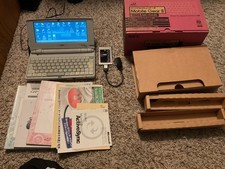
Rare Vintage Nec Mobile Gear II MC R430 Computer Japanese Windows Ce
$299.99
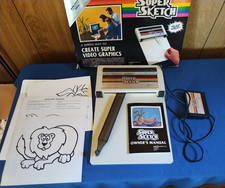
Vintage PPI Super Sketch G2400 for Texas Instruments TI99/4A
$150.00
LOT NOS/USED VINTAGE 1000 + PCs TRANSISTORS, DIODES, UNTESTED, SCRAP GOLD
$200.00

Vintage Brother DP-525CJ Word Processor Typewriter PARTS/REPAIR PLEASE SEE VIDE
$265.00

Vintage HP 21MX 1000 M-Series Minicomputer Chassis Backplane Parts AS-IS
$228.19
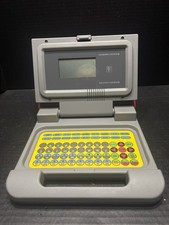
Vintage Educational Laptop Computer By National Encyclopedia Corp W/box & Insert
$99.99



 Reply With Quote