-
Senior Member
registered user
When I installed the package cups-pdf (cups-pdf_2.5.0-16_i386.deb) using apt-get the new printer was installed automatically. The printer queue has the name PDF.
If you need a ppd file you can search the list of files included in the cups-pdf package. Open an LXTerminal and issue
Code:
dpkg -L cups-pdf | grep ppd
If the printer was installed properly then you should find the printer "Generic CUPS-PDF Printer (en)" in the "Generic" section.
-
OK, I am so used to not finding the cups-pdf package in a distro package lists and having to do it directly through apt-get ... I removed cups-pdf with apt-get (it had not properly configured) and reinstalled it via synaptic ... this time it configured correctly ... except that I cannot get the CUPS printer manager screen to generate a test page ... selecting the option does nothing ... but a print from Libre Office works ... I find a PDF printer very useful for on-line receipts and orders (Amazon, Ebay, etc.) ... paperless office, Hah!
-
Further ... having got the PDF printer working on the HD install, I tried the same on the live USB, using synaptic ... same initial problem, no printer in the printer manager list ... reinstalled with synaptic and I noticed that the "configuring cups-pdf" stage in the reinstall took much longer than on the first install, as it had with the HD Knoppix install ... and this time, again, the PDF printer appears in the lists and works ... still cannot get the "Print Test Page" function to do anything, though.
It appears that in order to get the package to be correctly configured with Knoppix 6.7.1, you have to install and then reinstall cups-pdf ... something in the configuration is missed on the first attempt that is picked-up on the reinstall. Weird ... interesting, but weird!
-
Senior Member
registered user
Printing a test page

Originally Posted by
Gondarc

... except that I cannot get the CUPS printer manager screen to generate a test page ... selecting the option does nothing ...
I made the experience that I must start iceweasel and enter the address http://localhost:631/ instead of http://127.0.0.1:631/ if I want to print a test page. The file Test_Page.pdf can be found in the directory /var/spool/cups-pdf/ANONYMOUS/.
 Posting Permissions
- You may not post new threads
- You may not post replies
- You may not post attachments
- You may not edit your posts
-
Forum Rules


Dell Precision T5820 Workstation 3.70GHz W-2135 No RAM/ GPU/ HDD/ OS
$179.98

Dell Precision Tower 7810 Xeon E5-2630 v3 @ 2.40GHz , 32GB Ram, NO HDD, NO OS
$239.99

Dell EMC PowerEdge R440 Xeon silver 4215 2.5GHz 16 GB ram 2x 550W PSU No HDD
$275.00

Intel Xeon Phi 5110P 60-Core 1.053GHz Coprocessor
$50.00

Dell Precision T7820 2x Xeon Silver 4114 2.20GHz 950W No RAM GPU HDD 4x SATA
$354.48

Intel Xeon E5-2699 V4 2.20GHz 55M 22-CORES LGA2011-3 Server Processor 145W SR2JS
$84.49

Lenovo ThinkStation P520c Intel Xeon W-2133 6-Core 3.60GHz -NO RAM/ HDD/ GPU/ OS
$127.54
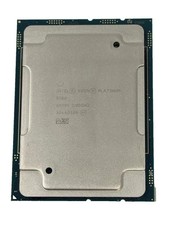
Intel Xeon Platinum 8268 2.9GHz 24-Core FCLGA3647 Processor | SRF95
$119.99

Dell Precision T1700 Workstation Intel Xeon 16G Ram 256GG SSD Nvidia 600 Win 10
$109.99

HP Z440 Workstation TWR Xeon E5-1603 v3, 8GB RAM, NVS310, SB1570, NO SSD/OS #95
$89.99



 Reply With Quote