

 Reply With Quote
Please tell us en detail what you did and what error message you get.


This is very strange. I have tried installing Knoppix 6.7 on both a 160GB USB hard drive and on
a 4GB flash pen drive. Both of these devices were seen in the BIOS boot list prior to installing
Knoppix to the device(s). What is really strange is that I had previously been using Knoppix 3.6
and had it installed on the 160GB USB drive. Can somebody shed some light on this ?
Please tell us en detail what you did and what error message you get.
I booted Knoppix 6.7 from the live CD. I selected the Flash Install program and selected the 160GB external USB hard drive for installation. I clicked on the button to authorize format and install of Knoppix to that device (sdb1). The process of formatting, creating boot track, and installation of Knoppix appeared to function correctly with NO errors. I then shut down the computer. I re-started the computer and broke into the BIOS so I could select the USB hard drive as the first boot device. The USB hard drive was no longer in the list of boot devices ( it had previously been in the list). I performed the same sequence of events with the 4GB flash memory stick and got exactly the same results. Again NO errors.
Here are a couple of items that may be of interest:
1. While booting, there is a message that there is an HDIO_GET_IDENTITY error for an ata device. I am assuming that is my Windows hard drive as the external drive is a USB device and not connected to the ata controller.
2. During Knoppix install to the USB devices, I noticed that the format, create boot track, and Knoppix install process do not seen to reach 100%.
3. If I re-format the USB devices, from Windows, the devices are then detected as bootable devices by the BIOS.
I do NOT believe there is a BIOS issue as I was able, in the past, to install Knoppix 3.6 on the same USB devices that I have today.
Hope that is enough information.
Thanks,
John
Today, I have tried the following:
I downloaded Knoppix 6.2 and booted with that CD.
I re-partitioned the USB hard drive with the first partition having size 32GB just in case the size
was causing a BIOS issue (it never did when I had KNOPPIX 3.6 installed).
Installed KNOPPIX on partition one of the external USB drive.
Rebooted the computer.
Problem still exists.
I noted that with KNOPPIX 6.2 I do not get the HDIO_GET_IDENTITY failure that I see with 6.7
That failure, as seen in 6.7 reads as follows:
ata_id[2028] HDIO_GET_IDENTITY failed for '/dev/.tmp-block-8:16'
Hope somebody has some words of wisdom to help me with this.
Thanks for the help,
John
I booted KNOPPIX 6.7 from the live CD and then downloaded a program called TestDisk.
I used TestDisk to check the USB hard drive that fails to be detected in my bios and can see
that the primary partition is bootable and the primary partition is FAT32.
I have tried many things today such as re-partitioning the drive, etc. Nothing seems to work.
However, if I return to Windows and format the drive as NTFS, then the bios will detect the
drive. For that reason I am pretty sure it is not a bios problem.
This is making me so crazy. I used to have Knoppix working with version 3.6 . I had some
problems and re-formatted the drive and then tried to install 6.7 . Perhaps I should look for
a Knoppix 3.6 iso .
Thanks for any help I can get.
John
Well, it is either a hardware or BIOS problem. I connected the drive to a friends laptop and was able to successfully boot to Knoppix 6.7.
Thanks for all who have looked at this post.
 Posting Permissions


GIGABYTE A520M DS3H AC AMD AM4 Motherboard mATX
$59.99

Corsair RMe RM850e 850W 80 Plus Gold Fully Modular Low Noise Certified Refurb
$58.99

Gigabyte GA-B85M-D3H Motherboard
$54.99

Intel H81 Motherboard M.2 NVMe LGA 1150 mATX w/ IO Shield (Random Slot Color)
$29.90

GIGABYTE B365 HD3 LGA1151 Intel 9th Gen motherboard
$59.99

Asus Prime B660M-A AC D4 Motherboard Intel LGA 1700 14th 13th 12th Gen DDR4
$79.99

MSI B550M PRO-VDH Micro-ATX Motherboard - AMD AM4, Ryzen 5000/4000/3000 Ready, P
$71.49

ASUS PRIME H410M-K LGA 1200 Intel 10th Gen H410 DDR4 USB3.2 Motherboard M-ATX
$59.99
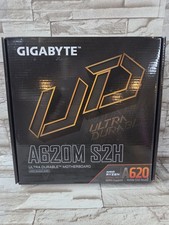
GIGABYTE - A620M S2H AM5 DDR5 M-ATX Motherboard
$65.00
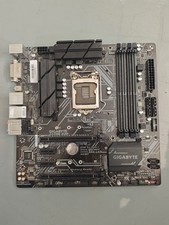
Gigabyte Z370M D3H LGA1151 DDR4 Micro ATX Motherboard PCIe 3.0 Desktop Mainboard
$77.99