

 Reply With Quote
Are you using a laptop with a keypad by any chance?
If not, you probably need to give us a few more clues.


I need to use knoppix 6.7.1 (dvd version) because I need to use its ANSI C and ANSI C++ compilers for some projects:
$ uname -a Linux Microknoppix 3.0.4 #12 SMP PREEMPT Thu Sep 8 05:27:05 CEST 2011 i686 GNU/Linux
there are however two really annoying things with that version of knoppix.
1) the screen's background tends to go black (except the title bar) and what is supposed to be black (background of terminal windows) turns white. I don't think it is related to the monitor at all or the hardware it is run on because I use it with different hardware bases at work and at home. It seems to be related to fat finger typing and I haven't been able to notice exactly which keys did I press (or at which speed?) or how to turn the display back to its proper state
2) also, there is this new super irritating thing about windows opening and closing in funky ways, as well as closing and moving around the display when you are trying to reach them with the mouse, which I really, really, really would like to stop how can you have your windows opening and closing as they used to?
I think these two problems relate to each other because when I have like 5 of those funky windows open, the screen turns black.
I remember not long ago that on one version of knoppix the background of terminal windows had some stupid transparency for "visual effects" some "visually motivated" people would say
How could you troubleshoot/reconfigure those problems?
lbrtchx
Last edited by Albretch; 11-22-2011 at 09:25 PM.
Are you using a laptop with a keypad by any chance?
If not, you probably need to give us a few more clues.
Try the cheatcodeto deactivate compiz 3d functions.Code:knoppix no3d
If Werner's hunch is right, then maybe you can be selective
in turning off just some of the Compiz effects.
The two Compiz effects that displease me most are:
Preferences>Compiz>Window Mgmt>Scale and
Preferences>Compiz>Desktop>Expo
These are effects triggered when the mouse cursor is at
some screen edge or corner, as I recall.
Last edited by utu; 11-22-2011 at 11:09 PM.
This may be related ... I normally use the quick codes ctrl+c for "copy" and ctrl+v for "paste", but Linux terminal (on the distros I have used so far, so it may not be general) requires ctrl+shift+c and ctrl+shift+v, respectively. However, Compiz appears to use ctrl+shift+c to invert the display within the windows (not the title bar or edges) for the visually impaired (hence the black/white change, and in the case of "crux" colour scheme that I prefer, light blue headers on knoppix.net turn beige) and ctrl+shift+v has no effect. I was wondering how to bypass the Compiz reaction and get the key sequences (or a replacement) to work within the terminal, but still retain the Compiz control, because I have colleagues who are visually impaired who do use Compiz for this facility ... I will have to contact one to find out what he does in the terminal ... I resort to using the copy and paste facilities under the edit menu, but the long-windedness of this is the reason why I like the shortcut key sequences.
Werner for President!
~
knoppix no3d
~
did it for me and I very much doubt that it was a hardware thing since it was happening in all computers I use, but anyway for the record those are the graphic interfaces of the computers I use most:
~
$ lspci | grep VGA 01:00.0 VGA compatible controller: Silicon Integrated Systems [SiS] 661/741/760 PCI/AGP or 662/761Gx PCIE VGA Display Adapter (rev 04)
~
$ lspci | grep VGA 00:02.0 VGA compatible controller: Intel Corporation 82915G/GV/910GL Integrated Graphics Controller (rev 04)
~
$ lspci | grep VGA 01:05.0 VGA compatible controller: ATI Technologies Inc RS482 [Radeon Xpress 200M]
~
and by the way. Thank you for letting me know such things are very important for some people. I am glad to hear that there was a reason for that 3d thing to be in your interface
~
lbrtchx
 Posting Permissions


Kingston 32GB 64GB 128GB 256GB USB 3.0 Flash Drive Thumb Memory Stick Pen lot
$285.90

2 in 1 USB 3.0 Card Reader Micro TF card Reader usb adapter High Speed Cardreder
$3.99
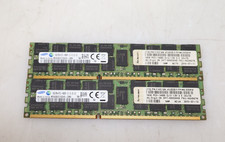
Lot 2x 16GB (32GB) Samsung M393B2G70QH0-CMA PC3-14900R DDR3 ECC RDIMM Server RAM
$39.99

Samsung 32GB (1x32GB) PC4-17000 (DDR4-2133) LRDIMM Memory (M386A4G40DM0-CPB0Q)
$120.00

USB 3.0 Flash Drive 32GB 64GB 128GB Memory Stick Thumb Stick Lot Pack
$826.09

Kingston 32GB 2Rx4 PC4-2400T-RB1-11 ECC REG Server Memory HP24D4R7D4MAM-32
$150.00

Samsung 96GB LPCAMM2 PC5 9600 FE1 E1 LPDDR5X CAMM2 M561K6LC3CL1-CCV DDR5 Memory
$2150.00
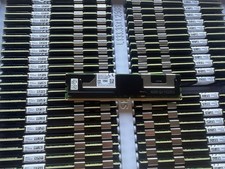
NMA1XXD128GPS Intel Optane 1X128GB DDR4 PC4-21300 DCPMM Persistent Server Memory
$75.00
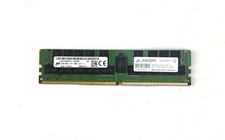
Micron 64GB DDR4 PC4-2666V 4DRx4 ECC LRDIMM MTA72ASS8G72LZ-2G6D2 SERVER MEM
$320.00
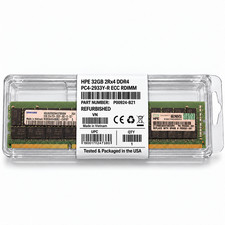
HPE 32GB 2Rx4 PC4-2933Y-R DDR4 Svr RAM P03052-091 P00924-B21 M393A4K40DB2-CVFBY
$270.00