

Starting Libre Office on 6.7.1 from the toolbar icon presents a choice screen in a central window, with the white options area surrounded by pale blue shaded background. In my case, at the left and right sides of this blue background are two strips which are not filled in, but just grab the background image for the area at the time, before LO is started. Having just used the live USB on a desktop monitor for the first time, where the problem did not occur, I think I may have found a reason for this. When opening LO, LXDE seems to use a default window shape roughly conforming to the aspect ratio of the display. The desktop monitor is a 4x3 display, all my other units are 16x9 or 16x10, the area missed out by the background paint is the extra space in the widescreen ratio.
 Posting Permissions


TP-LINK TL-SG108 8-Port Gigabit Unmanaged Desktop Switch RJ-45 New in Box
$23.99

TP-Link 5-Port Gigabit Unmanaged Ethernet Switch Network Expansion TL-SG105
$19.95
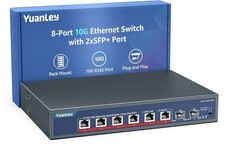
YuanLey 8-Port 10G Ethernet Switch, 6 x 10Gbps RJ45 Ports, 2X 10Gbe SFP+ Ports
$149.99

Cisco Catalyst 2960-48TT-L 48-Port Fast Ethernet Managed Rackmount Switch
$46.99

Linksys 8-Port Managed Gigabit PoE+ Switch 110W w/ 2 Uplink Gigabit - LGS310MPC
$49.02

TP-Link TL-SG2210P 10-Port Gigabit Smart Switch w/ 8-Port PoE+ NO AC SKU 25597
$39.99

Arista DCS-7010T-48-R 48P 1GbE 4P 10GbE SFP+ RA Switch with rack mounts
$69.00

NETGEAR 5-Port Gigabit Ethernet Unmanaged Switch (Gs305) - Desktop Quiet Fanless
$22.00

5Ports Gigabit Network Switch w/ 4 PoE+ Ports Total 52W each port 30W Plug&Play
$31.99

10-Port Gigabit PoE Network Switch with 8 PoE+ Ports with 2 Combo SFP Slots 125W
$39.99


 Reply With Quote