

 Reply With Quote
I would suggest that you use Knoppix V6.7.1 DVD and issueat the boot prompt. The usual Knoppix Linux kernel does not handle more than 4 GB RAM, but the 64-bits Linux kernel should see all the memory.Code:knoppix64


I got the change to use a test box with 32 Gb of RAM, but when I start it knoopix, this is what it apparently sees:
~
~Code:total used free shared buffers cached Mem: 3371052 324132 3046920 0 5728 202496 -/+ buffers/cache: 115908 3255144 Swap: 0 0 0
based on the cheat codes
~
http://www.knoppix.net/wiki/Cheat_Codes
~
you must enter mem as Megabytes, but should I use mem={32G, 32000M, or 32678M}?
~
also I notice memtest is apparently not working
~
Is there aquick fix for that? What would you suggest?
~
thanks
lbrtchx
I would suggest that you use Knoppix V6.7.1 DVD and issueat the boot prompt. The usual Knoppix Linux kernel does not handle more than 4 GB RAM, but the 64-bits Linux kernel should see all the memory.Code:knoppix64
~Code:knoppix64
was it, but I still can't figure out how to run a memtest from the command prompt.
~
how do you run memtest? Nothing seems to happen when you try:
~
boot: memtest
~
All I see is a blank screen
~
lbrtchx
OK, I downloaded and burned memtest86 Version 4.0b (Server) (26-Oct-2011) onto a CD, but when I boot up the box with the CD all I see is:
~
~Code:Memtest86 Version 4.0b Server ----------------------------- Select Version: 1) Boot V4.0b Server (Default) 2) Boot V4.0a 3) Boot V3.5b boot: 1 Loading memtest.....ready.
I don't see any progress screen or anything and when I run dmidecode in my system I see a long listing, which memory related information is encoded in chunks that look like this:
~
Does it relate to memtest not running?
~
Code:# dmidecode 2.9 SMBIOS 2.5 present. 82 structures occupying 2627 bytes. ... Handle 0x0036, DMI type 16, 15 bytes Physical Memory Array Location: System Board Or Motherboard Use: System Memory Error Correction Type: Multi-bit ECC Maximum Capacity: 64 GB Error Information Handle: Not Provided Number Of Devices: 8 Handle 0x0038, DMI type 17, 27 bytes Memory Device Array Handle: 0x0036 Error Information Handle: Not Provided Total Width: 72 bits Data Width: 64 bits Size: 4096 MB Form Factor: FB-DIMM Set: 1 Locator: DIMM01 Bank Locator: Not Specified Type: DDR2 FB-DIMM Type Detail: Synchronous Speed: 667 MHz (1.5 ns) Manufacturer: <...> Serial Number: <...> Asset Tag: Not Specified Part Number: Handle 0x0042, DMI type 19, 15 bytes Memory Array Mapped Address Starting Address: 0x00000000000 Ending Address: 0x0082FFFFFFF Range Size: 33536 MB Physical Array Handle: 0x0036 Partition Width: 0 Handle 0x0048, DMI type 20, 19 bytes Memory Device Mapped Address Starting Address: 0x00430000000 Ending Address: 0x0052FFFFFFF Range Size: 4 GB Physical Device Handle: 0x003C Memory Array Mapped Address Handle: 0x0042 Partition Row Position: 4
// __ http://mirror.its.uidaho.edu/pub/ubu...eases/oneiric/
~
DVD version of unbuntu (AMD is used for Intel x86 as well)
~
it is a displayed boot option ("test memory")
~
lbrtchx
If Memtest86 doews not work on your system you could try Memtest86+. There is a download section on the web page with a pre-compiled bootable ISO.
 Posting Permissions

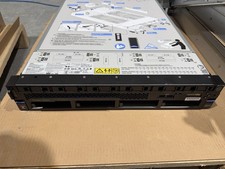
IBM Power 9 Linux L922, 2x6-Core CPU / No RAM / 2 x 1400W PSU / Rails - 9008-22L
$607.44
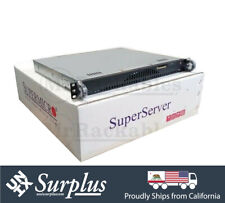
1U Open Source Router Firewall X10SLH-N6-ST031 E3-1240 V3 6x 10GB Ethernet 16GB
$350.00
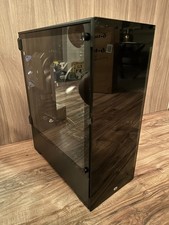
Proxmox Linux VM VPS Xeon Server /w 512GB RAM 28TB HDD for Virtual Machine Cloud
$1647.00

1U Open Source Router Firewall 6x 10GB Ethernet X10SLH-N6-ST031 E3-1240 V3 32GB
$429.00

Toshiba Magnia SG20 VPN Linux server Web server (No HDD, *Read*) -
$60.00
Microsoft SQL Server 2025 Standard 48 Core Unlimited User CALs CoA Authentic
$298.88

Ubuntu Server 26.04.1 LTS Bootable USB Flash Drive – Latest September 2026
$15.46
Ubuntu 26.04 Linux Desktop PC, 6-Core i5, up to 32GB RAM + 2TB SSD, Dell 7060
$399.99

Microsoft SQL Server 2025 Standard 32 Core Unlimited User CALs CoA Authentic
$388.00
Microsoft SQL Server 2025 Standard 48 Core Unlimited User CALs COA
$299.00