

 Reply With Quote
By the way, I tried partitioning the drive so that the first partition was 8Gb, to avoid any BIOS limitations, and still was not able to get the drive to boot.


Well, I am about to my wits end trying to install Knoppix to an external (USB) hard drive. I believe the
problem is that the drive is too large and my computers BIOS will not boot a FAT32 device that is 320Gb.
So, what I am wondering is if I can install Knoppix to the external hard drive by using the "Install to Hard Drive" option. I suppose that the program will want to install to my internal hard drive, the one containing my Windows OS, and I do NOT want that to happen. What I am wondering is this: Can I disconnect my SATA drive, containing Windows, then boot the computer using the CD? At that point would I be able to use the Install to Hard Drive program and install to the USB drive?
An alternative would be to download the Ubuntu 7.04 iso and install that to the USB drive. Ubuntu has the capability to install to the external drive.
I would prefer to install Knoppix, so if anyone can help me out I would be grateful.
John
By the way, I tried partitioning the drive so that the first partition was 8Gb, to avoid any BIOS limitations, and still was not able to get the drive to boot.
How did you find out that your USB HDD could not be booted?
Did you create a primary partition and mark it as bootable in the partition table?
Did you install grub4dos or syslinux?
If the BIOS does not like booting a FAT32 partition you could create a small (less than 2 GB) partition with FAT16 and use it as a boot partition.
The Knoppix CD does not depend on the presence of an internal HDD. All you need is a CD-ROM drive. After booting the external HDD should be found by Knoppix and be usable. If you decide to install Knoppix to a hard disk drive you have to create a partition formatted to reiserfs unless you want an install with persistent image. You will also need a swap partition greater than 1 GB.
I hope this helps.
I partitioned the USB HDD using Gparted. I made the first partition (primary) as 8Gb and flagged it as bootable. I then used flash-knoppix to install to the USB HDD. When I rebooted the computer, the USB HDD was not in BIOS list of bootable devices. Interestingly, when I test the hard drive with a program called TestDisk, the drive shows as being bootable. I also plugged the hard drive into a different computer and it does not show up in the boot list for the BIOS of the other computer.
I used the flash-knoppix installerto install the Knoppix to the USB HDD and it installed syslinux. I don't know how to install grub4dos . Can that be done after installing with flash-knoppix and do you think that would cure the problem?
I understand that the Knoppix CD does not require the presence of an internal HDD although I notice a lot of HDD activity when Knoppix is loading. Not sure why!! Yes, I would want to have a persistent image, so I would not be wanting to format with reiserfs. Here is another interesting thing that I saw: I formatted the primary partition with reiserfs and rebooted the computer. The USB HDD showed up in the BIOS boot list so the problem mostly likely is related to the boot record.
Any suggestions will be helpful. Is there a well documented procedure that I could read that describes installing to a USB HDD? Most of what I find is not that easy to understand for a novice.
Thanks,
John
By the way, is grub4dos usable in this context? I just read that it is not usable on all PC's and looks to me like it is more for Windows OS's .
You could also try grub legacy which comes with Knoppix 6.7.1 if your BIOS does not like syslinux.
 Posting Permissions

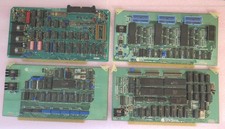
Vintage S-100 California Computer Systems cards Z80 cpu + ADS PromBlaster
$895.00

Lot of 2 Vintage Plextor PX-43CS SCSI CD-ROM Caddy Drives + 4 Caddies Used
$139.98

Vintage Computer - PC Innovation Intel 486DX2 - Dos Ver 6.2 Windows 3.1
$250.00

🔥 RARE VINTAGE HP 2113A 21MX 1000 E-SERIES MINICOMPUTER CHASSIS BACKPLANE
$249.00
Vintage Coach Signature Embossed Leather Tobacco Tablet E-Reader Case 8”
$79.99
Vintage Macintosh Compuserve Version 1 Membership Kit PC Magazine Mac New Sealed
$999.99
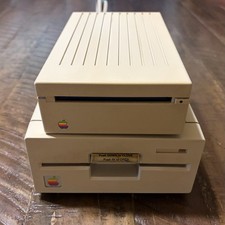
Vintage Apple IIgs 3.5” & 5.25” Floppy Disk Drives A9M0106 A9M0107 Untested
$115.00
Vintage Computer Sun Ultra 1 UltraSpark Driven - Mystery condition as-is Parts
$49.78

🔥 RARE VINTAGE HP 2112A 21MX M-SERIES 16-BIT MINICOMPUTER HP
$299.99

Vintage Jetway J-620BF Socket 370 Celeron AT Motherboard SiS 620 Brand New
$75.00