-

Originally Posted by
Werner P. Schulz

Are you sure you've removed the DVD before reboot?
Check the BIOS, how to boot from USB-stick; perhaps you have not the ability, to boot from USB. After boot from USB-stick Knoppix offers for about 7 seconds the option to establish persistent memory; if necessary reboot and try again.
Greetings Werner *
http://www.wp-schulz.de/knoppix/summary.html
Own Rescue-CD (Knoppix V6.7.1 remaster)
I'm quite familiar with both Linux and my own computers. I am only new to running from a USB key. The computer isn't booting from the DVD because the DVD player has been unplugged from the netbook.
So, when I boot via the USB key, I am presented with no screen offering the option to configure persistent memory and that is the reason that I ask if there is something that I'm supposed to do when booting. Is there a button I'm supposed to press? It is not happening automatically; hence the question. I've tried a couple different USB keys and even an MMC and none of them boot with the persistent memory option screen.
 Posting Permissions
- You may not post new threads
- You may not post replies
- You may not post attachments
- You may not edit your posts
-
Forum Rules


Yealink T48S VoIP/SIP Phone, 2 x Gigabit Ports PoE 7" Color SIP-T48S | TESTED
$34.95

Grandstream WP810 Portable Cordless Wi-Fi IP Phone
$49.28

SIM Bank 32 SIM Card Slots Ethernet SIM Server for GoIP
$400.00

Poly CCX 400 Desktop Business Media Phone VoIP 2200-49700-019
$49.99

Yealink SIP-T33G IP Phone 4-LineSpeakerphone VoIP Desk Phone Black w/ Power Sply
$25.00

Yealink SIP-T44W VoIP Phone 12-Line Gigabit Speakerphone RJ-45 Gray/Black
$44.00

Grandstream HT701 1-Port FXS Analog Telephone Adapter ATA VoIP Gateway -Free S/H
$19.99

Grandstream VoIP Phone Adapter ATA 1-Line Black Ethernet (RJ-45) Micro USB
$27.07

Cisco CP-8841 IP Phone Charcoal Handset And Stand Included
$27.99
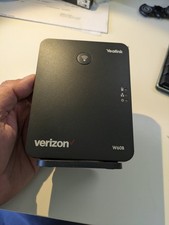
YEALINK W60B DECT VoIP BASE STATION VOIP SIP FOR UP TO 8 HANDSETS + OEM ADPTR
$50.00



 Reply With Quote