-
Solution to Windows option missing from Grub2 menu:
You need root privileges for this method, so use Root Shell or sudo.
Edit file: /etc/grub.d/40_custom
At the end of the file add:
menuentry "Windows 7" {
set root=(hd0,1)
chainloader +1
}
(Note this works for my installation of Windows 7, which boots from the first partition (sda1) - Grub2 numbers partitions from 1 not from 0)
In a root terminal (or use sudo), run:
update-grub
That's it, thats what worked for me.
From my original post, I still have to restore my Wireless network, which isn't proving as easy to track down. Anyone able to help resurrecting wireless networking?
Tags for this Thread
 Posting Permissions
- You may not post new threads
- You may not post replies
- You may not post attachments
- You may not edit your posts
-
Forum Rules


Kingston 32GB 64GB 128GB 256GB USB 3.0 Flash Drive Thumb Memory Stick Pen lot
$285.90

1/ 10/ 100pcs USB 2.0 2GB, 4GB ,8GB ,16GB ,32GB ,64GB 128GB USB Flash Drives Lot
$269.10

Microsoft Windows 11 Pro 64bit - New Sealed – Flash USB 1 PC
$49.99

128GB USB 14-in-1 MacOS bootable Installer repair recovery tech support service
$39.99

USB 3.0 Flash Drive 32GB 64GB 128GB Memory Stick Thumb Stick Lot Pack
$826.09

USB Type-A Flash Drive Metal Memory Stick High Speed USB Drive 128GB 256GB 512GB
$8.47

LOT 10x SanDisk 32GB ULTRA USB 3.0 flash drive SDCZ48-032G 32 GB read 100 MB/s
$39.80

Wholesale 5/10/100PCS 1GB 2GB 4GB 8GB 16GB 32GB USB 2.0 Flash Drive Memory Stick
$218.79

Zero Trace Pen: All-in-one Tor Network Anonymous Drive + Cryptocurrency Wallet
$147.00
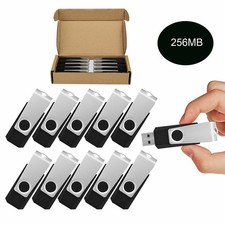
Wholesale Sale 10/ 30/ 50/100pcs 256MB Metal Swivel USB Flash Drive Memory Stick
$165.90



 Reply With Quote