
I am involved in a lawsuit and all the info is stored in a brand new hard drive less than 9 months old. I need to restore my hard drive need help as safety drill just stops and shows vertical lnes


I am involved in a lawsuit and all the info is stored in a brand new hard drive less than 9 months old. I need to restore my hard drive need help as safety drill just stops and shows vertical lnes
It is my understanding that the Safety Drill bootable disk is based on Knoppix. Exactly what version, I do not know. I can tell you it is an older version than what is current. The Maxtor One Touch 4 Mini drives have been discontinued and the software was getting old a few years ago. My suspicion is that your hardware may not work well with the provided version of Safety Drill. There may be a "cheat Code" you could use during the boot process. Just a guess based on your description of the screen, I would look towards codes affecting Display/Video parameters. Cheat codes can be found here: http://knoppix.net/wiki/Cheat_Codes My best recommendation would be to contact Seagate/Maxtor and see if they have any suggestions. They have a forum and also direct contact information on their website. I would be careful to preserve the data and not risk losing it by attempting to restore it with outdated software. The "Plus" drives carried a five year warranty if I'm not mistaken. If yours is still covered, they may provide support for you. If you were to read the instructions that came with your drive, I believe it clearly states that before you rely on the drive and software for backup, you should try the bootable disk on the target system. There were some limitations on what could be backed up as well. Some of it may be because the backup software does not appear to use volume shadow copying in applicable Windows platforms. Check the Seagate/Maxtor site and there should be some information available.
If you are involved in a legal proceding, then Working with the drive manufacturer to resolve your issue would likely be the best solution.
When you contact Seagate/Maxtor, I would highly recommend that you supply more detail of your hardware and what information is stored where and provide more about what caused you to need to restore the drive. Theft? Corruption? Drive Failure?
 Posting Permissions


Fanxiang 1/2/5/10Pcs 2.5'' SATA SSD Lot 1TB 2TB 4TB 512GB 256GB TLC Internal SSD
$699.98

Dell Latitude 14" Laptop Computer Intel i5 Up To 32GB RAM 1TB SSD Windows 11 Pro
$427.63

Dell Latitude 14" Laptop Computer Intel i7 Up To 32GB RAM 1TB SSD Windows 11 Pro
$385.48
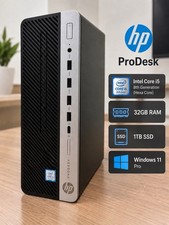
HP ProDesk Desktop Computer Intel Core i5 32GB RAM 1TB SSD Windows 11
$394.99

1TB Kingston DataTraveler Max DTMAX/1TB USB Type-C Flash Drive
$86.95

Acer Aspire 14" AI Copilot+PC Laptop Core Ultra 5 226V Gen 4 ARC 16GB 1TB Refurb
$438.51

Acer Aspire 16 16" Laptop Core Ultra 5 226V S2 16GB RAM 1TB SSD Arc Refurbished
$533.51

Netac 2TB 1TB 500GB Internal SSD M.2 NVMe PCIe3.0 Solid State Drive lot
$75.99

External Solid State Drive USB 3.2 Gen2, 1TB SSD External Hard Drive with C to A
$100.00

Dell Windows 11 Pro Desktop Computer PC Up To i7 8th Gen. 32GB RAM 4TB SSD/HDD
$319.98

 Reply With Quote