

 Reply With Quote
how would i remove the tulip module " modprobe -r tuilp"


I have a netgear FA310TX network card that has given me some trouble with the card trying to autonegotiate it's speed in knoppix as well as other OSs, and the solution has pretty much been to lock the card down to 10baseT and turn off the autonegotiation feature which would get confused and cause the link light to just flash on and off and move no traffic.
To lock this card into 10baseT in Knoppix:
1. Boot up Knoppix
2. switch to a virtual terminal (ctrl+alt+F3 will do the trick)
3. remove the tulip module " modprobe -r tuilp"
4 reinsert the tulip module but add this option "insmod tulip option=9"
5. switch back to the desktop (ctrl+alt+F5)
6. run the network card configuration ("K" > Knoppix > Network/Internet >Network card config") and setup your ip address settings here now that the card is working.
This should lock the card into 10baseT mode and should solve any speed autonegotiation issues you may have with this card.
Enjoy!
how would i remove the tulip module " modprobe -r tuilp"
I have a NIC that also has a problem with Knoppix and some other OS's. It does work fine under Windows. It's not a Netgear. But the thing is, the NIC worked perfectly with Knoppix when I first got the computer. It stopped working right after I did an XP "security update. (Make your own conslusions about cause and effect.) When I was working on the problem I set up ethereal on another computer and watched the computer try to autonegotiate it's speed with the router. It was pretty clear that something was going very wrong with autonegotiation in my case too. The NIC failed with the very same Knoppix CDRs that it had been working with (several of them, and other tests proved they were still the same as when they were first burnt). By the way, it's a NIC built into a notebook, which makes any simple fix by hardware replacement not a solution.Originally Posted by adamm
Please look over these threads:
http://www.knoppix.net/forum/viewtop...er=asc&start=0
and
http://www.knoppix.net/forum/viewtop...er=asc&start=0
and tell me if you think there is a relation between this and what you are seeing.
Unfortunatly, this is a very different situation than the one I was facing. It looks like your issue is directly related to that security update and the firmware on the embeded card, whereas the issue I was having was related to the way the tulip driver was interfacing with my netgear card.
You may just want to see what module is being loaded for the card you have, and see if there are any paramaters you can pass to it like I did with the netgear.
I wish you luck on fixing this issue, as it seems that you are not alone.
Thanks. I do apprecaite your looking at it though. As you saw, I have some work arounds for my problem, but would like to get to the bottom of the problem. Good luck with your problem.
 Posting Permissions


Lenovo ThinkPad L13 Yoga Touch Laptop 13.3” Core i5 8GB RAM 256GB SSD Win 11 Pro
$239.99

Lenovo ThinkPad L15 Gen 3 15.6" 16GB, Thunder Black
$241.50

Lenovo ThinkPad E14 Gen 2 Laptop 14” HD Ryzen 5 16GB RAM 512GB SSD Win 11 Pro
$319.99

Lenovo ThinkPad E14 Gen 3 Laptop 14” FHD AMD Ryzen 5 16GB RAM 512GB SSD Win 11
$374.99

Lenovo ThinkPad L14 Gen 3 14" FHD Laptop i5 12th Gen 16GB RAM 256GB SSD Win 11
$329.99

Lenovo Thinkpad T14 Gen 2i 14" 16GB 512GB, Black
$313.00
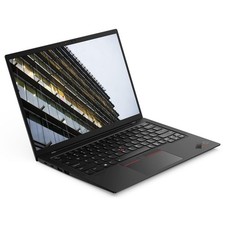
Lenovo X1 Carbon Gen 9 i7-1185g7 32GB RAM 512GB NVME
$509.99

Lenovo ThinkPad L14 Gen 2 14" Laptop Core i5-1135G7 2.40GHz 8GB RAM 256GB SSD
$124.99

Lenovo ThinkPad L15 Gen 3 15.6" 16GB, Thunder Black
$241.50

Lenovo ThinkPad T495 14” Laptop AMD Ryzen 5 PRO 16GB RAM 256GB SSD Windows 11
$229.99