-
Activate B43 WiFi on 6.4.3 BUG
Reference:
http://smtp.knoppix.net/wiki/Network...ppix_5.3.1_FAQ
I. Native way:
a)
Code:
knoppix@Microknoppix:~$ iwconfig
lo        no wireless extensions.

eth0      no wireless extensions.

knoppix@Microknoppix:~$
b) Need to put back b43 and ssb:
Code:
knoppix@Microknoppix:~$ sudo modprobe -a ssb
knoppix@Microknoppix:~$ sudo modprobe -a b43
knoppix@Microknoppix:~$ iwconfig
lo        no wireless extensions.

eth0      no wireless extensions.

wlan0     IEEE 802.11bg  ESSID:off/any
          Mode:Managed  Access Point: Not-Associated   Tx-Power=off
          Retry  long limit:7   RTS thr:off   Fragment thr:off
          Power Management:off

knoppix@Microknoppix:~$
c)
Code:
knoppix@Microknoppix:~$ ifconfig
eth0      Link encap:Ethernet  HWaddr 00:0f:b0:fa:e5:31
          inet addr:192.168.0.71  Bcast:192.168.0.255  Mask:255.255.255.0
          inet6 addr: fe80::20f:b0ff:fefa:e531/64 Scope:Link
          UP BROADCAST RUNNING MULTICAST  MTU:1500  Metric:1
          RX packets:3667 errors:0 dropped:0 overruns:0 frame:0
          TX packets:2071 errors:0 dropped:0 overruns:0 carrier:0
          collisions:0 txqueuelen:1000
          RX bytes:2442530 (2.3 MiB)  TX bytes:293863 (286.9 KiB)
          Interrupt:22 Base address:0xa000

lo        Link encap:Local Loopback
          inet addr:127.0.0.1  Mask:255.0.0.0
          inet6 addr: ::1/128 Scope:Host
          UP LOOPBACK RUNNING  MTU:16436  Metric:1
          RX packets:0 errors:0 dropped:0 overruns:0 frame:0
          TX packets:0 errors:0 dropped:0 overruns:0 carrier:0
          collisions:0 txqueuelen:0
          RX bytes:0 (0.0 B)  TX bytes:0 (0.0 B)

knoppix@Microknoppix:~$
* Only the "lo" entry there
d) Become the super user
Code:
knoppix@Microknoppix:~$ su
root@Microknoppix:/home/knoppix#
e) Setup the ESSID and the channel
Code:
root@Microknoppix:/home/knoppix# iwconfig wlan0 essid "my_network" channel "6"
root@Microknoppix:/home/knoppix#
f) Check the result
Code:
root@Microknoppix:/home/knoppix# iwconfig
lo        no wireless extensions.

eth0      no wireless extensions.

wlan0     IEEE 802.11bg  ESSID:"my_network"
          Mode:Managed  Frequency:2.437 GHz  Access Point: Not-Associated
          Tx-Power=off
          Retry  long limit:7   RTS thr:off   Fragment thr:off
          Encryption key:off
          Power Management:off

root@Microknoppix:/home/knoppix#
g) Activate the wlan0
Code:
root@Microknoppix:/home/knoppix# ifconfig wlan0 up
SIOCSIFFLAGS: Unknown error 132
root@Microknoppix:/home/knoppix#
* Error message returns
SIOCSIFFLAGS: Unknown error 132
** Native way has BUG?
Suspect Knoppix 5.3.1 DOCS are outdated.
Reply requested, please . . .
 Posting Permissions
- You may not post new threads
- You may not post replies
- You may not post attachments
- You may not edit your posts
-
Forum Rules


HP PROLIANT MICROSERVER GEN8 E3-1220LV2 @ 2.30GHz, 8GB RAM, NO HDD/OS
$164.97

Dual Xeon E5-2698 Server-Supermicro X10DRL-i - Noctua SilverStone RM41-506
$449.99

Super Micro 113M-3 Server Intel Xeon 5Tb HDD used great condition
$70.00

HPE ProLiant MicroServer Gen10 Plus Xeon E-2224 3.4GHz 16GB RAM 2TB HDD NO OS
$949.99

HPE ProLiant MicroServer Gen 10 - Opteron x3421 - 16GB DDR4 - 120GB SATA SSD
$350.00
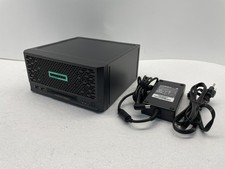
HPE ProLiant MicroServer Gen10 Plus V2 Server G6405 16GB No HDD P54644-001
$899.99

HP ProLiant MicroServer Gen8 Xeon E3-1265L v2 16GB ECC RAM 4-Bay NAS, NO Drives
$300.00

SuperMicro 4U CSE 847 36 Bay LFF Barebone 2x 1280W w/ 2x Bays 2.5 Rear w/Trays
$499.99

Supermicro 721-2 Mini Tower Black Computer Server NO Hdd
$375.00

BOXX B157552 SuperMicro X10DRT-L 2x Intel 2630V4 NO RAM & SSD Server
$160.99



 Reply With Quote